Schedule, Anticipate, and Stay Ahead
The system should prepare before you need it
The report caught the scope contradiction between the meeting and the email. You resolved it, updated the , and confirmed Renee's timeline. Every chapter so far has required you to start the work: open a conversation, paste your sources, ask the question. This chapter reverses the direction. Every automation in this chapter produces a queue you review, never a change the system made. Scheduling uses your checklist. Proactive briefings use your layer and source trails.
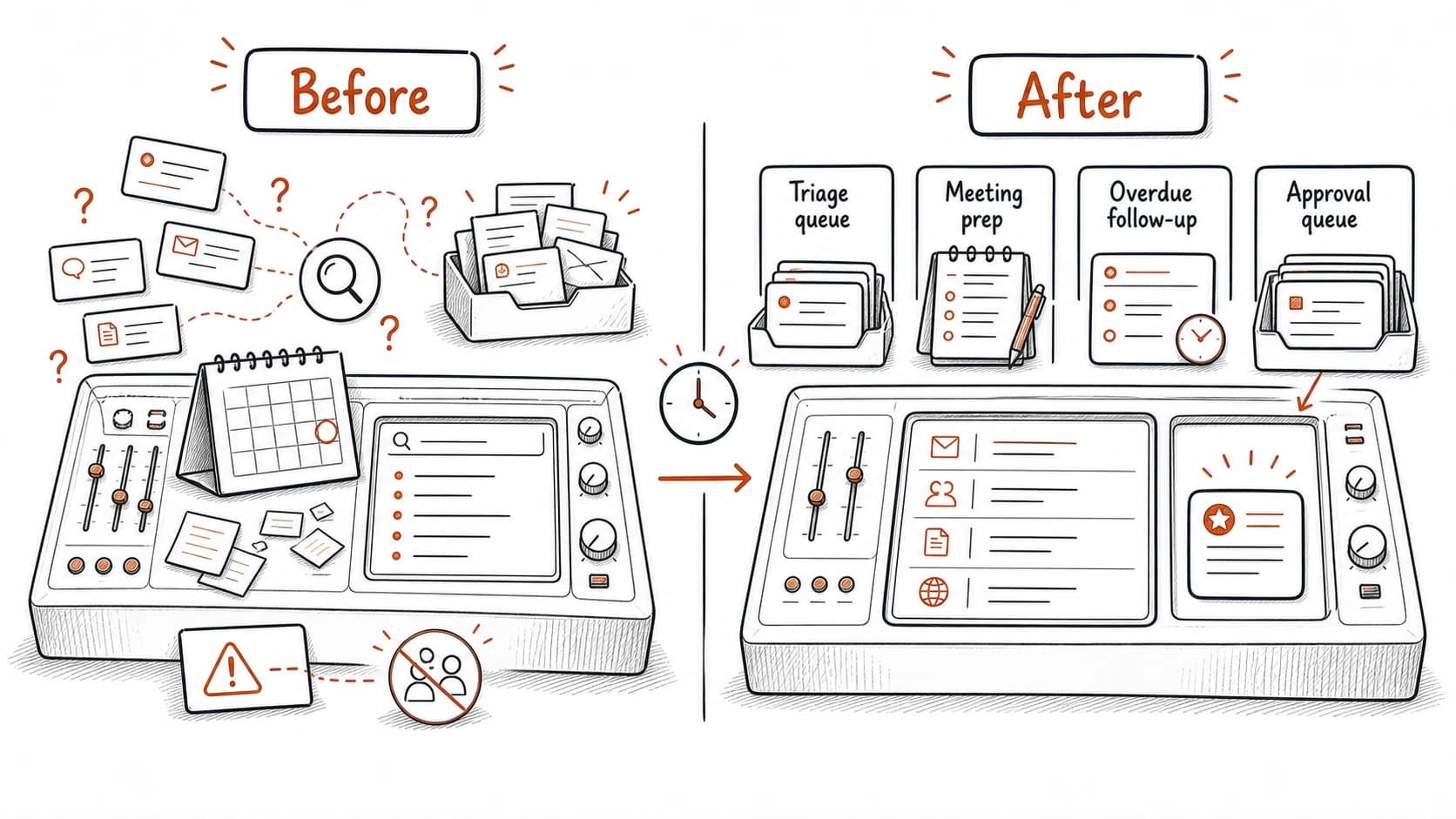
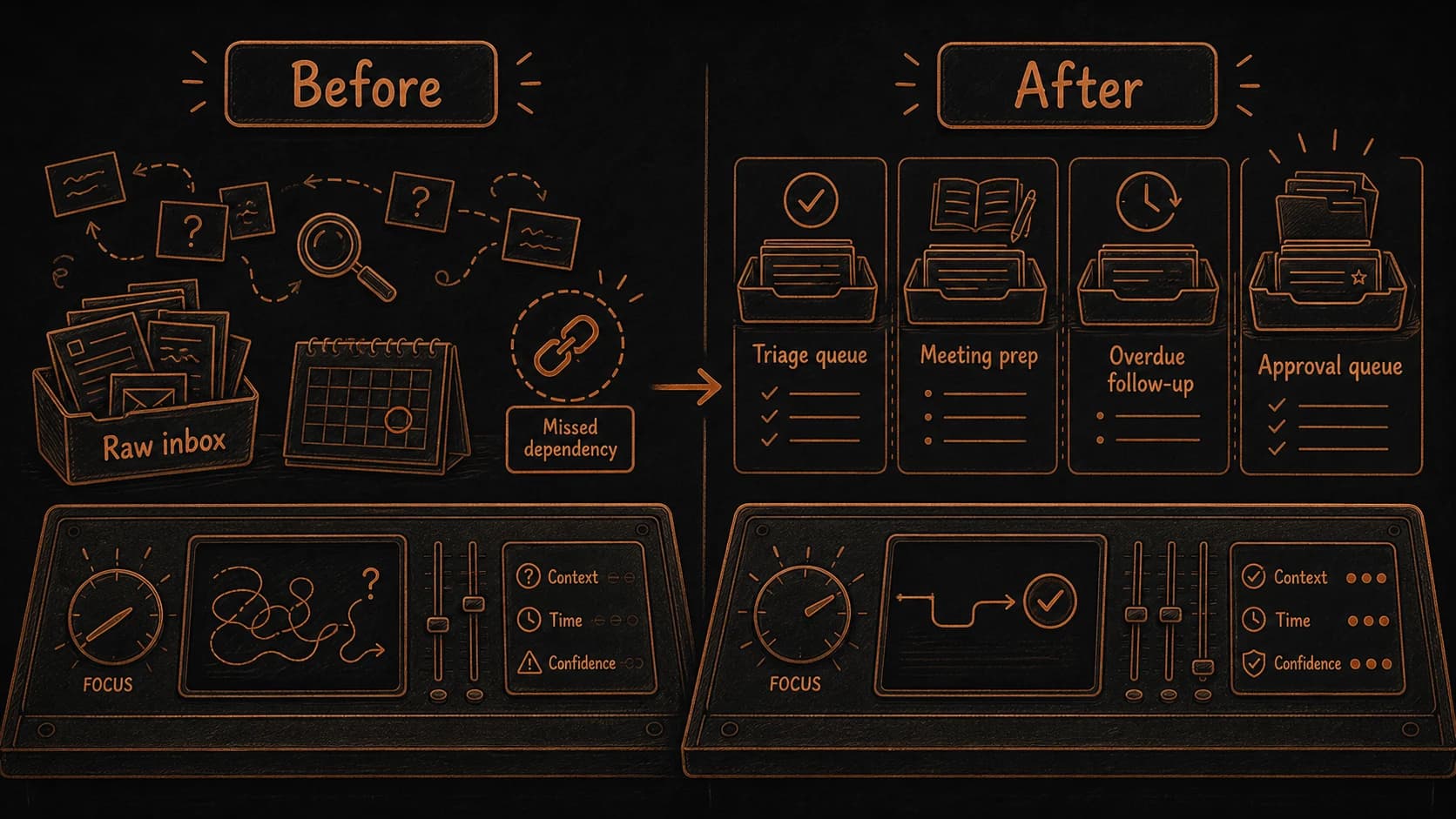
To see what changes, compare Monday morning before and after this chapter. Before: you open your , scan for anything urgent, search for the you need, and rebuild from memory. After: a triage queue is waiting, the meeting prep cites the relevant records, overdue follow-ups have surfaced, and the approval queue shows what the system wants to do next.
Scheduled runs turn maintenance into a rhythm you can audit
The from the previous chapter works well when you remember to do it. Scheduling makes it automatic. The assistant runs , tests, updates, and archive checks on a recurring cycle. Each run produces a queue you review, not a set of changes the system made on its own.
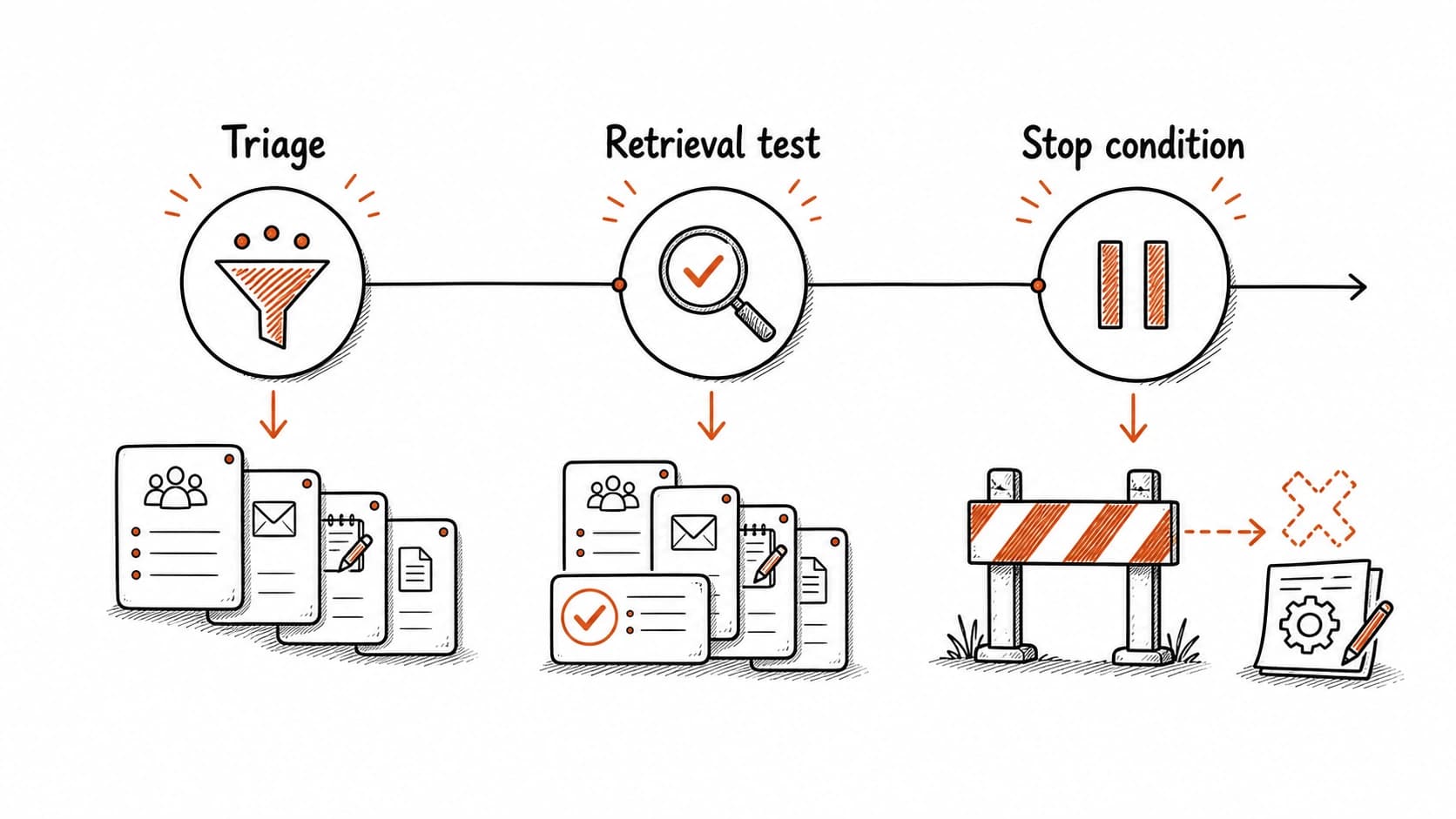
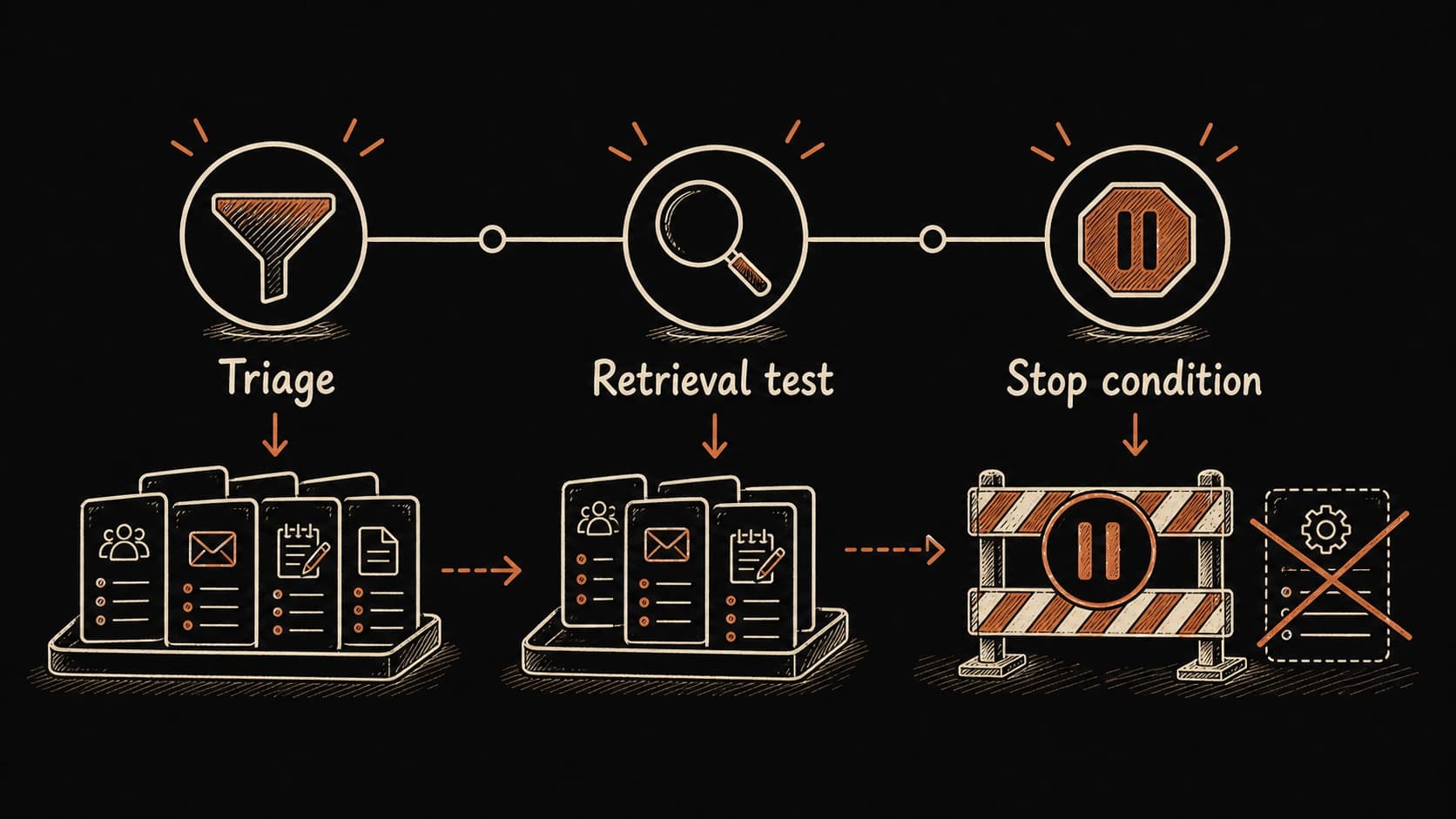
A useful schedule has four parts: a trigger (when it runs), allowed sources (what it reads), an output checklist (what it produces), and stop conditions (when it pauses and waits for you). The stop conditions matter most. Without them, the schedule becomes a machine that updates records, creates tasks, and archives material while you sleep.
Stop conditions extend the same principle you have been building since the privacy chapter. In the privacy chapter, you set an approval rule for sources crossing access levels. In the decisions and tasks chapter, approval rules became the approval queue where decisions and tasks wait for your judgment. Here, stop conditions extend the approval boundary to automated runs: when a encounters an unclear privacy label, a single-source finding, or conflicting records, it pauses and adds the item to your approval queue instead of proceeding.
Start with one for the first week. Monday is the simplest: it reads the and proposes promote, park, or discard for each item. Run it once, review the output, and decide whether the proposals are useful before adding more runs.
Use case: Monday morning with and without the schedule
Monday without the schedule. You open the and see 12 items from last week. You scan titles, trying to remember which ones matter. You search for the you need for Tuesday's call but can only remember fragments of the title. You check your email for overdue follow-ups. You rebuild from memory, cross-referencing your calendar with scattered notes. The preparation takes 25 minutes and you still miss the compliance deadline that was mentioned in a note you never reviewed.
Monday with the schedule. The queue is waiting: 4 items to promote, 3 to park, 5 to discard. The Tuesday meeting prep cites the May 8 , Renee's confirmed , and the open legal question. One overdue follow-up has surfaced from the waiting-for list. The update flags the scope contradiction between the pilot decision and the client email. The approval queue has one blocked action: a draft follow-up message to Renee that needs your review before sending. The preparation takes 8 minutes and the compliance dependency was flagged on Friday.
Proactive briefings anticipate what you need before you ask
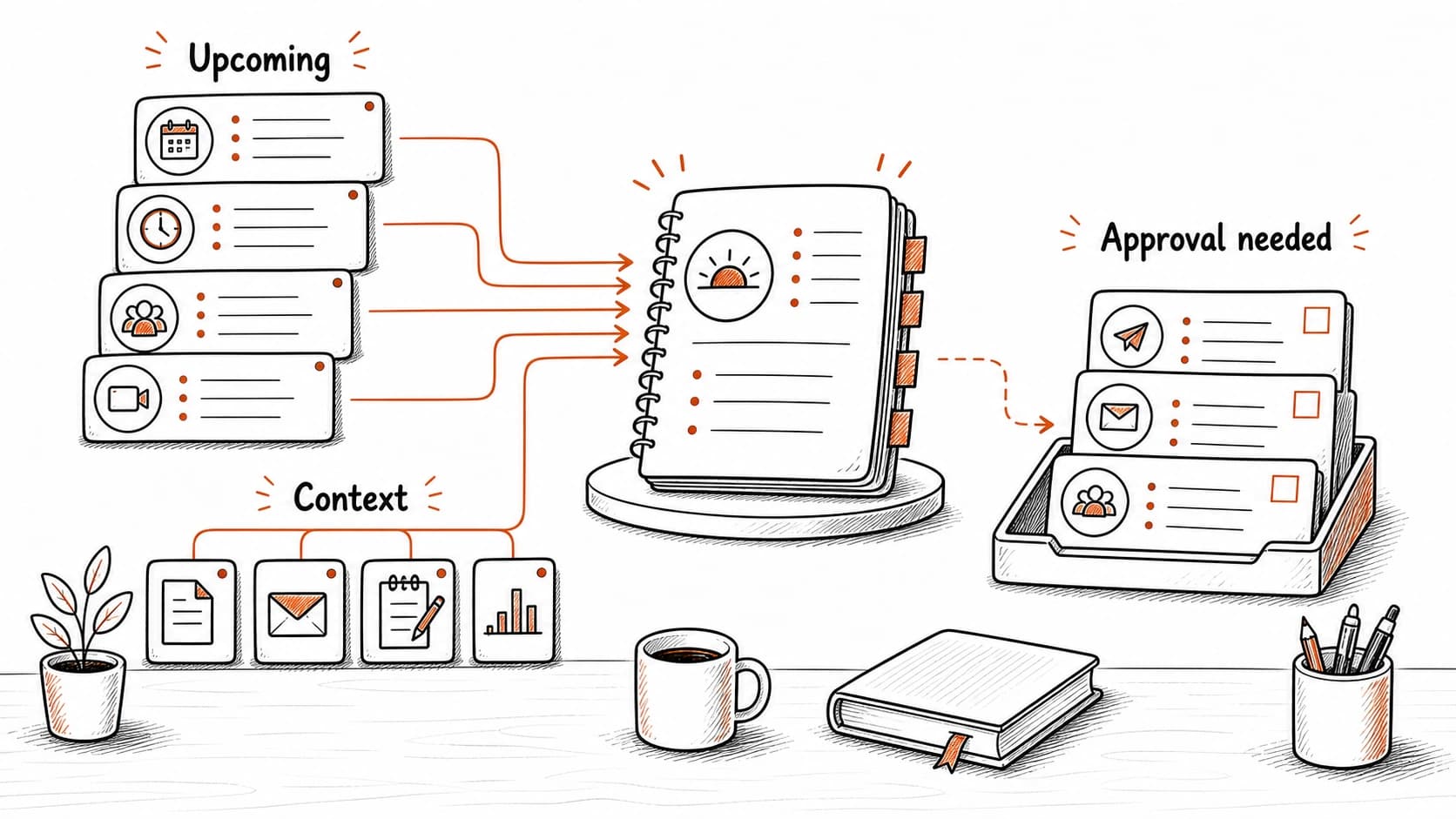
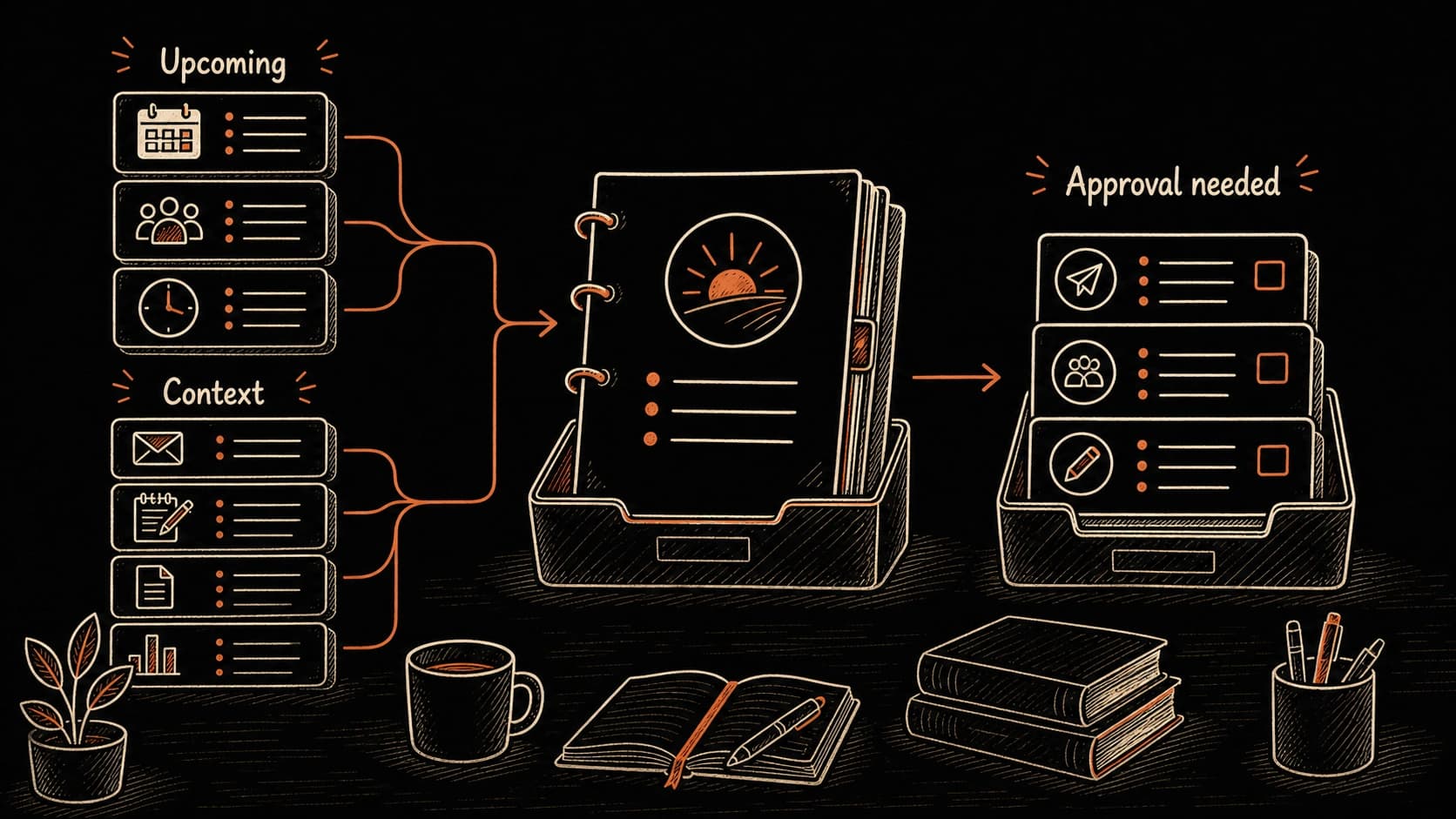
A is a that looks forward. Instead of reviewing what happened last week, it gathers for what happens tomorrow. The assistant reads the calendar, finds related records, checks for overdue follow-ups, pulls relevant findings, and assembles a briefing that waits for your review.
The briefing has five sections: upcoming (meetings and deadlines that need ), relevant records (the connected to each event), overdue items (waiting-for commitments and stale tasks), connections ( findings that relate to tomorrow's work), and approval needed (actions the system wants to take on your behalf). Each section cites sources so you can verify before acting.
Proactive does not mean autonomous. The assistant can notice an upcoming meeting, gather sources, draft a reminder, or suggest a connection. It should still separate what it found from what it wants to do. You approve, edit, reject, or ignore each item.
Failure path: the system becomes noisy and you stop checking it
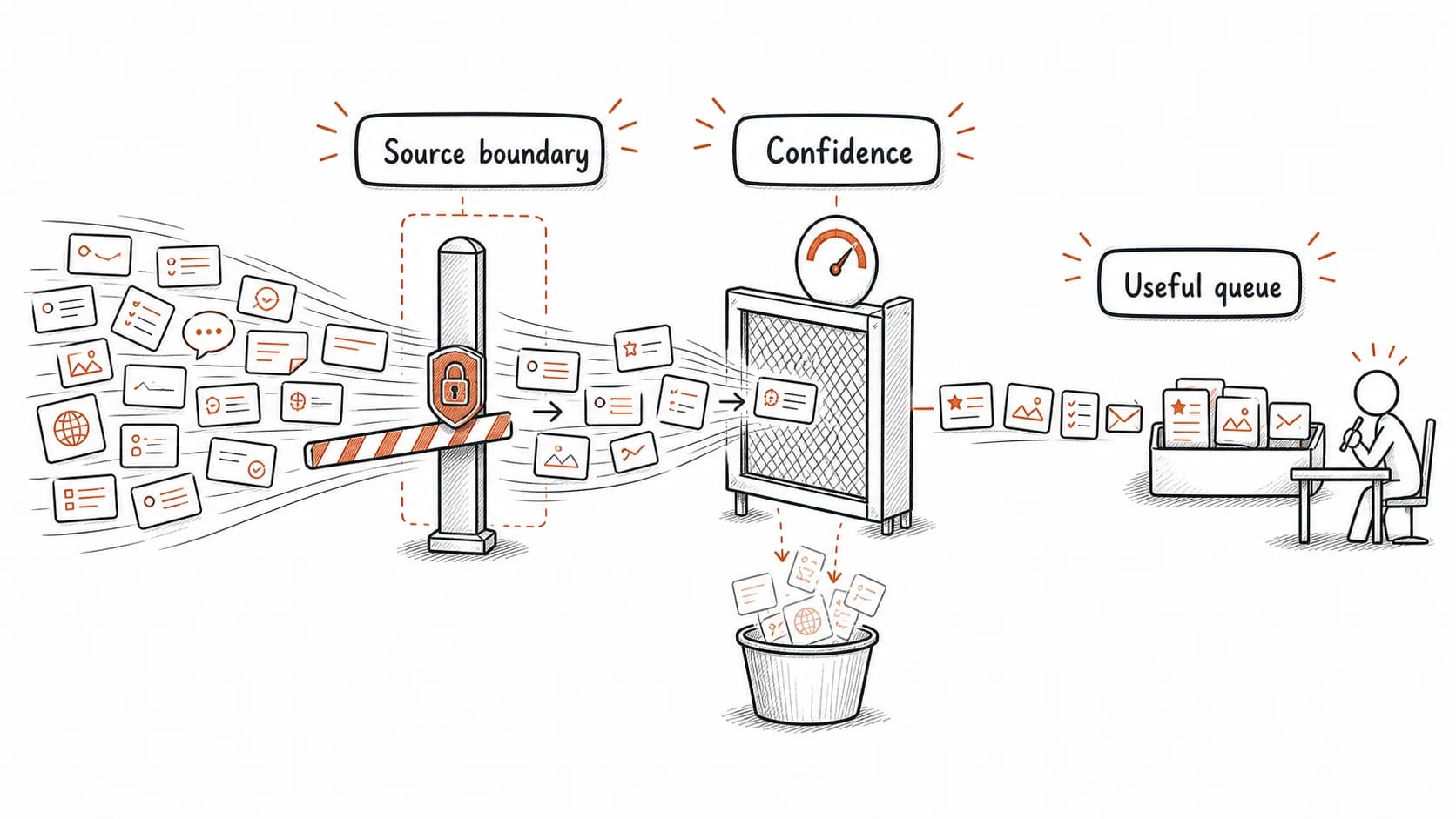
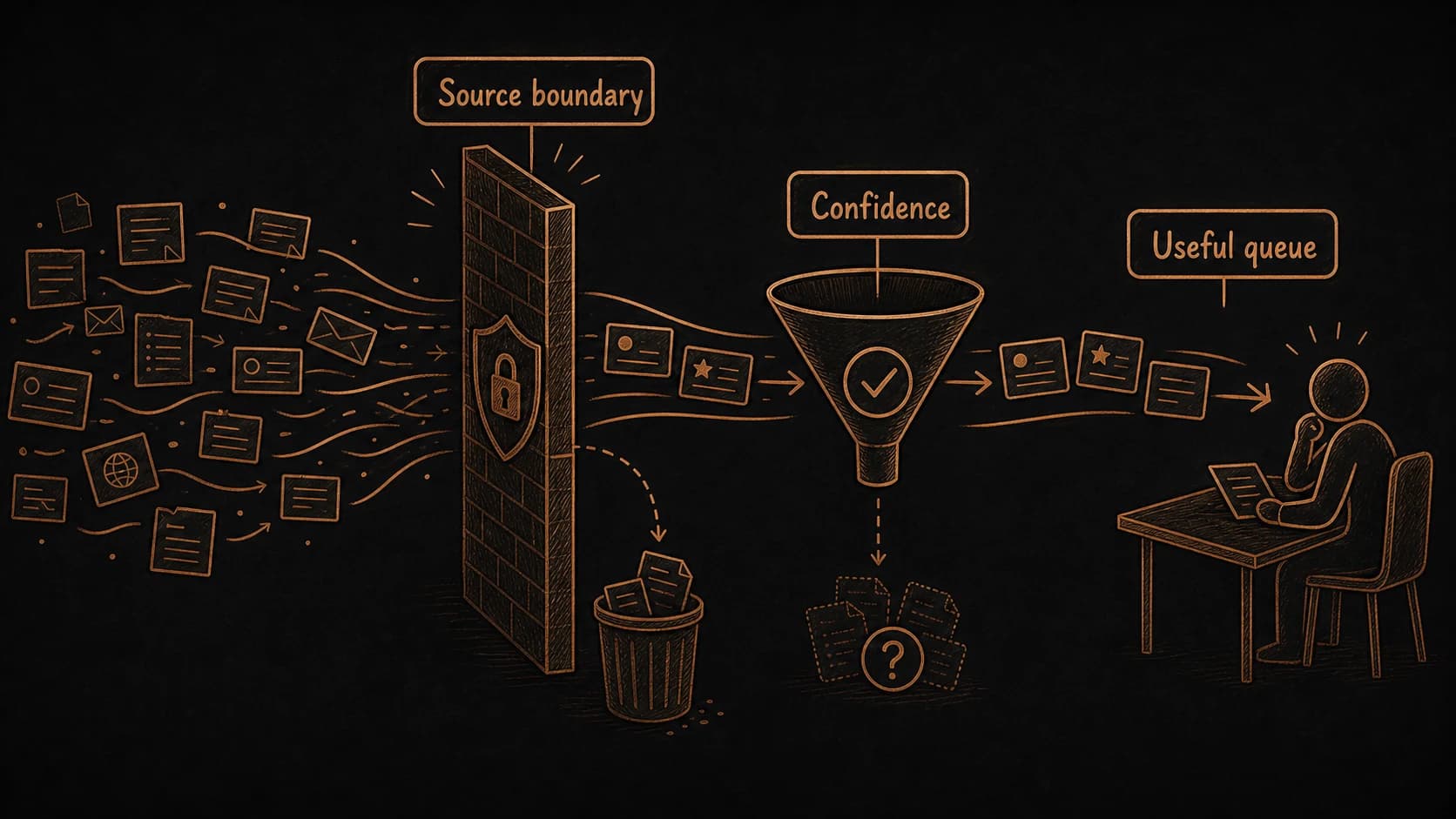
The most common reason people abandon a is that the system starts producing more output than they can review. Monday triage returns 20 items. The briefing flags 8 connections, most of them obvious. The update reports patterns you already know about. Each run takes 5 minutes to review, and the value drops below the effort.
When the scheduled output becomes noise, the reader stops opening it. Within two weeks, the system is running without anyone checking the results. Records drift, the briefing becomes stale, and trust erodes without anyone noticing.
The fix has three parts. First, narrow the source boundary: limit each to one project and one week of records. A narrow scope produces fewer, more relevant findings. Second, raise the confidence threshold: suppress tentative and one-source patterns from the briefing and surface only strong or mixed findings. Third, review the schedule itself during the monthly archive pass. If a run consistently produces output you ignore, remove it or change its frequency. A schedule that produces three useful findings per week is worth maintaining. A schedule that produces thirty findings you skip is training you to ignore the system.
Source trails in automated output prove the system did not invent the claim
When you run a query yourself, you can check the sources immediately. When a produces findings overnight, the becomes the only evidence that the claim is grounded. A briefing item that says "the pilot timeline is at risk" is useful when it cites the (May 8, two-client scope) and the client email (May 9, four-client request). Without those citations, it is a system-generated opinion.
Require every scheduled output to include source links, dates, and trust states. If a finding lacks a citation, treat it the same way you treat an unsupported pattern: reject it or flag it for manual verification.
Build a weekly schedule with proactive briefings
Claude designs a maintenance rhythm and daily briefing. You set the approval boundaries.
The schedule is working when the briefing saves more time than it takes to review. You should be able to open Monday's queue, verify each finding through its , approve or reject proposed actions, and start the week with current instead of rebuilding it from memory.