The Raw Dump: Capture Without Organizing
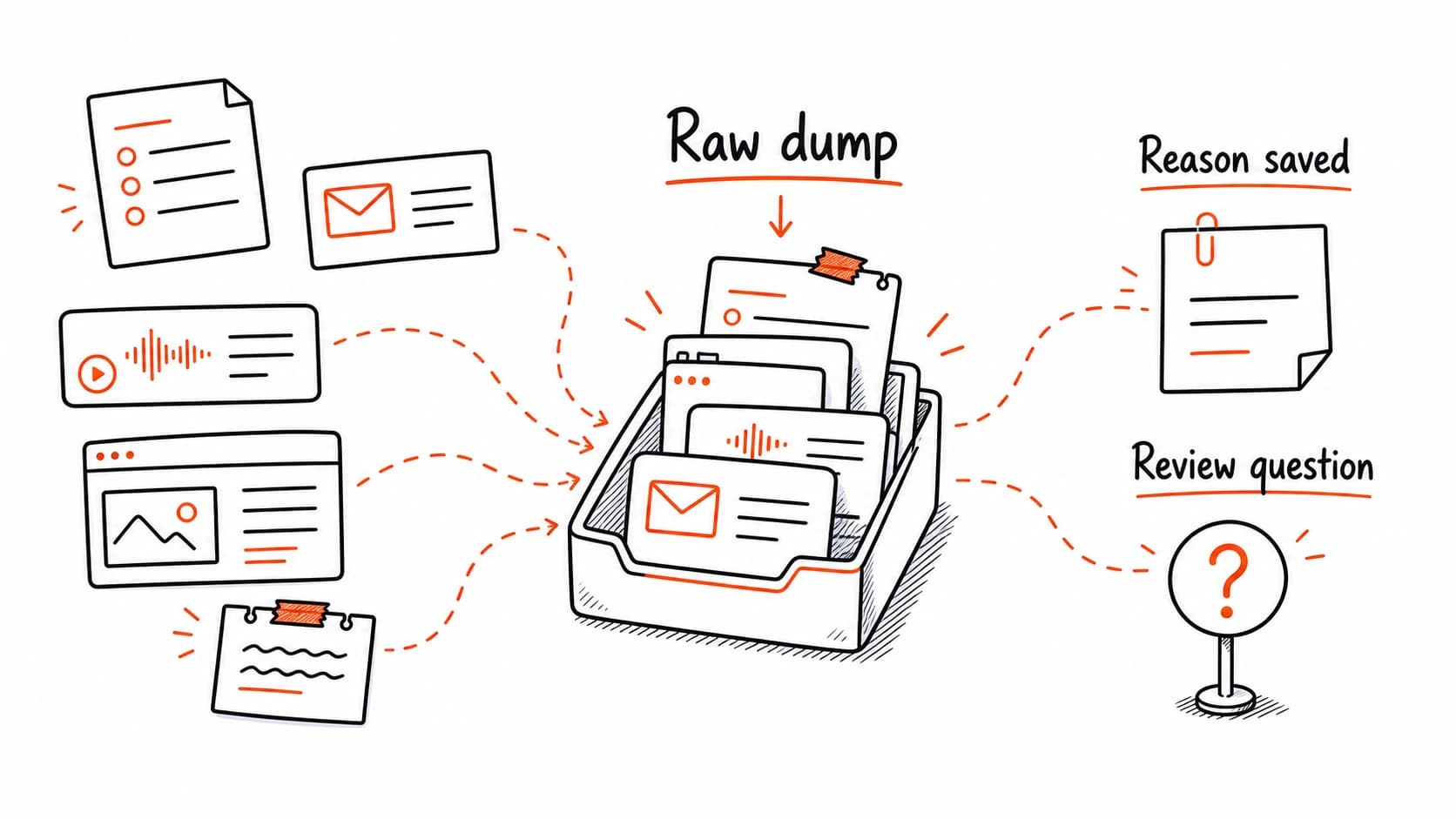
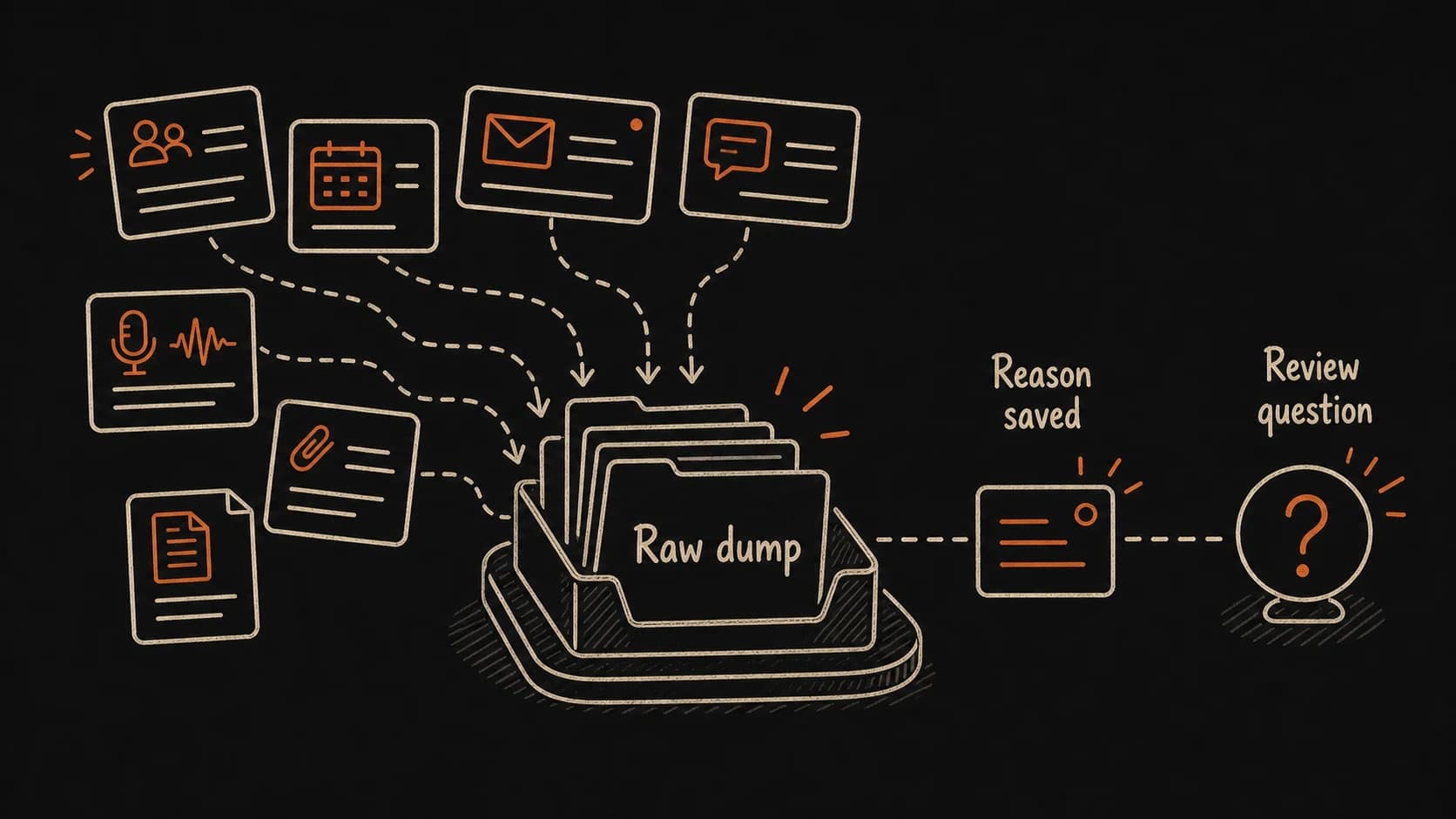
The Thursday client call now has privacy labels and an approval rule, but the material still has nowhere to go. This chapter creates the : one folder where sources land before you sort them, summarize them, or decide what they mean. You need a single place where useful material can arrive before you make any judgment about it. Every source that lands here is meant to be processed by Claude or Codex, which catalogs it, adds , indexes it, and files it into the right folder. You drop it in; the AI does the rest.
Capture should feel easier than postponing the thought. When a follow-up email lands between calls, save it with the date, the privacy label you assigned in the previous chapter, and one plain reason it might matter. The result is a raw entry you can review later. It carries no trust yet; it simply preserves the source.
Save Thursday's follow-up email before judging it
A raw source is evidence, not a conclusion. Saving a meeting does not mean every statement in it is true. Saving an email does not mean you accept the request. Saving a note does not mean the idea will survive review. The keeps the source available so you can decide what it means later, with the original right in front of you.
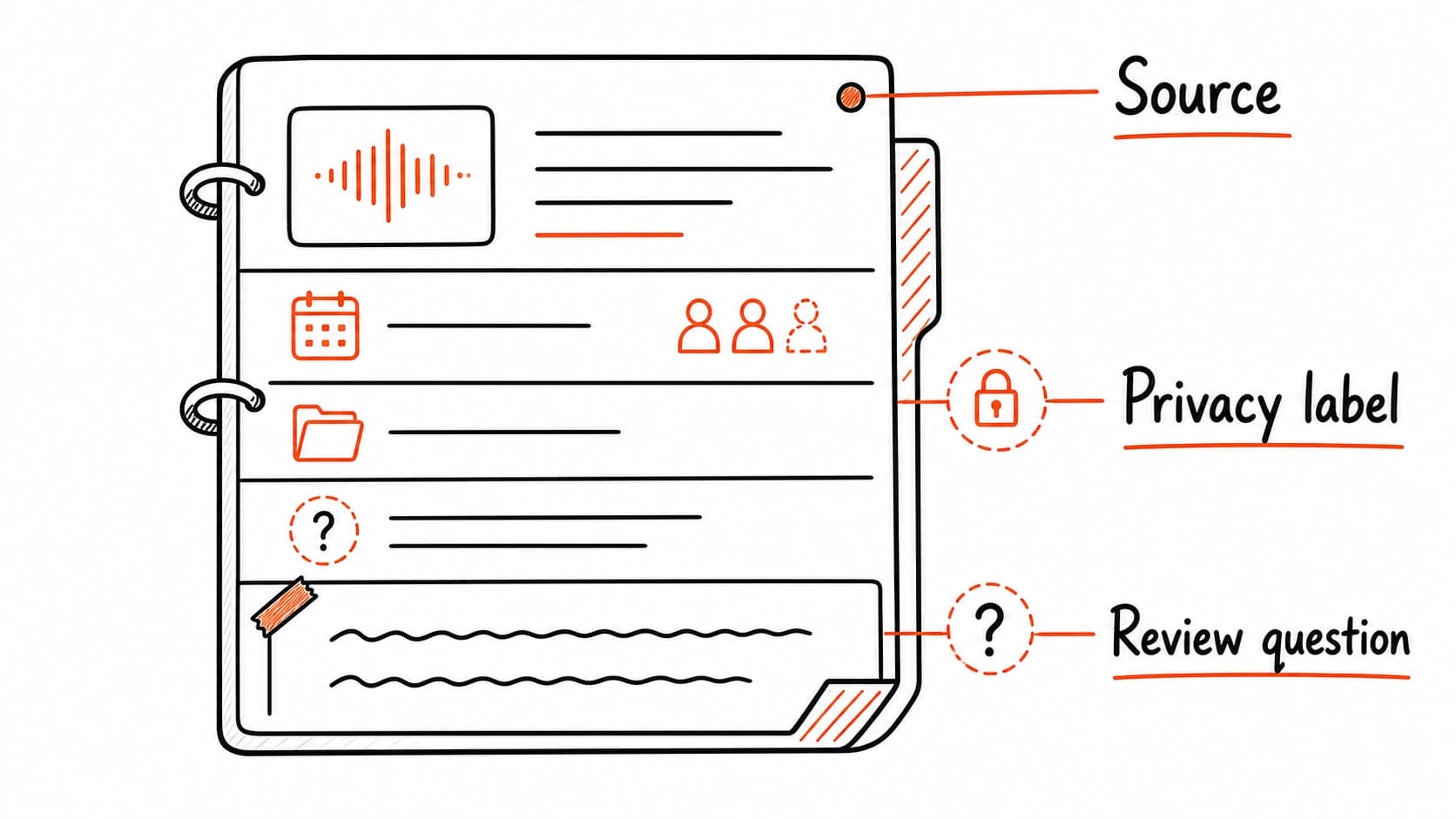
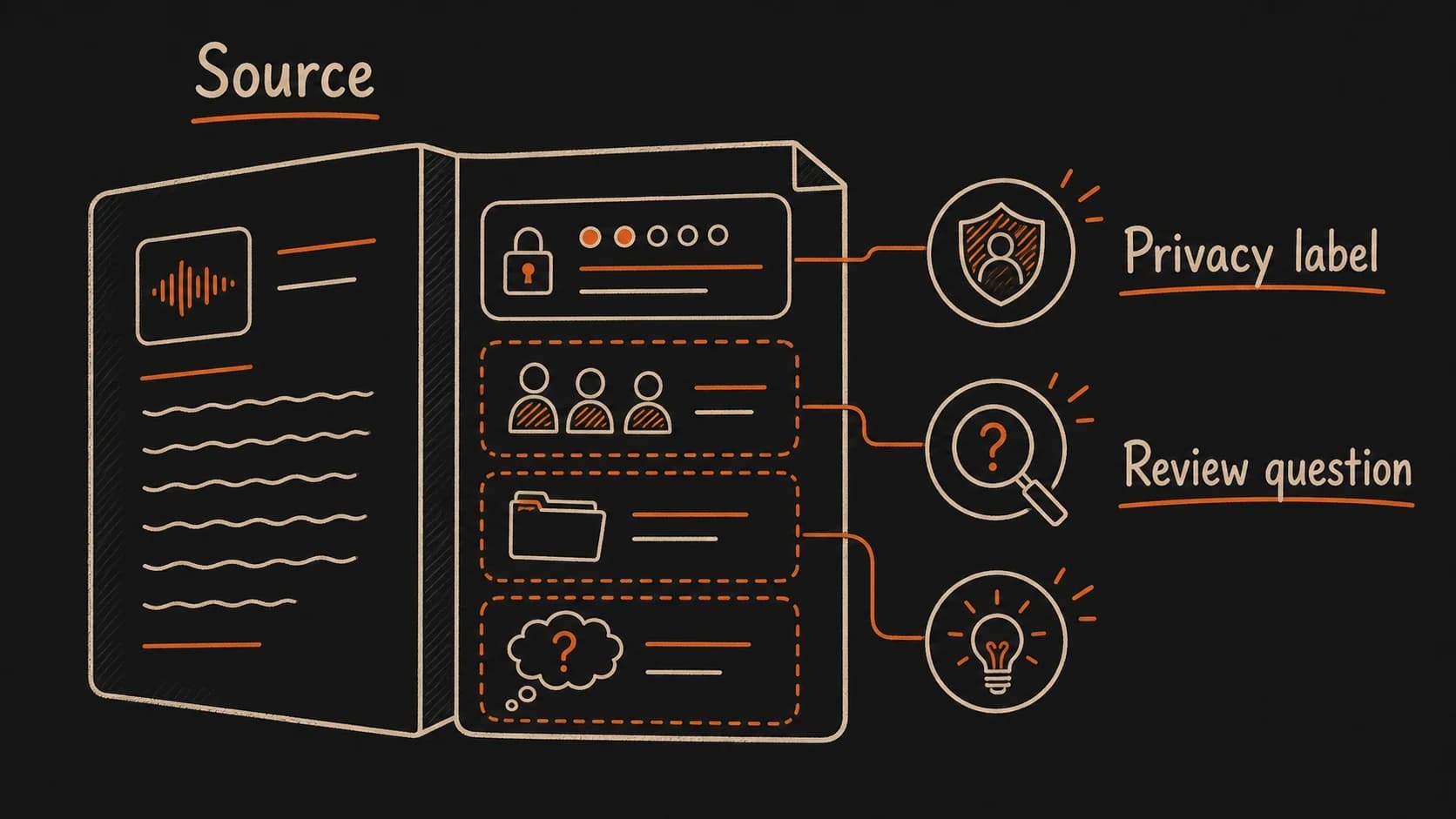
Three trust states carry a source from evidence to action
The previous chapter introduced two trust states: raw source and . Now that you are capturing real material, a middle step becomes useful. A processed source has been cataloged with , indexed in the database, and placed in the right project folder by the AI. You have not reviewed or approved it yet. It carries more structure than raw evidence, but less trust than a reviewed conclusion.
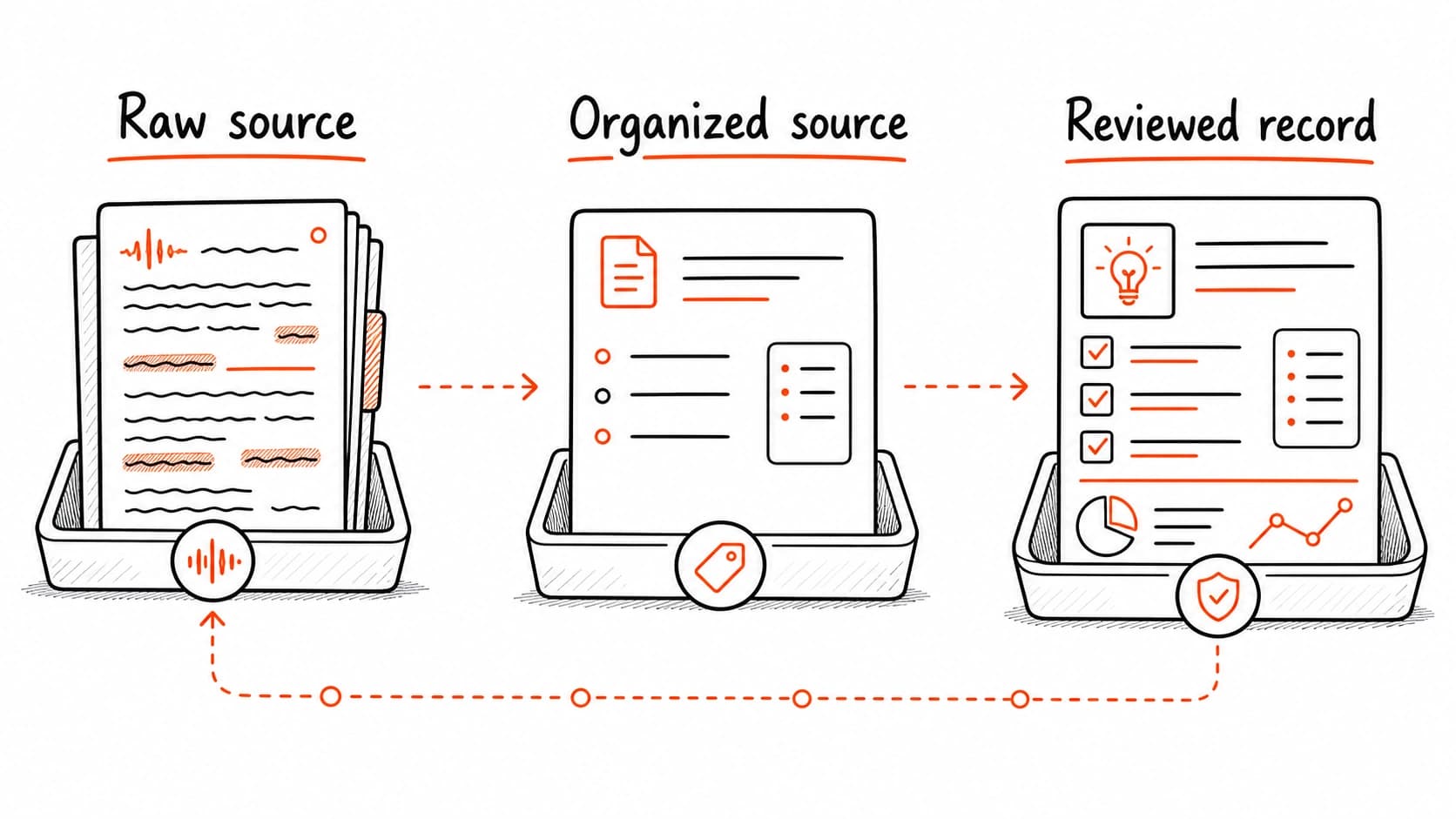
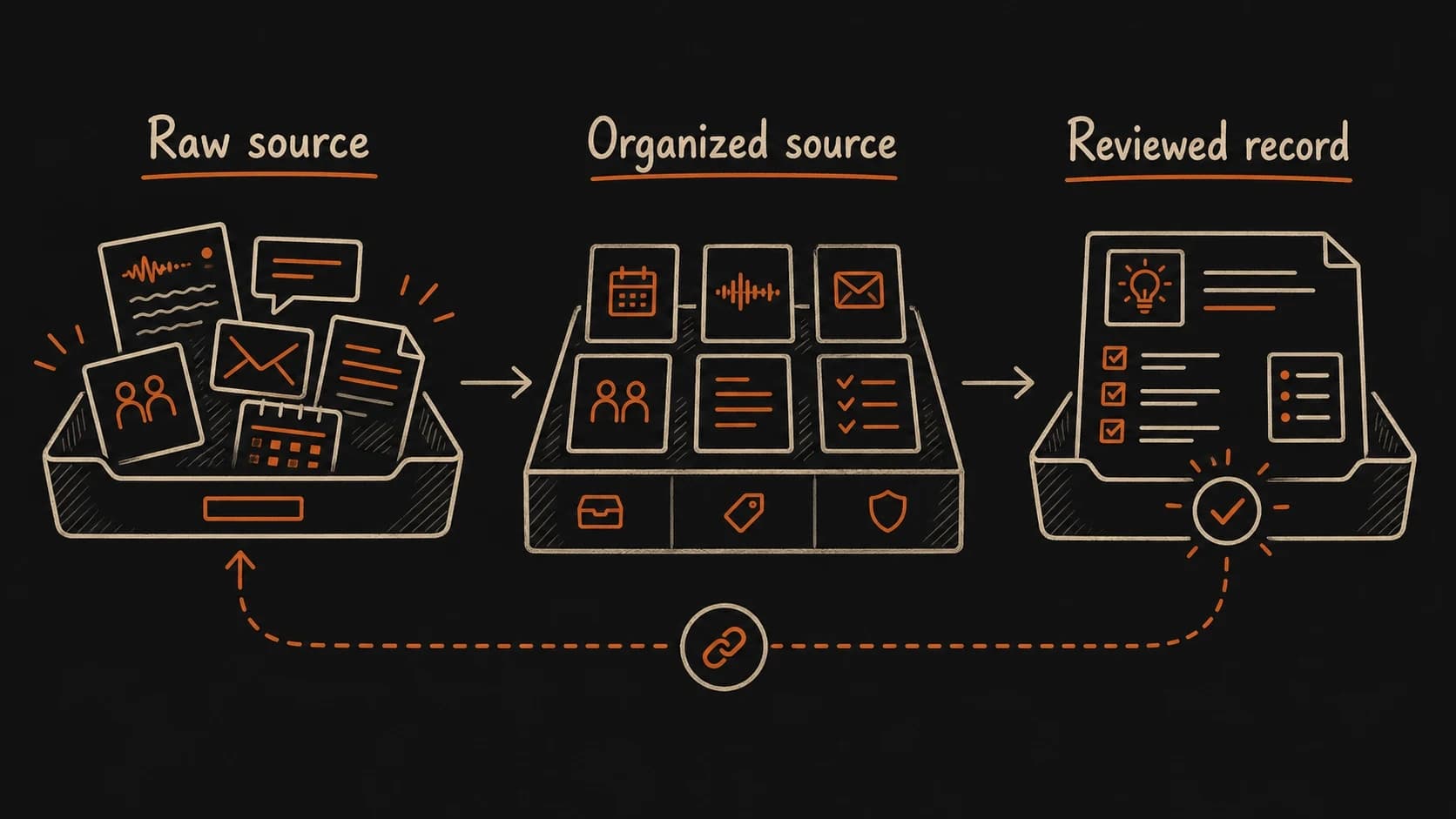
The AI processes every source so you never organize manually
The is temporary by design. Every source that lands in raw/ is meant to move through the pipeline: cataloged, indexed, and filed by the AI. The previous chapter showed where records end up (projects, areas, resources, archives, reviews). This chapter builds the pipeline that carries them there. Three folders and one database handle the entire lifecycle.
Project structure
second-brain
- rawzero-friction capture
- 2026-05-08-client-call-transcript.md
- 2026-05-10-followup-email.md
- processedcataloged by AI
- organizedfiled by project
- 01_Projects
- 02_Areas
- 03_Resources
- 04_Archives
- 05_Reviews
- brain.db
raw/ is the zero-friction landing zone. Drop a file, paste a note, save a recording. No , no tagging, no decisions required. processed/ holds sources after the AI has cataloged them, with YAML front matter prepended and a row added to brain.db. organized/ contains the destination folders from the previous chapter; the AI copies each processed source into the right subfolder based on its project or area guess. brain.db is a SQLite index the AI creates and maintains. You never need to open it directly. It makes your searchable.
Process a raw source into your second brain
Paste one source. Claude catalogs, indexes, and files it.
After the prompt runs, the source exists in three places. The original stays in raw/ as untouched evidence. The processed/ copy carries YAML front matter with every field the AI identified: record type, source ID, date, people, project, privacy label, , review question, and stale condition. The organized/ copy sits in the right project subfolder, ready to surface when you search by project, person, or date. Meanwhile, brain.db holds a new row that makes the source findable without opening any folder.
Project structure
second-brain
- rawzero-friction capture
- 2026-05-08-client-call-transcript.md
- 2026-05-10-followup-email.md
- processedcataloged by AI
- 2026-05-08-client-call-transcript.md
- organizedfiled by project
- 01_Projects
- client-onboarding-pilot
- 2026-05-08-client-call-transcript.md
- 02_Areas
- 03_Resources
- 04_Archives
- 05_Reviews
- brain.db
brain.db has a record for this sourceYou do not need to read SQL. Ask Claude or Codex what is in brain.db when you want to inspect the record.
SELECT source_id, source_type, project, trust_state, file_path
FROM sources
WHERE captured_at = '2026-05-08';

-- source_id:   2026-05-08-client-call-transcript
-- source_type: meeting_transcript
-- project:     client-onboarding-pilot
-- trust_state: processed
-- file_path:   organized/01_Projects/client-onboarding-pilot/2026-05-08-client-call-transcript.md
When easy capture creates an unmanageable backlog
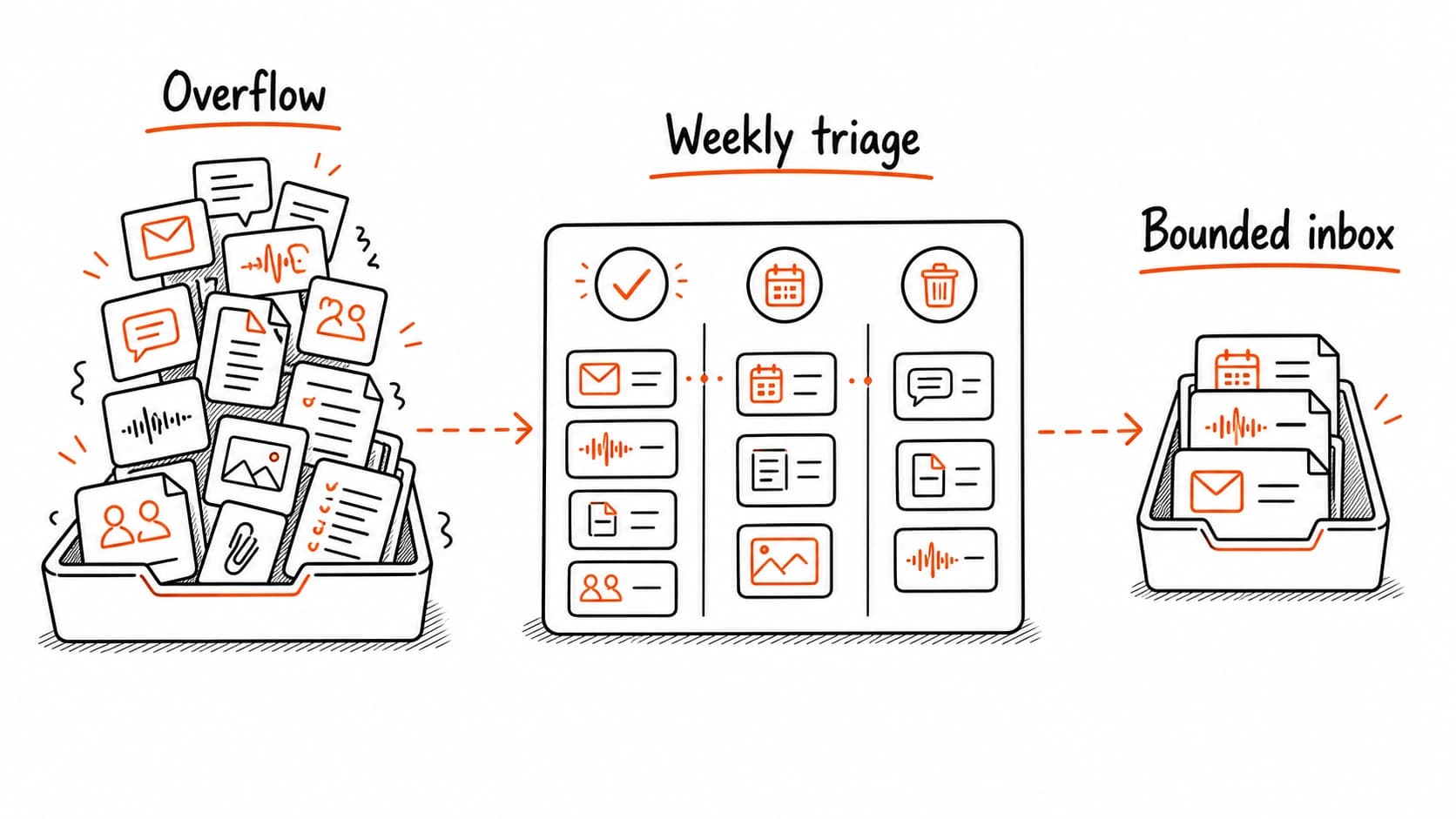
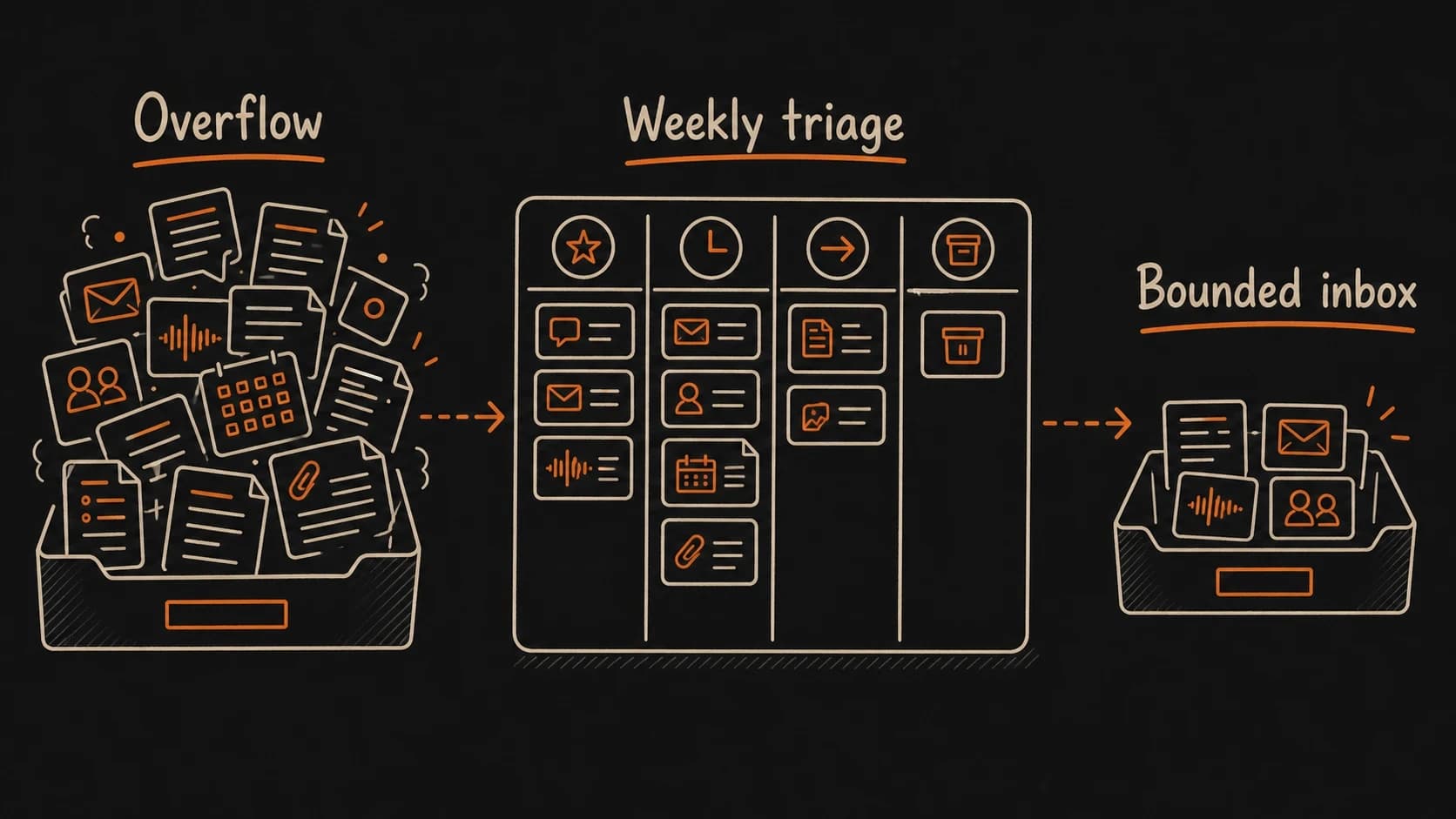
A common early failure: the system is so easy to capture into that the fills faster than you review it. Five to ten unreviewed items per day can pile into an unusable backlog within two or three weeks. Once the dump grows beyond what you can check in a single sitting, you start ignoring it. The system quietly stops earning trust.
Treat the as a bounded inbox. During your , promote what deserves attention, park what might matter later, and discard what no longer needs your time. If the dump consistently overflows, narrow what you capture. Save only sources tied to an active project or an open question and let the rest pass.
Audio, screenshots, and transcripts take real storage
Meeting transcripts, voice memos, screenshots, and scanned pages consume far more storage than text notes. A one-hour meeting can run 5,000 to 15,000 words. A week of daily meetings adds up fast. Before you begin capturing audio and images, estimate how much storage your tools allow and how long raw sources should stay before review or archive. A system that runs out of space or becomes too slow to search is a system you will abandon.
Audio needs one extra step before normal processing: it has to become text. You do not need to decide how Whisper is installed or where every should go. Give Claude or Codex the folder path, tell it whether timestamps matter, and let it handle the transcription step. The same raw/ to processed/ to organized/ pipeline runs afterward.
Turn audio files into searchable transcripts
Paste this when recordings start landing in raw/.