Build a Reading Brain That Gives Ideas Back
Most saved articles become a graveyard of good intentions
You save an article about pricing strategy. You save a podcast episode about leadership transitions. You save a research paper someone recommended. Three weeks later, you cannot find any of them. Six months later, you have forgotten they existed.
The problem is not saving. The problem is that saved content has no second act. It enters a pile and stays there. This gives saved content a pipeline with four stages: capture, summarize, connect, and resurface.
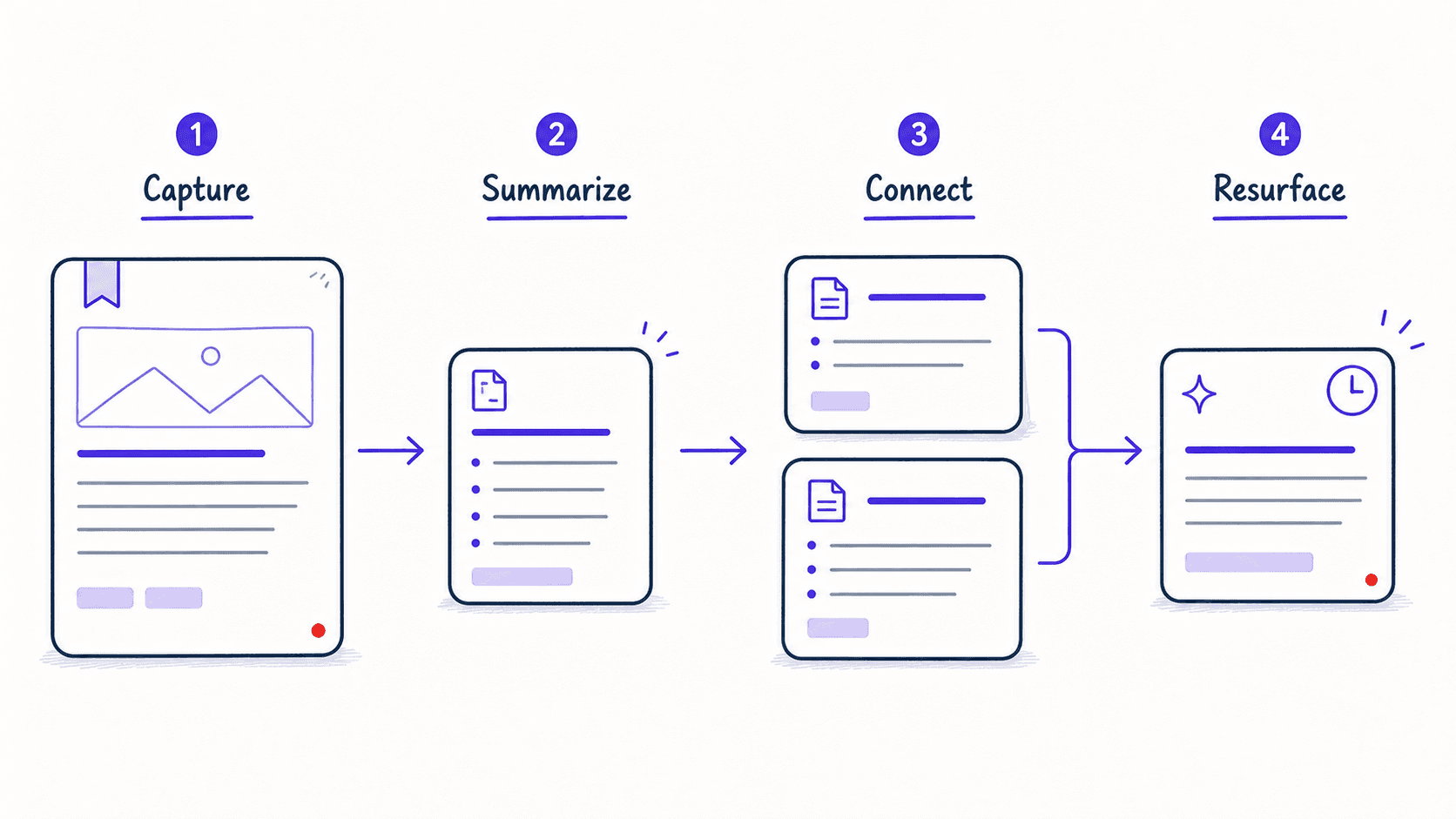
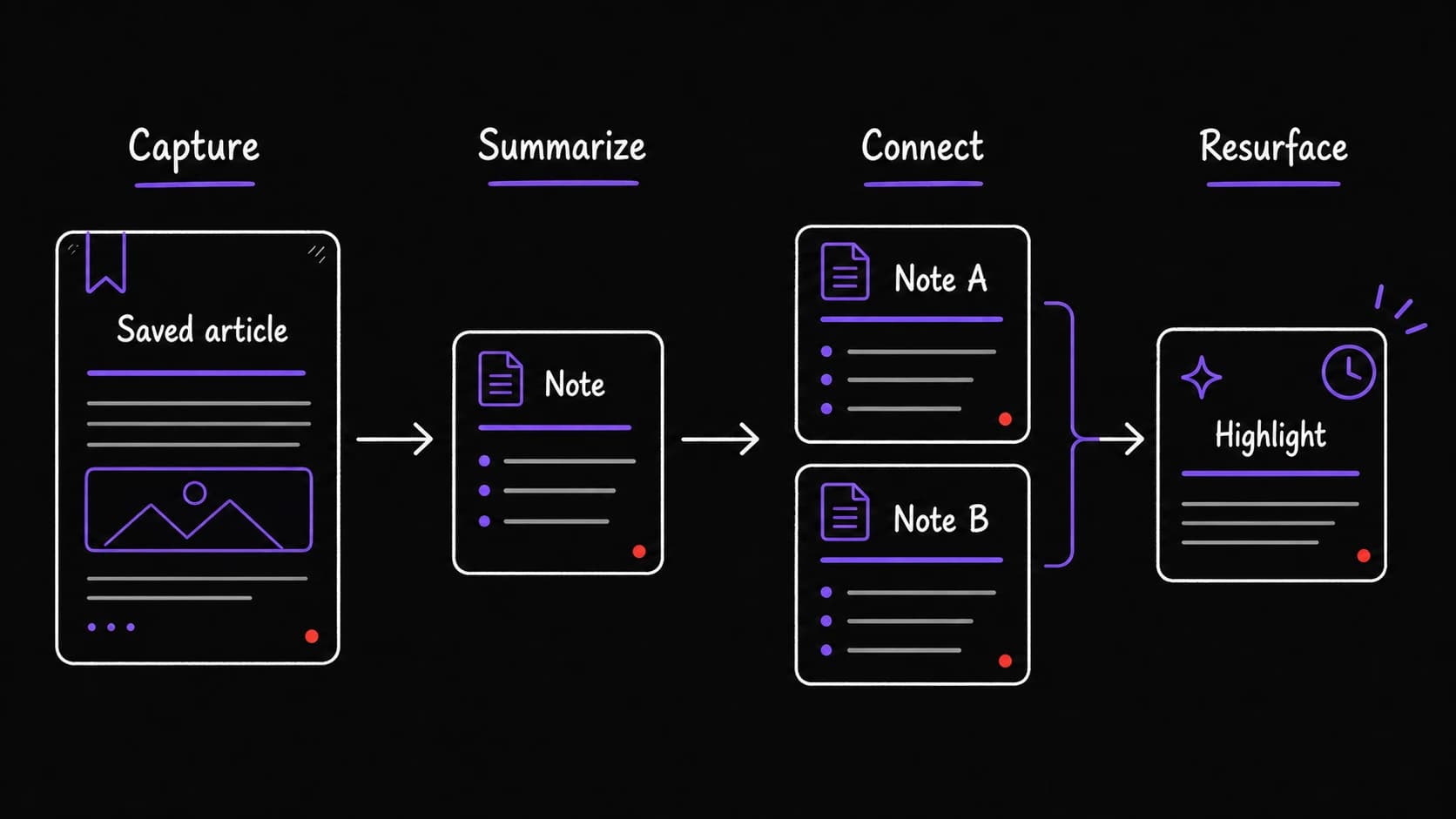
The reading inbox needs triage, just like email
The same classification pattern from the email applies to saved content. Not everything saved should be read. The system categorizes:
Highlights become a searchable knowledge collection over months
When you read something and mark passages (in a reading app, a PDF, or by telling the assistant 'save this quote'), those highlights go into the tagged with source, date, and topic.
After a few months, you can query your own knowledge: 'What have I read about pricing strategy?' 'What is the best argument I have encountered for remote work?' 'Show me everything I saved about negotiation in the last six months.' Your reading becomes a resource you can retrieve, not a river that flows past.
Connection-making is the AI's highest-value contribution here. You save and highlight. The AI connects. 'This article about team dynamics is related to the book chapter on management you highlighted last month, and to the meeting notes from your one-on-one with Alex where you discussed team structure.' Those connections are what the AI sees and you would miss.
keeps ideas alive instead of letting them decay
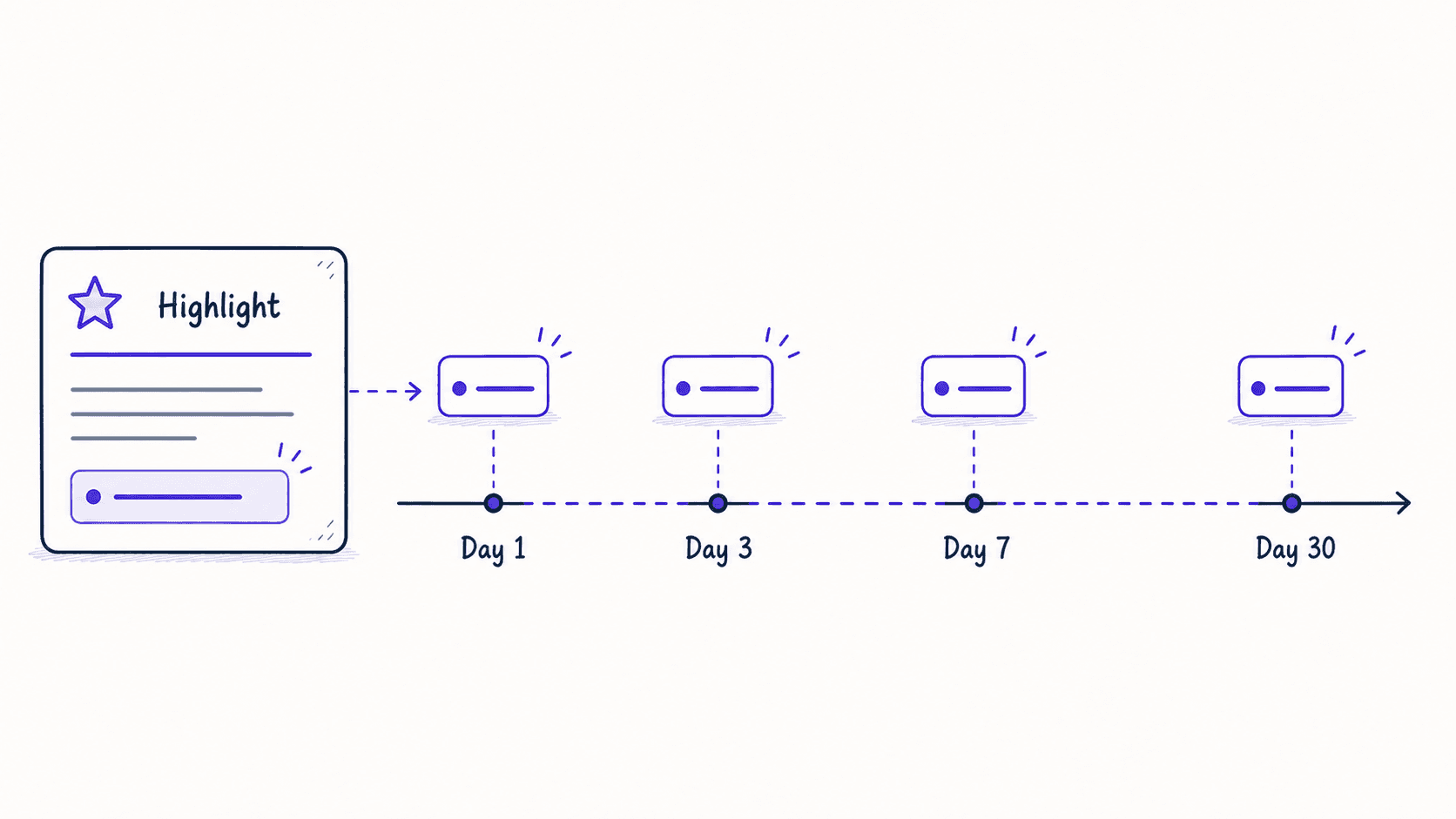
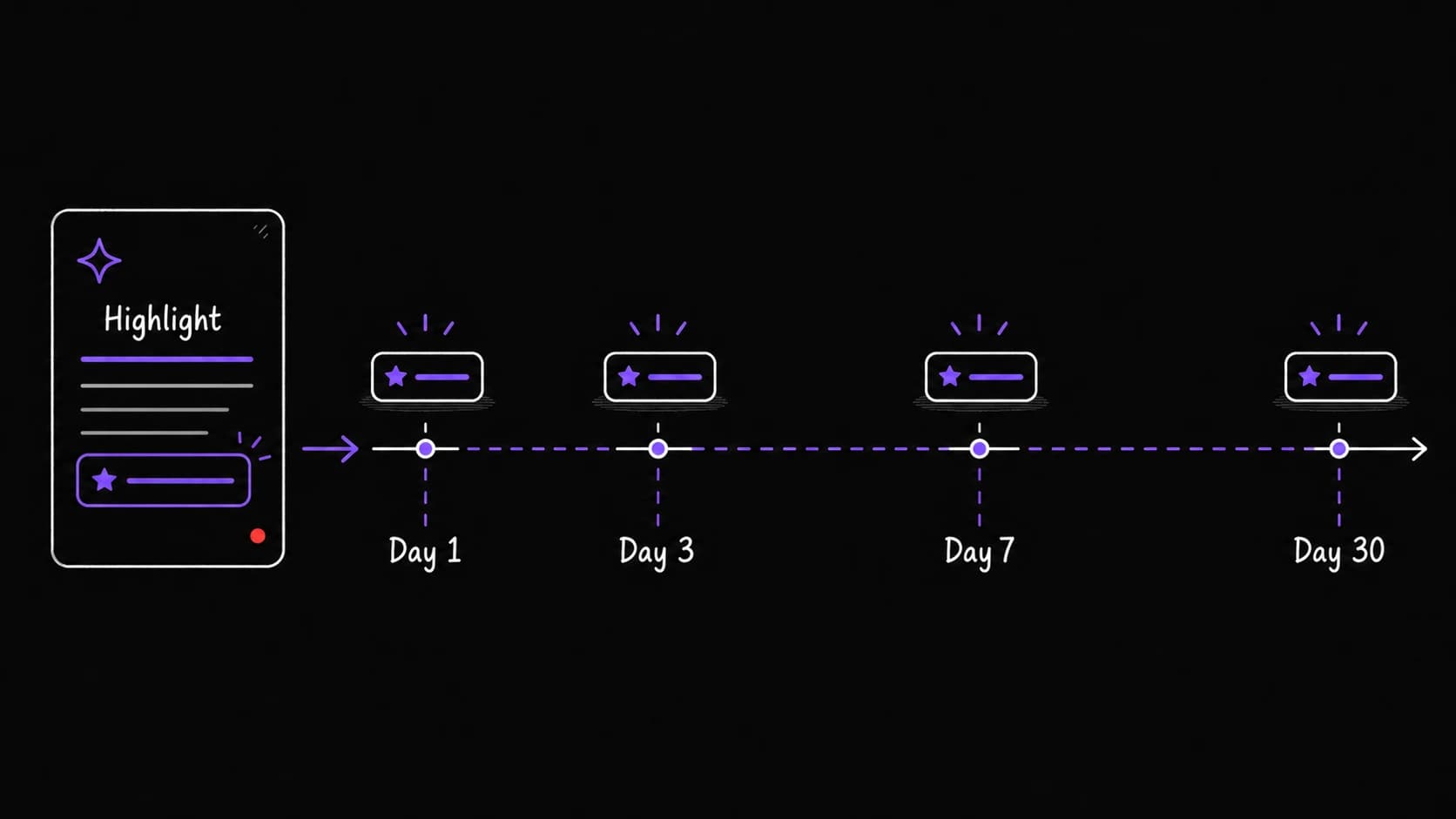
Highlights fade from memory. The assistant resurfaces them at increasing intervals, starting the day after you save a passage and spacing out over the next month. Each resurfacing is a brief encounter with an idea you valued enough to save.
The concept comes from spaced-repetition research on memory retention. You do not need to study your highlights like flashcards. You just need to see them again at the right intervals so the ideas stay available when you need them.
The morning brief can include a resurfaced highlight section: 'Today's resurfaced highlight: a passage from something you read two weeks ago about stakeholder management, which is relevant because you have a meeting about project governance today.' Reading feeds the day's .
The synthesis-on-demand turns scattered highlights into a usable brief
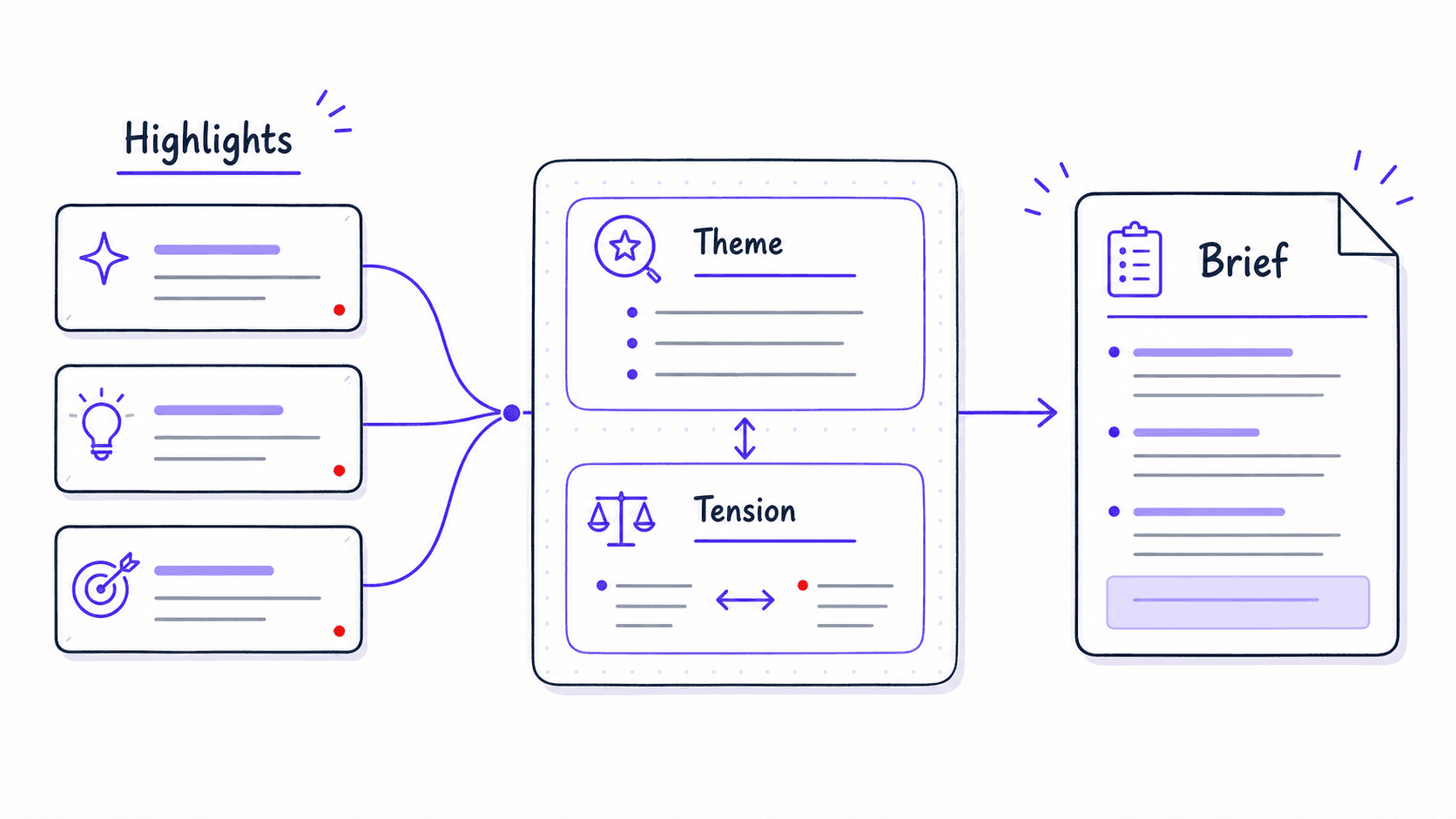
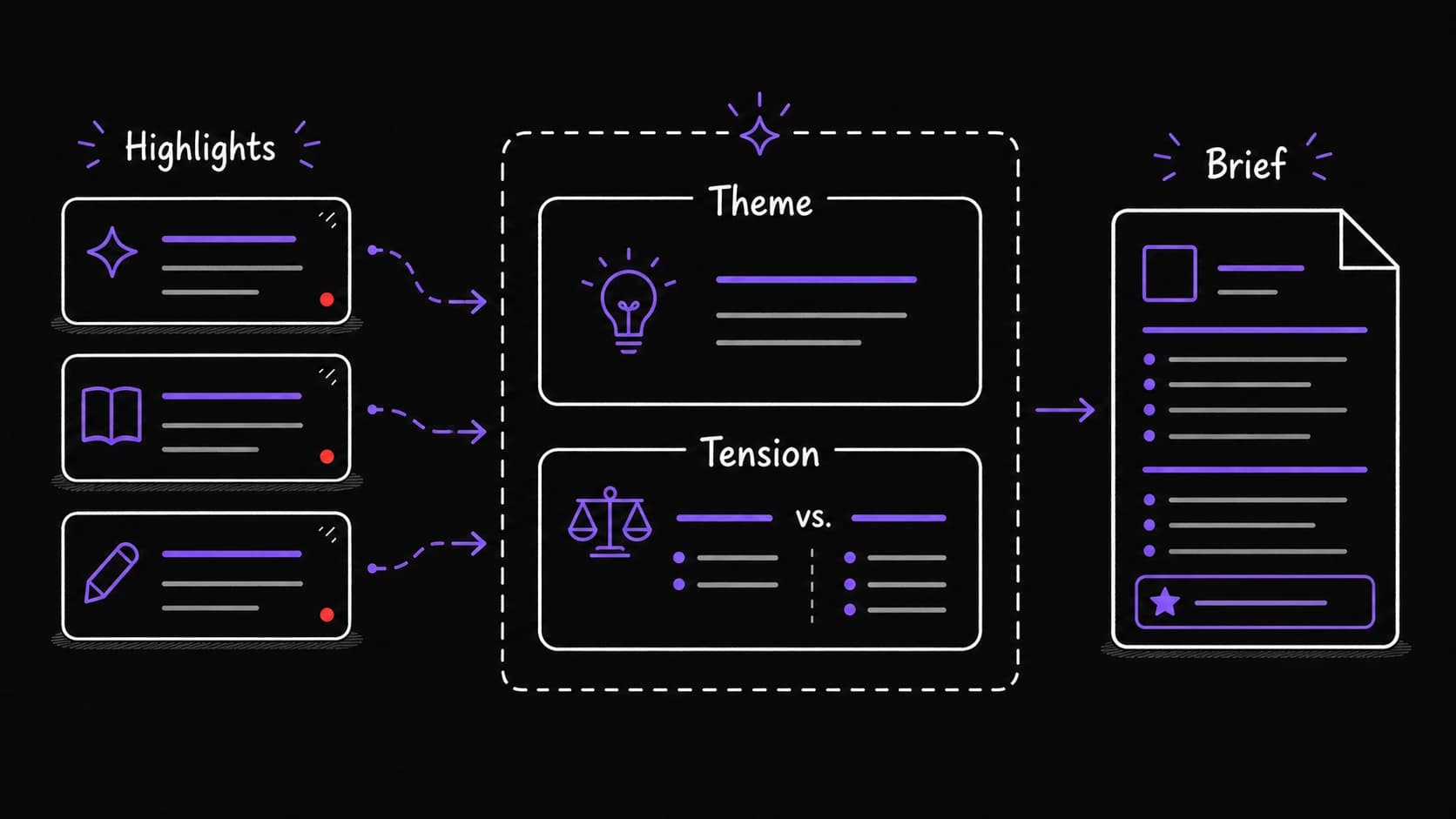
The most powerful feature is synthesis on demand. You ask: 'Synthesize everything I have read about pricing strategy into a one-page brief.' The AI pulls all relevant highlights, identifies themes, surfaces contradictions, and produces a document you can use for a meeting, a presentation, or a blog post.
This turns months of reading into a working resource in minutes. The brief is not a summary of one article. It is a synthesis of everything you have read about a topic, drawn from your own curated highlights.
An input diet prevents the save-and-forget pile from growing back
Most people save more than they read, which creates guilt and noise. This has a design decision baked in: set a weekly reading budget. Five articles per week, for example. The assistant ranks saved items by relevance to current projects and auto-archives anything unread after 30 days.
The includes a reading section: 'This week you read four articles, saved seven, and archived three. Your reading focused on pricing and team management. Nothing saved this week connects to your current project on client onboarding. Consider searching for content about onboarding specifically.'