Shared Memory Lets Every Module Enrich the Others
Your morning brief worked in isolation, and changes that
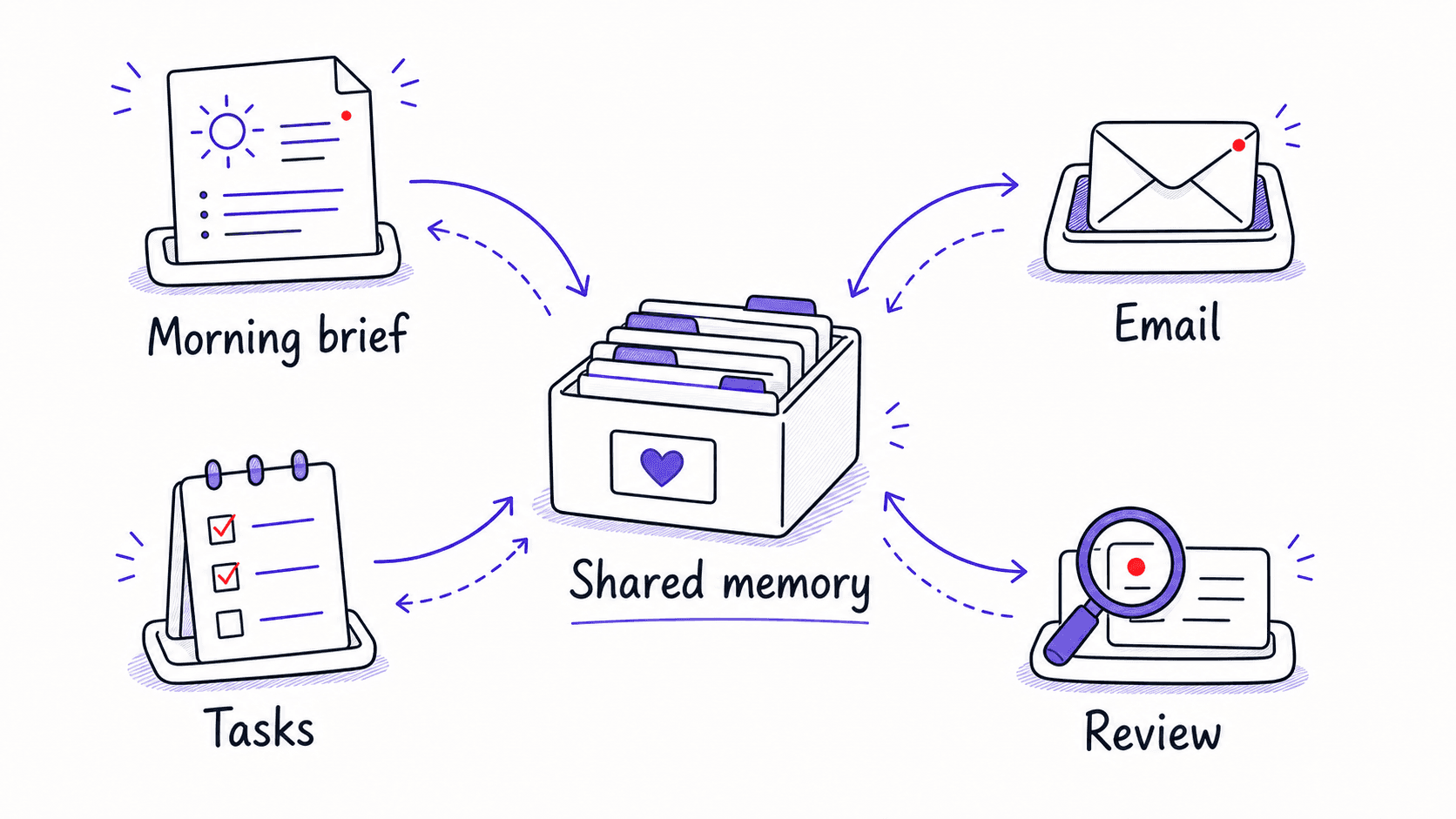
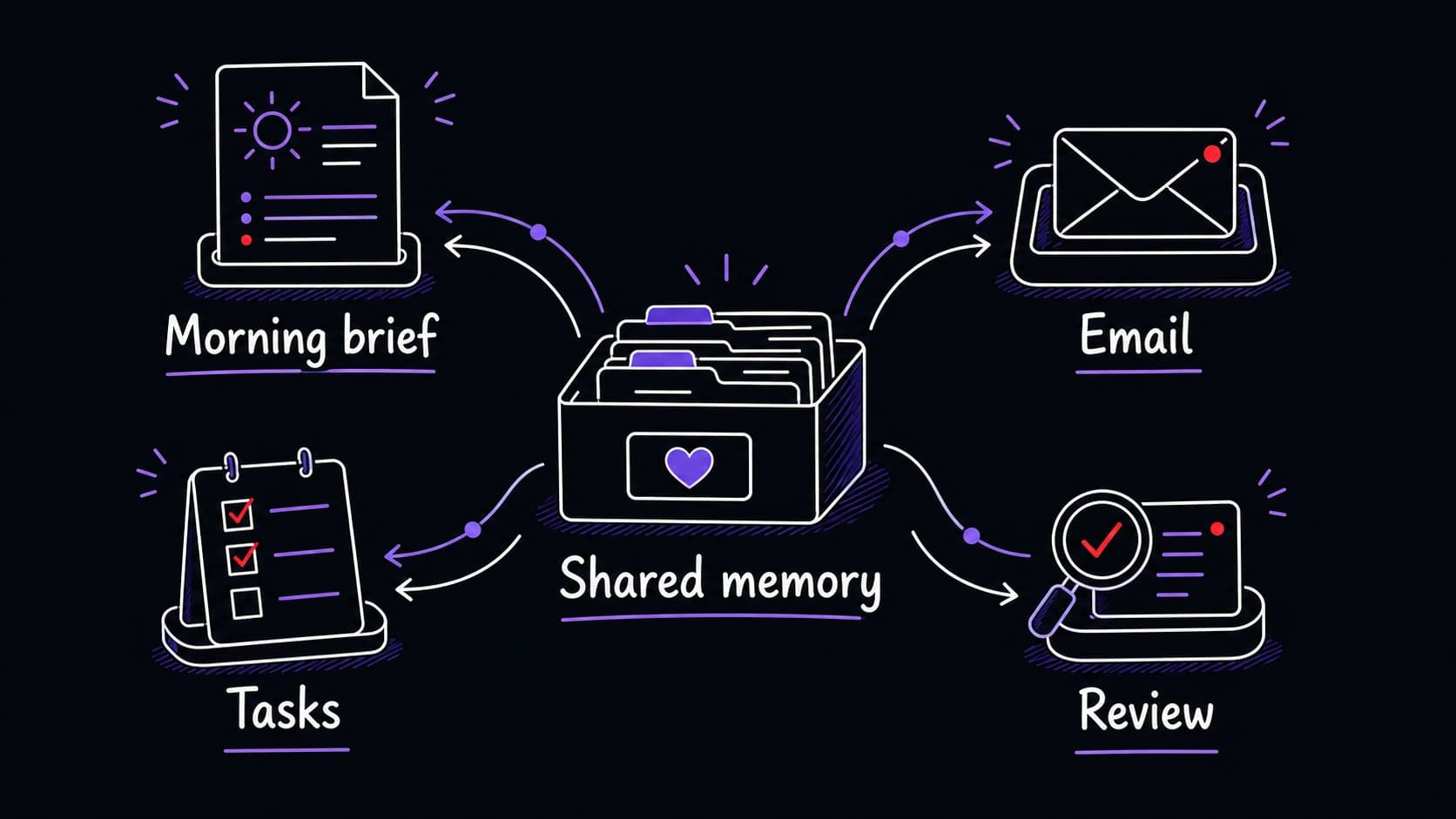
Your morning brief worked as a standalone conversation. It pulled calendar events, surfaced priorities, and gave you a readable summary. makes it reusable across modules: when the email identifies a contact, the morning brief can use that tomorrow. When the task tracker flags an overdue deliverable, the morning brief can flag it alongside today's meetings.
Right now, each holds its own facts. The email module knows Sarah Chen replied about the budget approval. The meeting brief knows Sarah is attending the 2 PM project review. The relationship tracker knows her birthday is next week. Three modules, three separate records, none of them seeing what the others know.
One shared information store fixes this. A contact record created by the email becomes visible to the meeting brief, the relationship tracker, the , and the daily routine. A task created from a meeting note becomes visible to the daily priorities and the . Every module contributes facts, and every module can use facts contributed by others.
Cross-referencing turns separate facts into useful briefings
Records are structured facts with queryable fields
A text file named 'David Park notes.md' with a few bullet points is a note. A with fields for name, role, organization, last interaction date, , birthday, open topics, and source is queryable. Records can be filtered, sorted, and cross-referenced. Notes can only be searched.
You do not need to design the record structure yourself. Later chapters teach a guided conversation where the assistant proposes what information to track based on your sources and priorities.
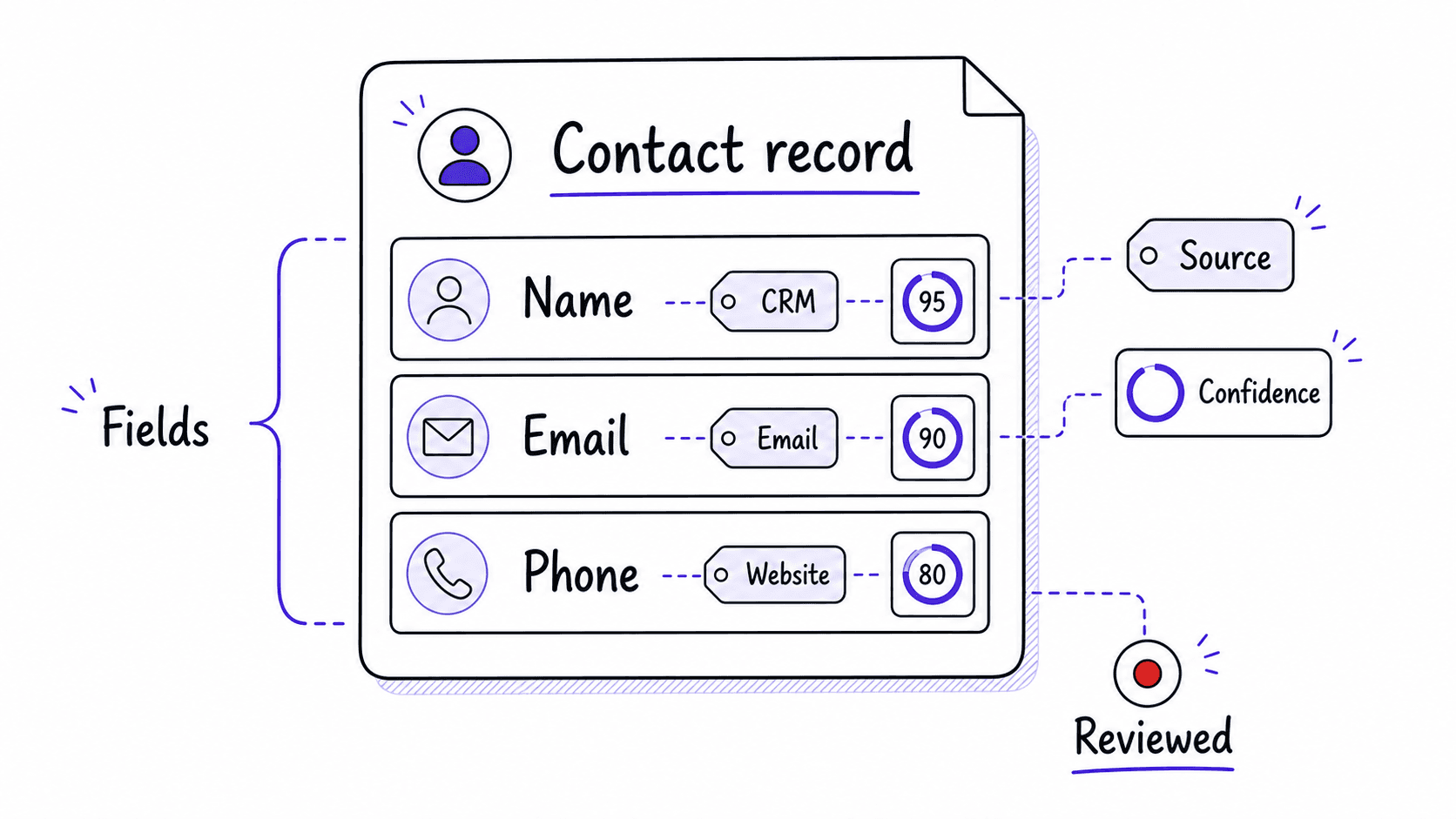
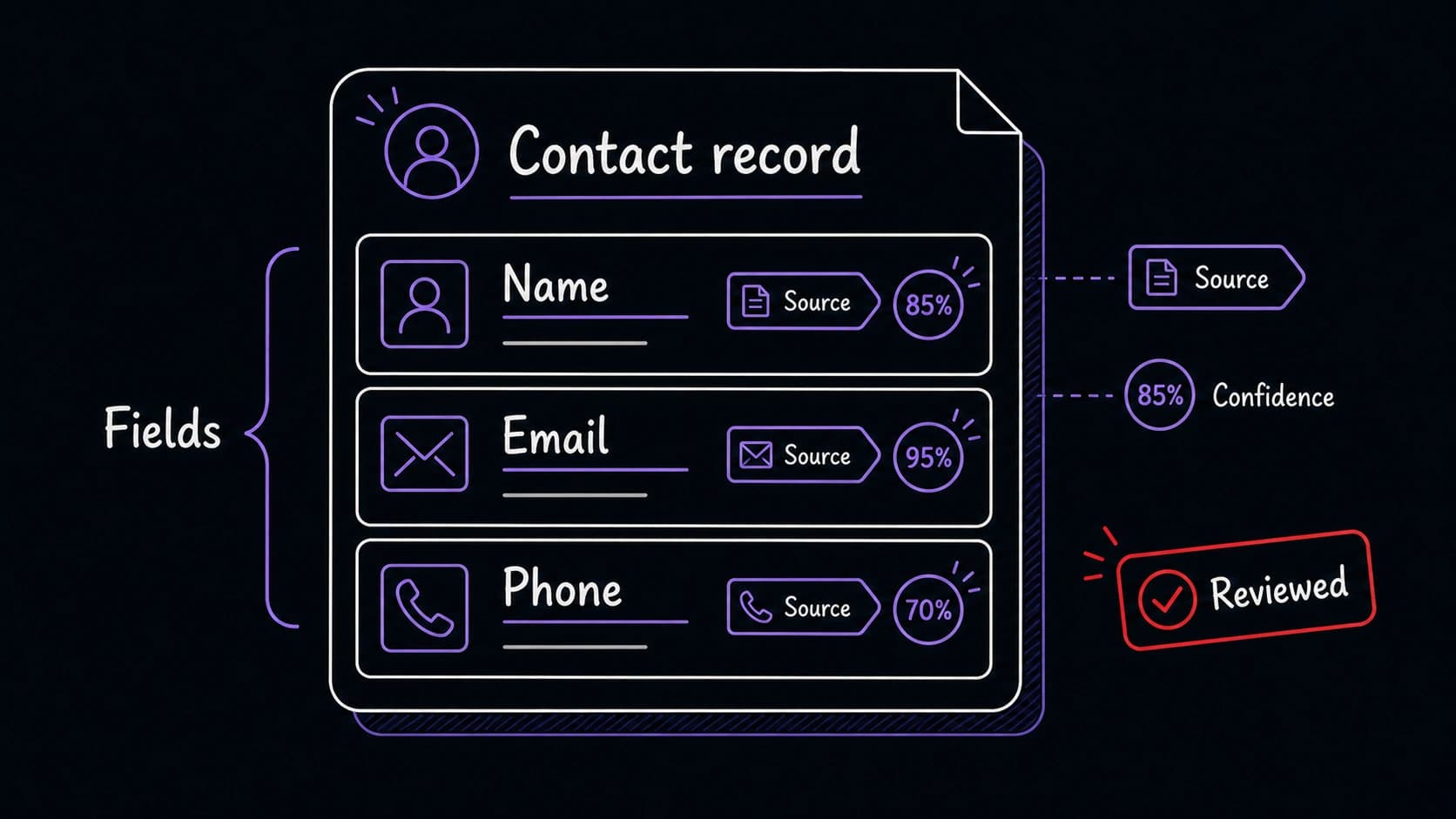
Five record types cover the first three modules
- Contacts: name, email, role, organization, , last interaction, open topics. Used by the morning brief, email , relationship tracker, and .
- Tasks: description, due date, priority, energy level, source, status, related project, related contacts. Used by the task , morning brief, and .
- Interactions: date, type (email, meeting, message), participants, key topics, follow-ups, source. Used by the relationship tracker, , and .
- Decisions: date, , options considered, choice made, rationale, outcome (filled in later), related project, related contacts. Used by the , , and morning brief.
- Projects: name, status, key contacts, open tasks, next milestone, related decisions. Used by the morning brief, task , and .
Later modules add their own record types: journal entries, reading highlights, financial summaries, household facts. Each new type uses the same structure: labeled fields, source tracking, confidence levels, , and duplicate checking.
Every record needs a source and a confidence level
When the email creates a contact record, the record should note where each field came from. The name and email are certain (from the header). The role was inferred from the signature. The organization was guessed from the domain. Confidence levels tell you which fields to check. Review status tells you which records are verified and which are drafts the assistant proposed.
Privacy tiers control which modules can see which records
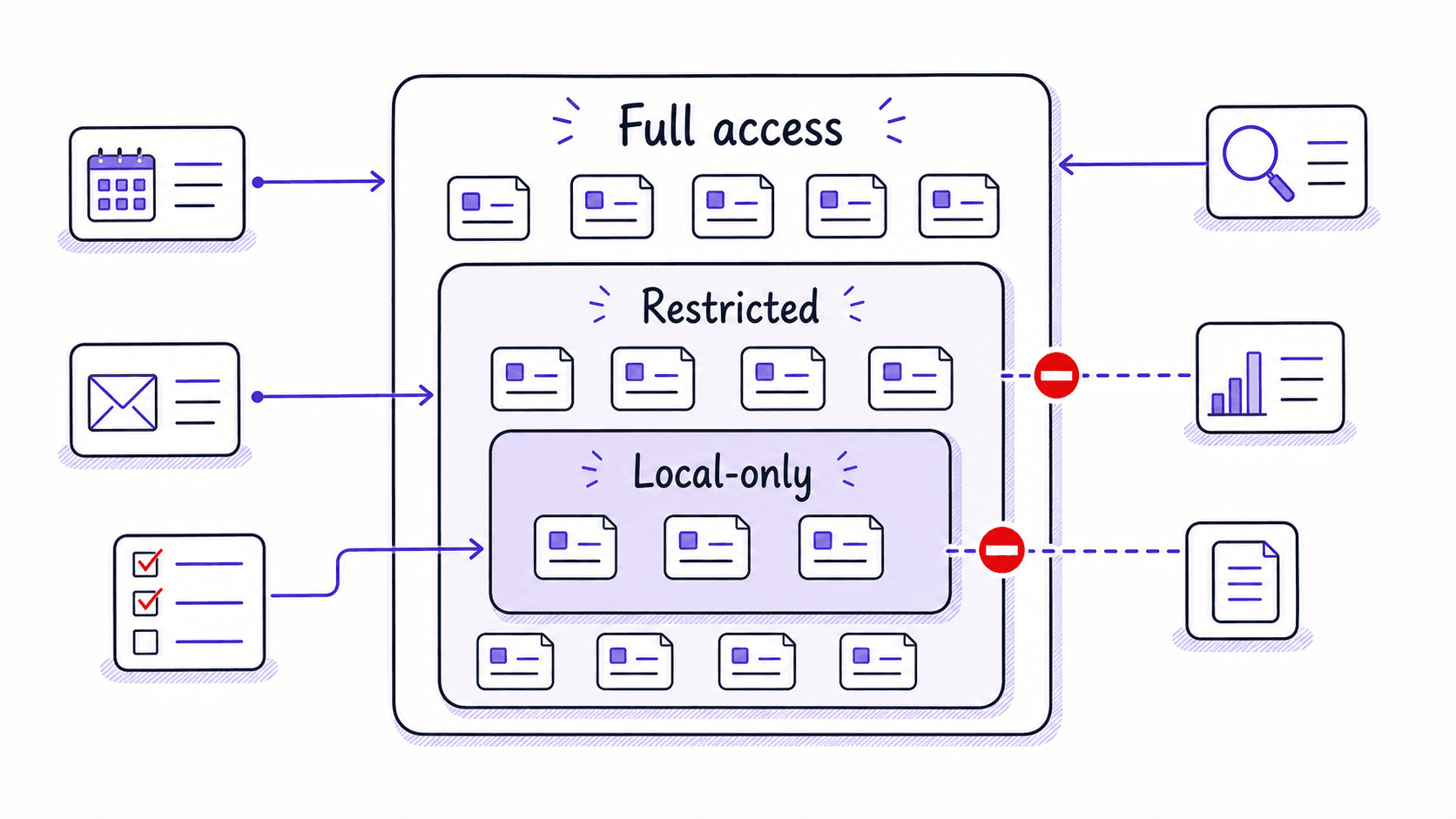
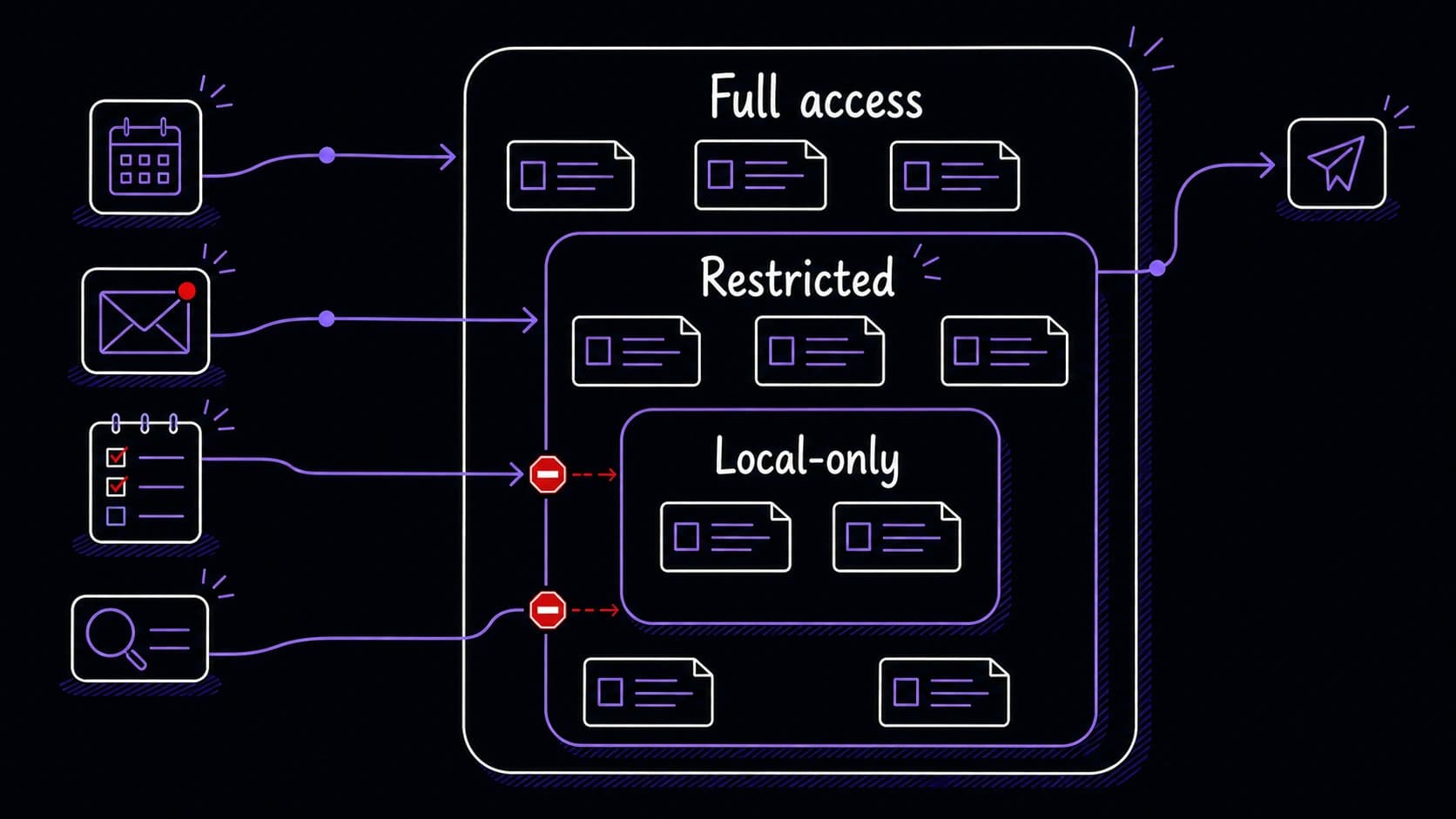
Contact names, roles, and interaction history are useful across every . Health data, financial details, and personal journal entries should be visible only to the modules that need them. The supports three privacy tiers: full access (any module can read), restricted (only specified modules can read), and local-only (stored on your device and never sent to any cloud service).
You set the tier when you define the record type. The finance 's transaction records might be restricted to the finance module and the . The journal's personal entries might be local-only. Shared does not mean unlimited; the memory is shared across modules, with boundaries you define.