Turn Growth Into Evidence
Your accomplishments are already happening; they are just not being recorded
You led a client kickoff meeting. You delivered a report two days ahead of deadline. You received positive feedback from your manager in email. You completed a training . You mentored a colleague through a difficult project.
Six months from now, when a performance review or a resume update asks what you have accomplished, you will remember maybe half of these. The other half disappears into the blur of daily work.
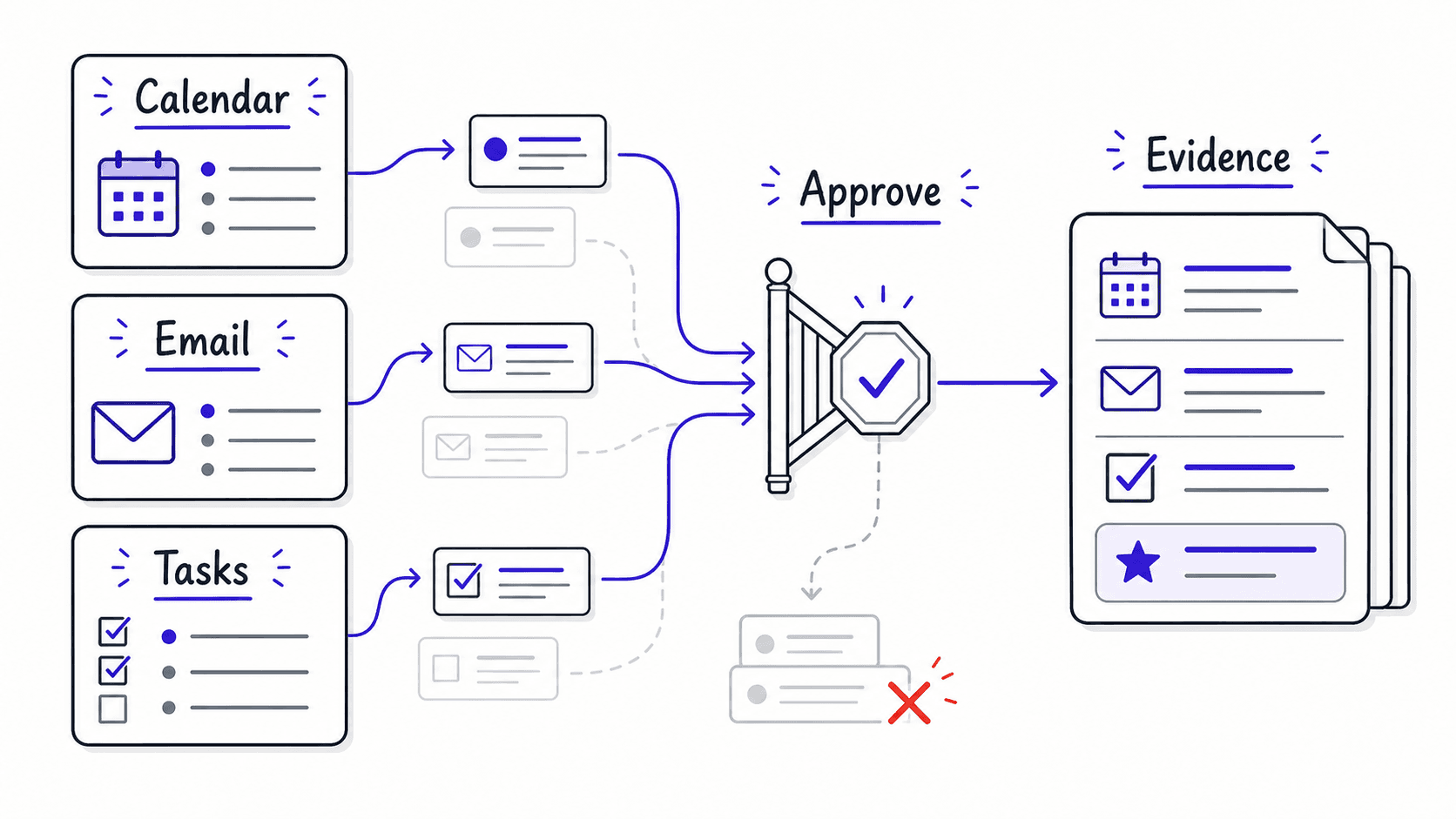
This captures accomplishments automatically from activity that already exists in your calendar, email, task completions, and meeting notes. You review and approve each entry. The assistant does the remembering.
The grows automatically from work you already do
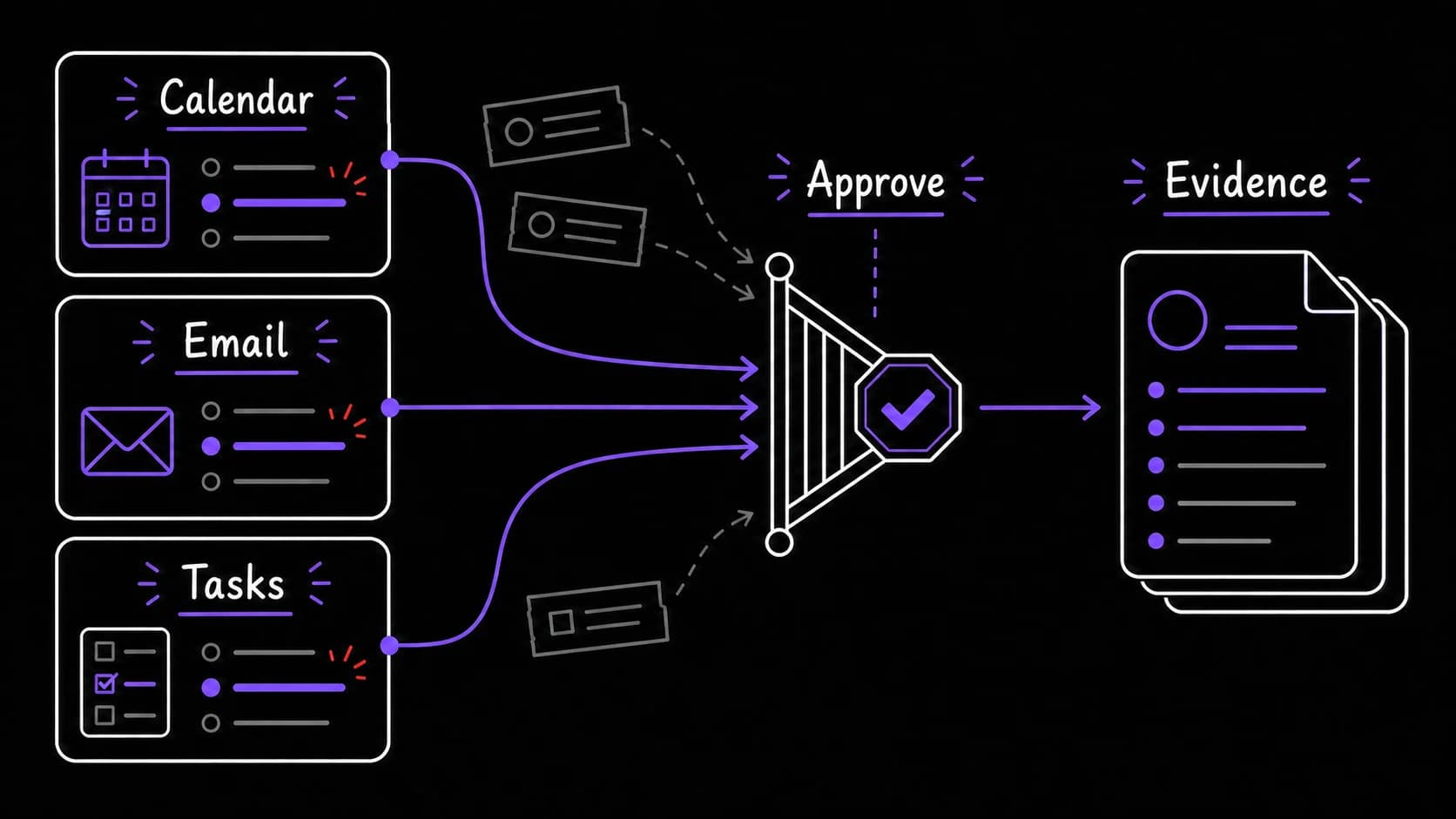
The assistant scans your calendar (meetings you led or presented at), email (positive feedback, completed deliverables, recognition), and task (tasks completed, especially high-weight ones). It proposes accomplishments: 'You led the Project Atlas kickoff with 8 attendees on May 3. You delivered the Q2 report 2 days ahead of the May 10 deadline. You received a message from your manager saying the client presentation was excellent.'
You review each proposal. Some are real accomplishments worth recording. Some are routine work. You approve the wins and dismiss the routine. The approved items go into a running organized by time period and category.
Accomplishment chains show impact that builds over time
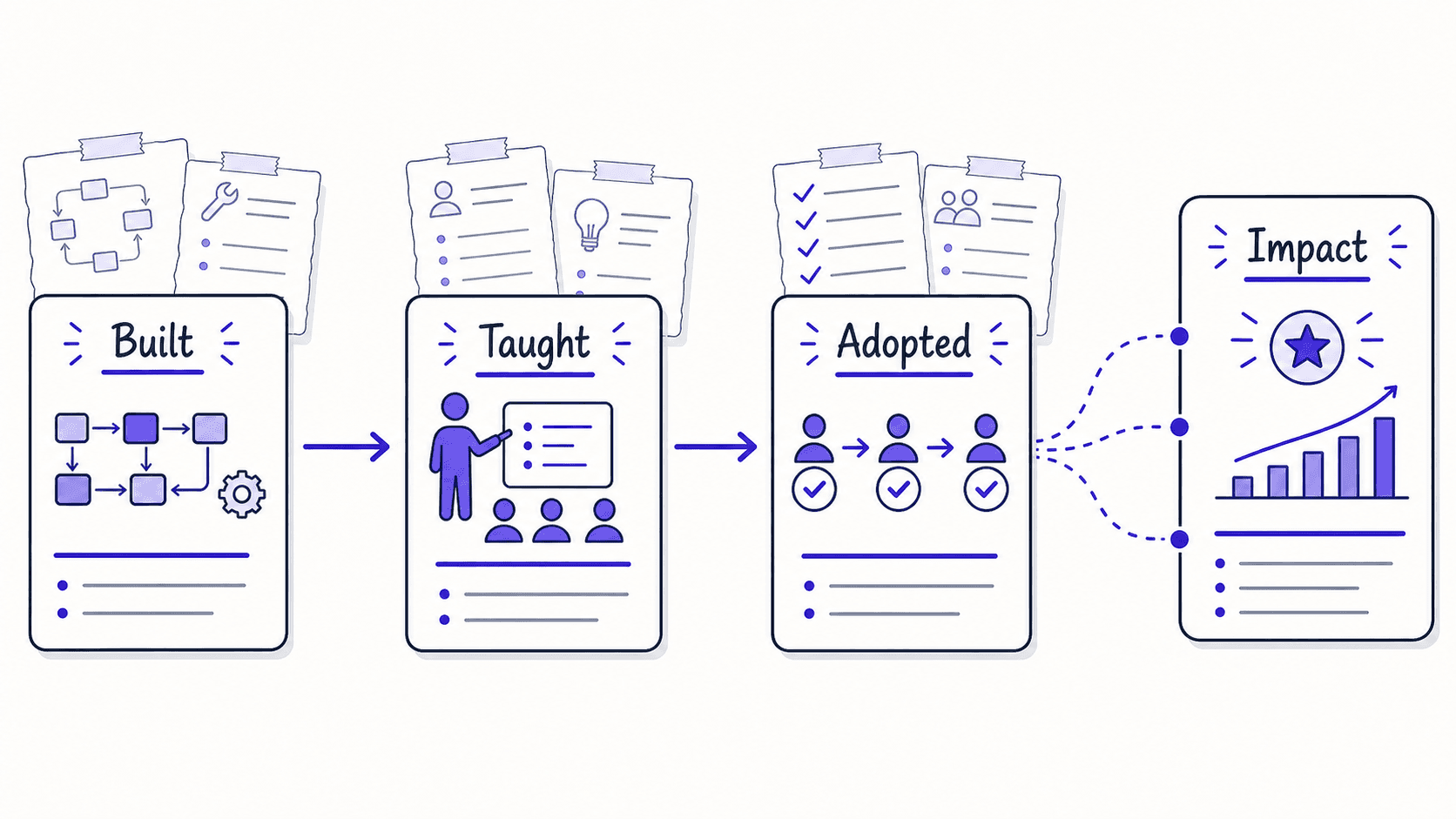
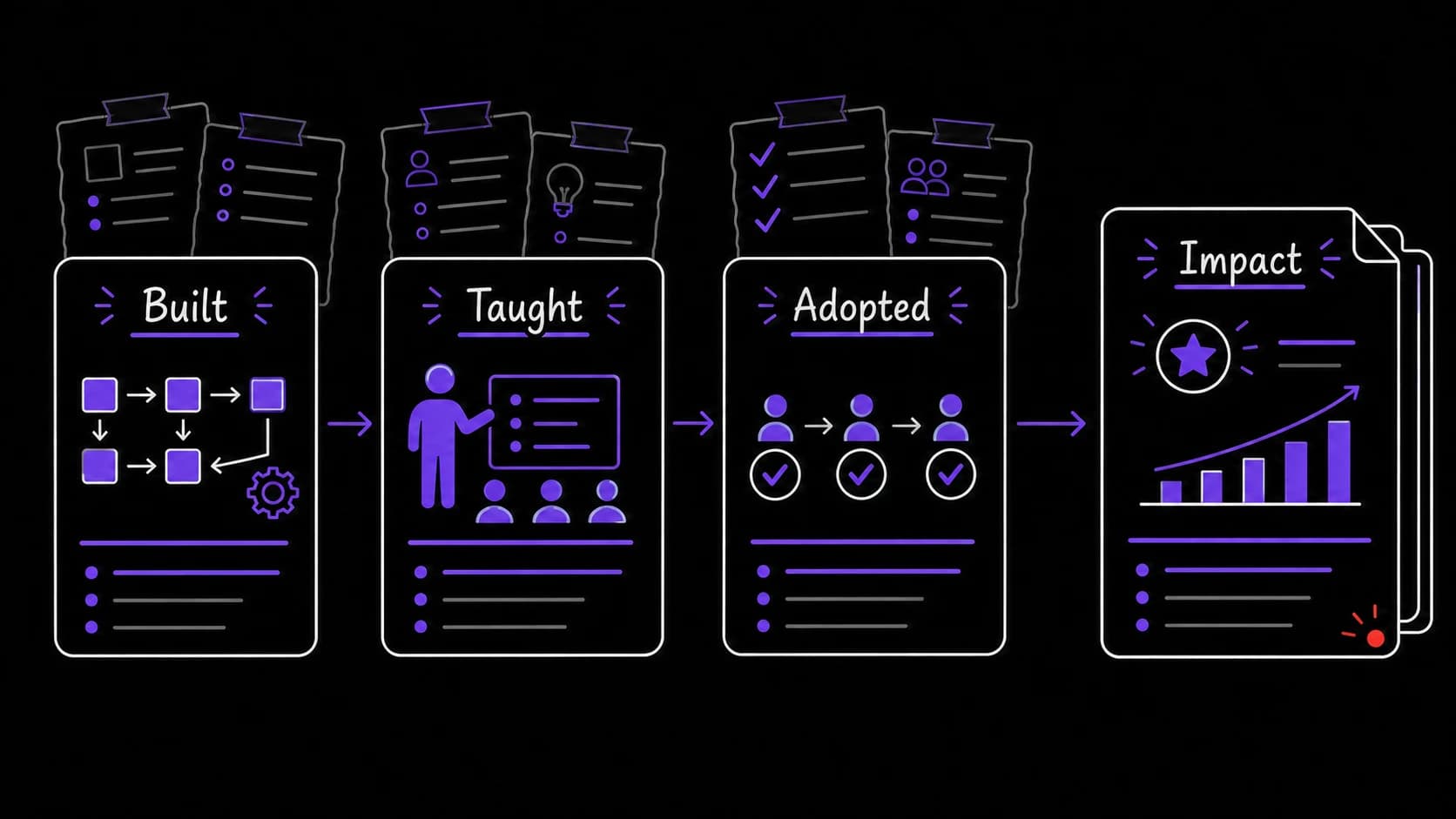
The system notices when accomplishments build on each other. 'In February you built the client onboarding process. In March you trained three team members on it. In April the team handled onboarding independently for the first time. This is a story about growing impact: from building to teaching to sustained adoption.'
These narrative arcs are invisible when you are close to the work. The assistant sees them because it has the timeline. When performance review season arrives, you have stories about how your work created lasting change, grounded in a timeline the daily view cannot show.
The learning path connects what you are studying to what you are building
Most learning trackers list courses completed and skills acquired in isolation. This connects learning to active projects and roles.
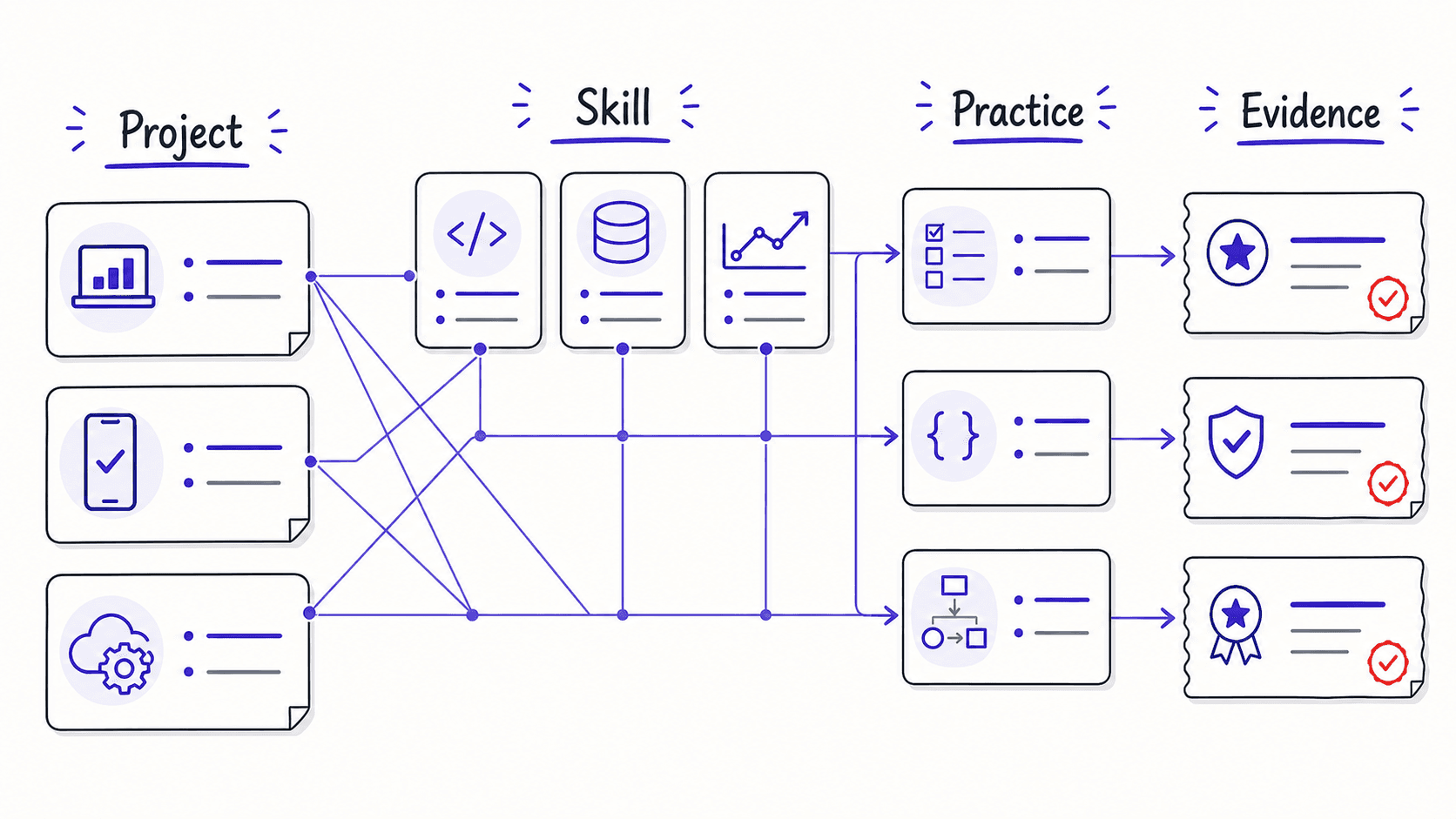
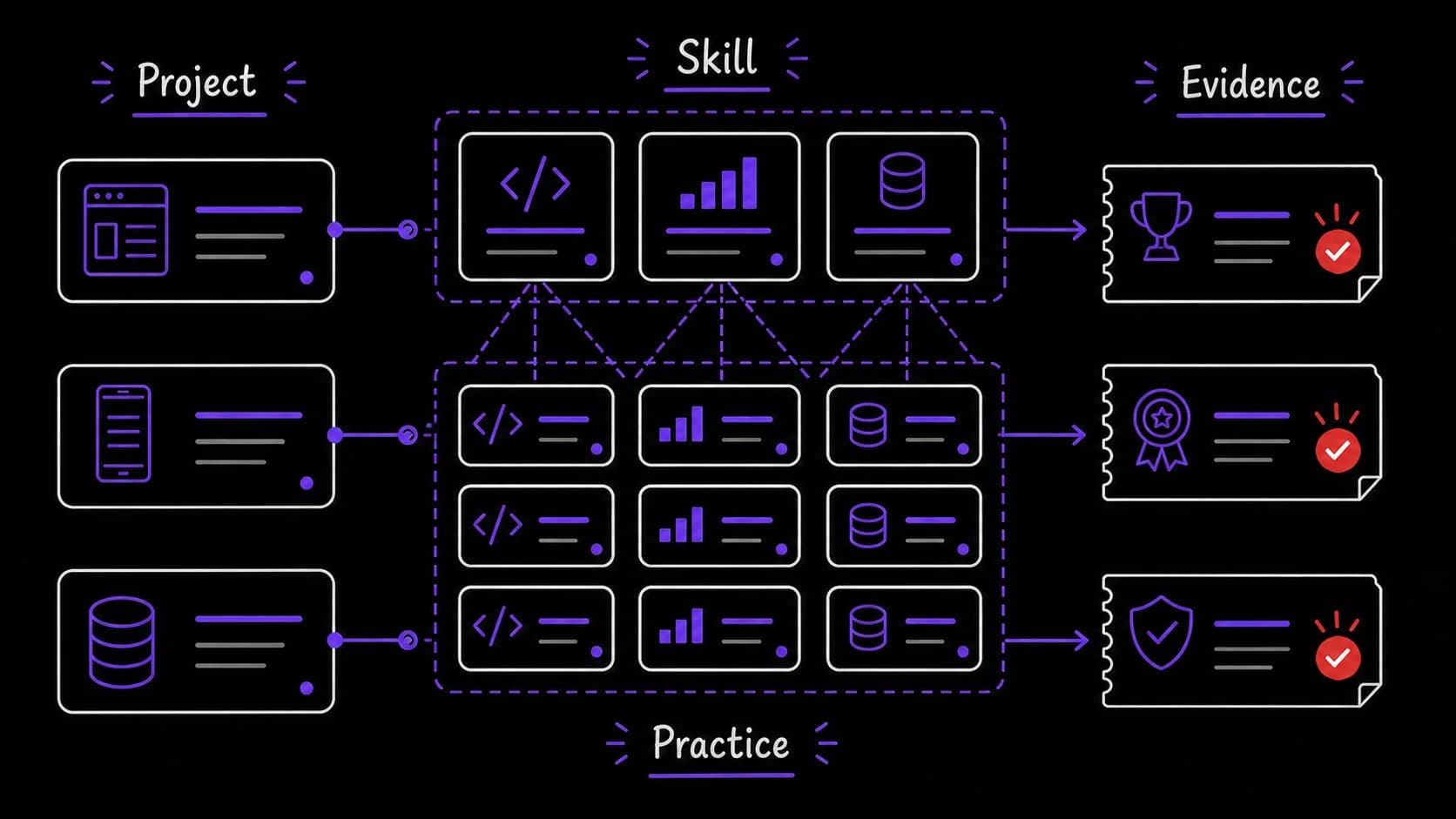
For example, when you tell the assistant about a current project, it connects your learning to that project: 'You are building a personal assistant OS, which involves prompt engineering, process design, and data thinking. Here are the skills you are developing just by doing this project. Here are the gaps you could fill.' The learning path shows what you are learning through the work you are already doing.
Practice prompts tie learning to real projects
For each you are developing, the assistant generates practice exercises tied to your real work. If you are learning data analysis, it might say: 'Run the energy correlation report from your finance and interpret the results.' For stakeholder management: 'Review your relationship health scores for the three clients you interact with most and identify the one that needs attention.'
Practice embedded in real projects sticks better than isolated exercises. The learning path uses your existing modules as the practice environment.
Career reflection prompts surface the bigger questions quarterly
Quarterly, the system asks bigger questions: 'What new skills did you develop this quarter? What was your biggest challenge and how did you handle it? What would you do differently? Where do you want to be in six months?'
When you write your quarterly reflection and save the answer to 'what would you do differently?', that decision record becomes available for the next quarterly review. The assistant holds each answer in the , so you can compare this quarter's priorities to the previous one and verify whether your predictions held.
The review prep routine assembles your self-assessment from evidence
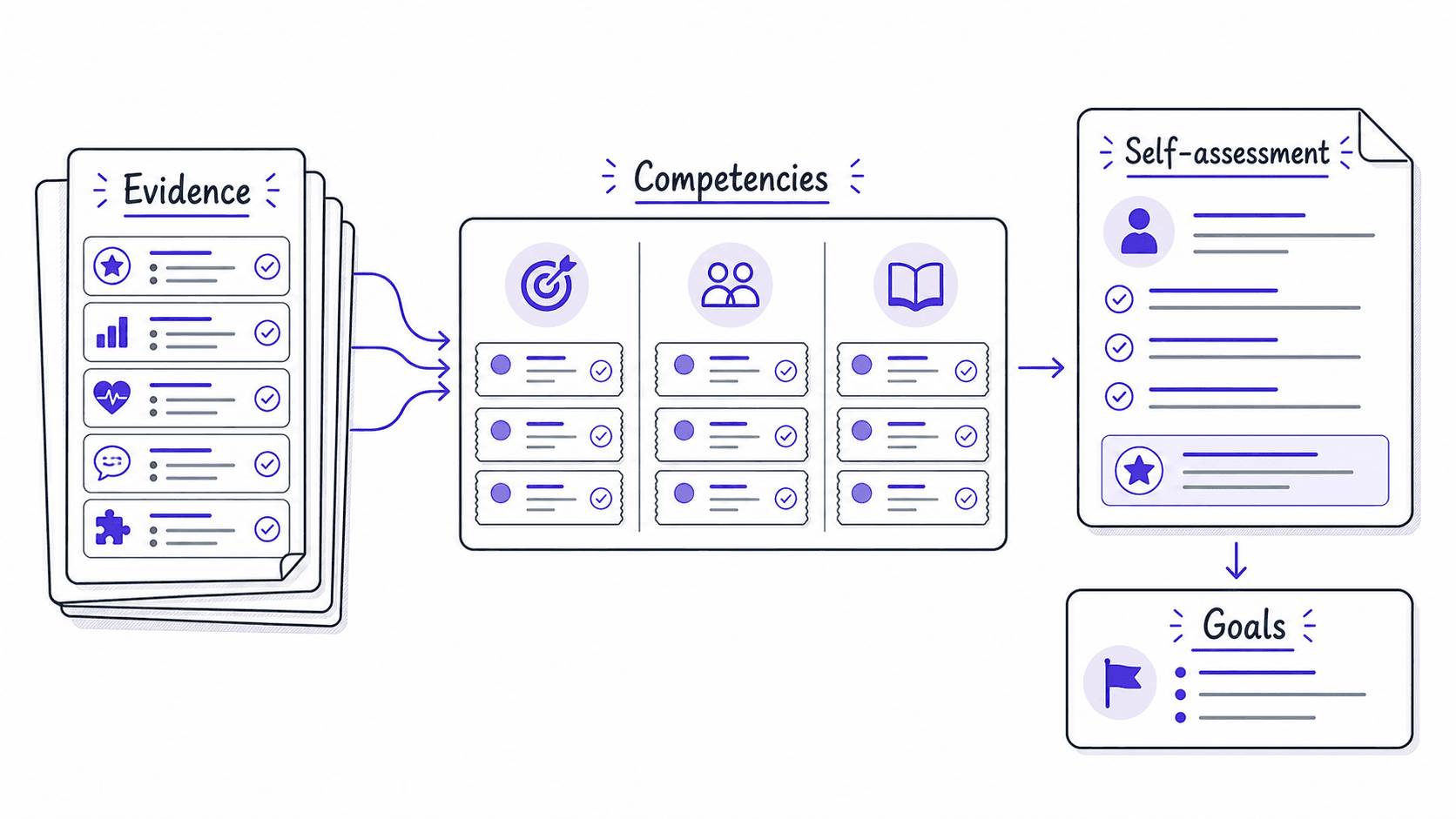
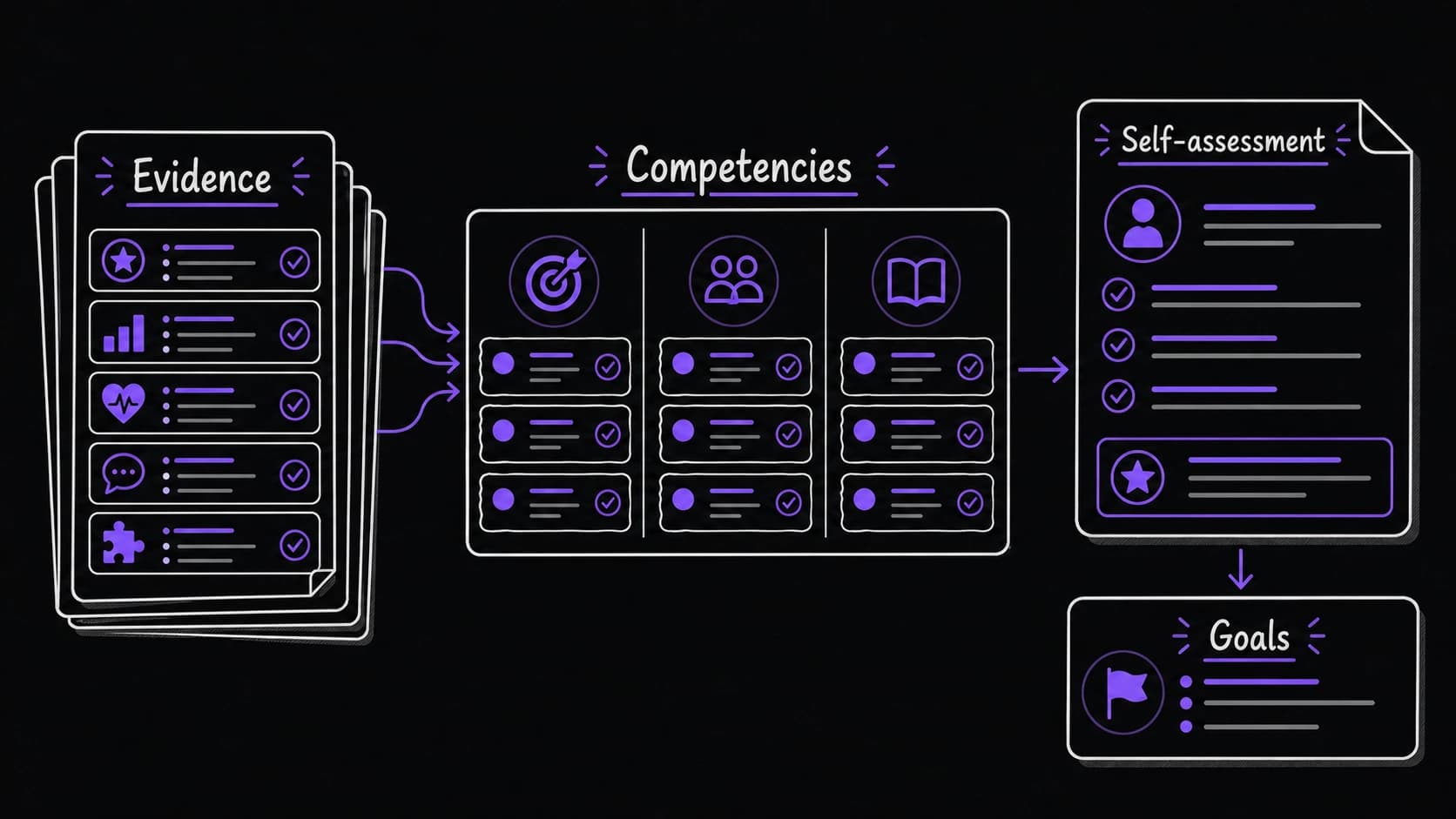
Two weeks before a performance review, the system generates a draft self-assessment: accomplishments organized by company values or competencies, metrics where available, growth areas with concrete examples, and goals for the next period. You edit and submit. The assistant did the assembly.
This single routine can save hours of scrambling before a review. More importantly, it produces a self-assessment grounded in evidence rather than memory. The accomplishments are timestamped, sourced, and connected to impact. The growth areas reference specific learning progress. The goals connect to real projects.