Ask AI to find the Skills hidden in your work
Chapter Progress: Early DraftOne is built; now find the next ones
You have a working . You built it from one repeated task, tested it, and saw the output follow a procedure instead of guessing. Now the question shifts: where else in your work are procedures hiding that deserve the same treatment?
is the practice of looking across your existing work and asking one question: which procedures keep coming back?
A good is more specific than a you use sometimes. It has a (the situation that calls for it), a repeatable input shape, a sequence of steps, an expected output, and rules the would otherwise miss. For example: a long client email thread that always needs decisions extracted, open questions listed, follow-ups identified, and a tactful reply drafted is a Skill candidate. 'Write emails better' is too vague to become a Skill.
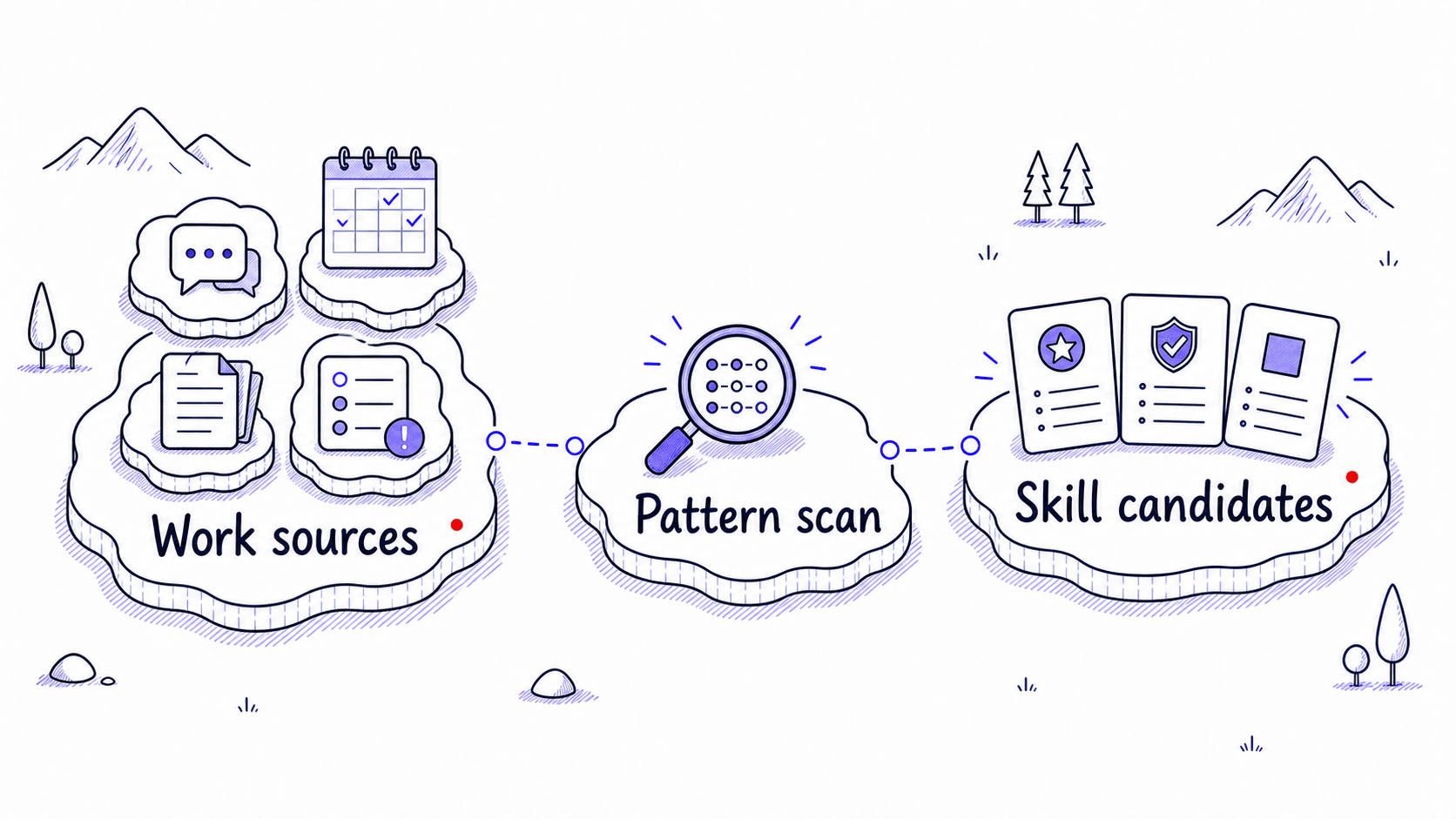
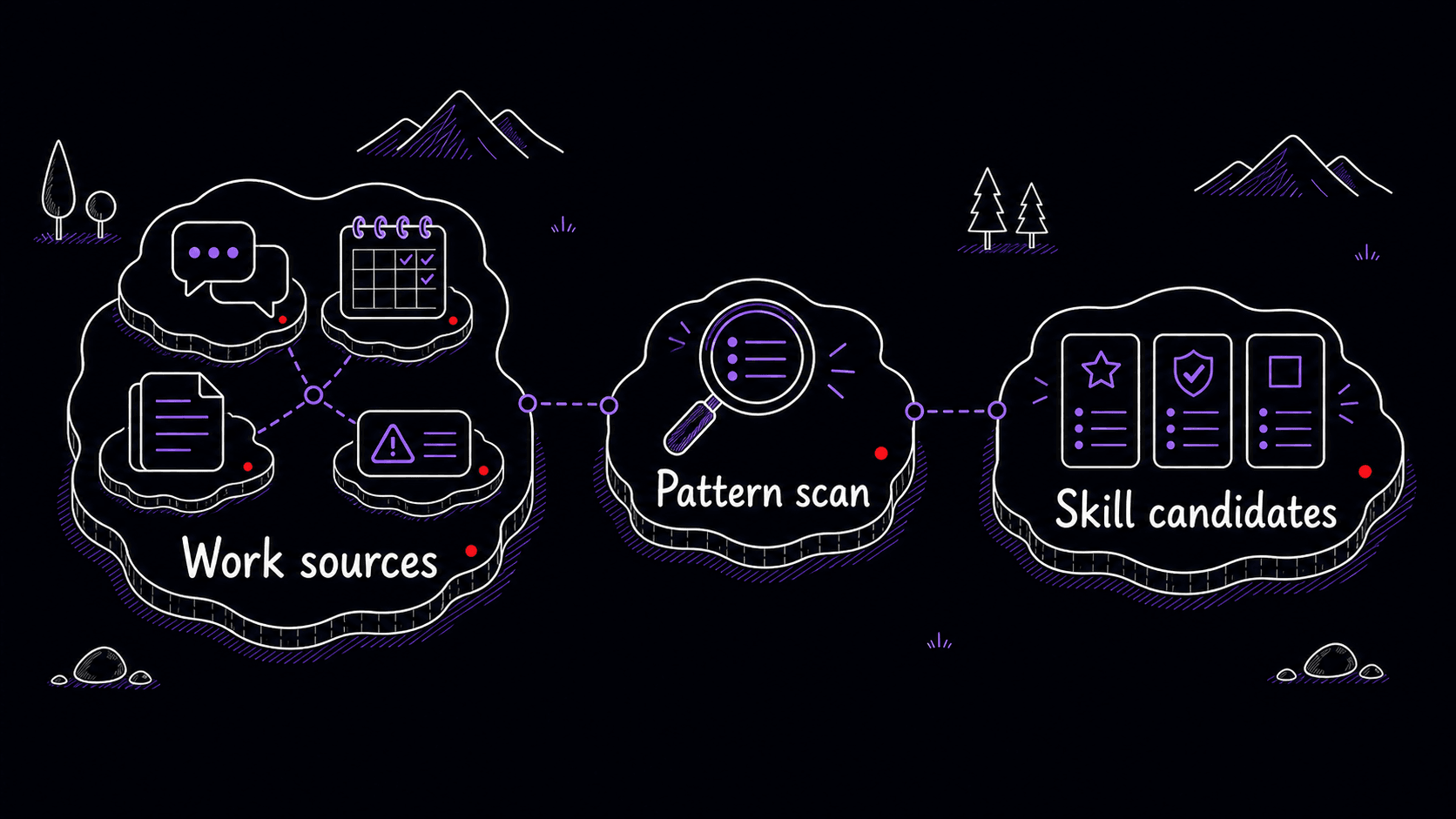
Procedures are the valuable find, not facts
When AI scans your , the temptation is to have it summarize everything. That is the wrong job. The goal is to find repeated procedures that deserve a reusable home.
The difference is practical. 'Tom met with three clients last week' is a fact. 'Before each client meeting, Tom gathers the last thread, open questions, promised follow-ups, likely objections, and one suggested agenda' is a procedure. The second one can become a because it has a , inputs, steps, and output.
The same source can hold many facts and only a few procedures. The procedures are the valuable part for creation.
Try a small scan across meetings, emails, and drafts
Point the assistant at three recent work traces you are comfortable sharing: one meeting transcript or notes file, one email thread, and one draft you asked AI to improve. The assistant scans for repeated work patterns; you decide which ones match how you work.
Private sources need a narrow first pass
is powerful because it can look through your real inbox, calendar, documents, messages, and code history. That same power is why the first scan should be narrow.
Tell the assistant to start with metadata: titles, dates, sender names, meeting titles, thread snippets, file names, and issue titles. Have it propose a source plan before opening full messages, attachments, private documents, client details, health information, financial records, HR material, legal material, credentials, or personal relationship content.
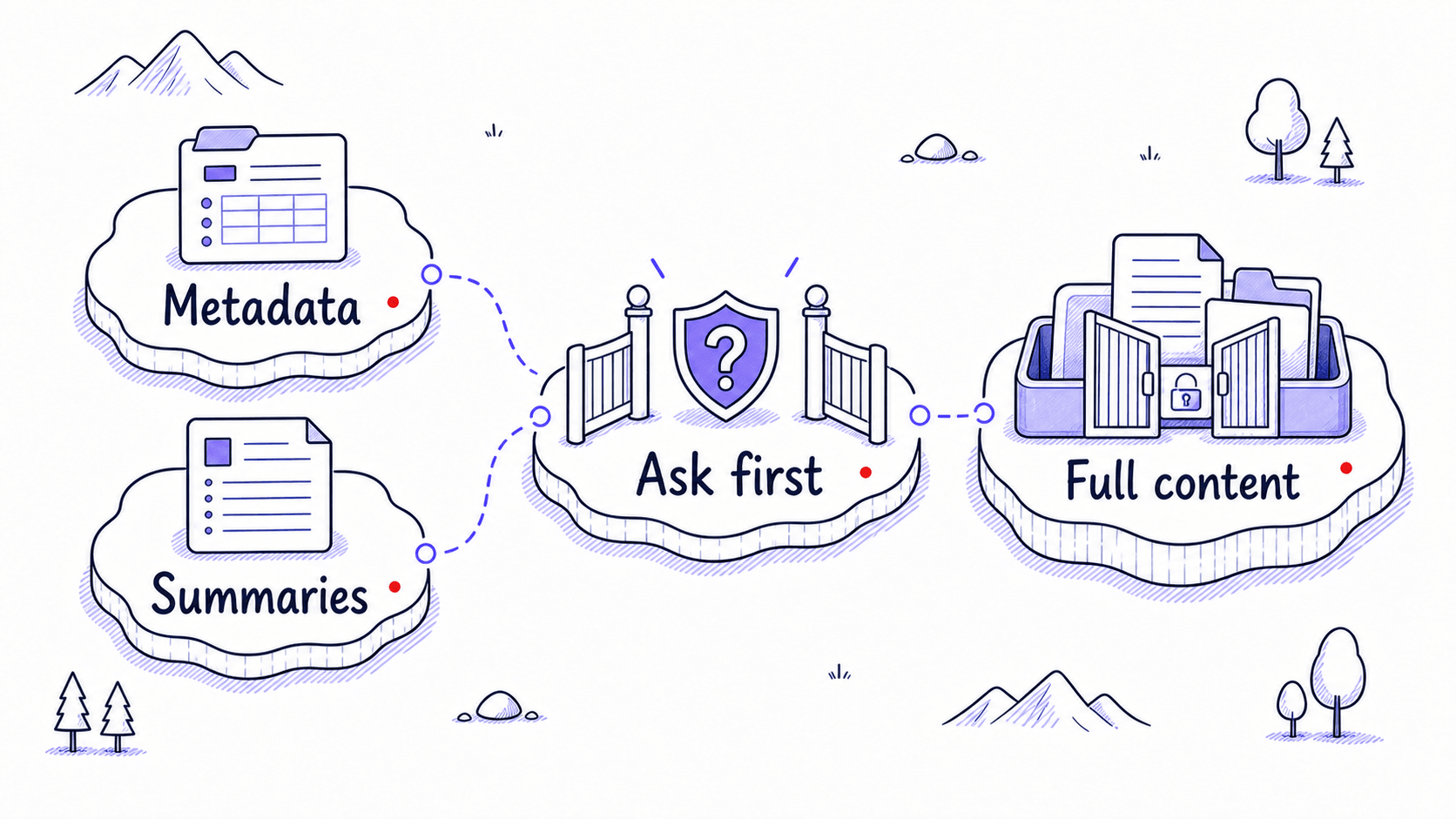
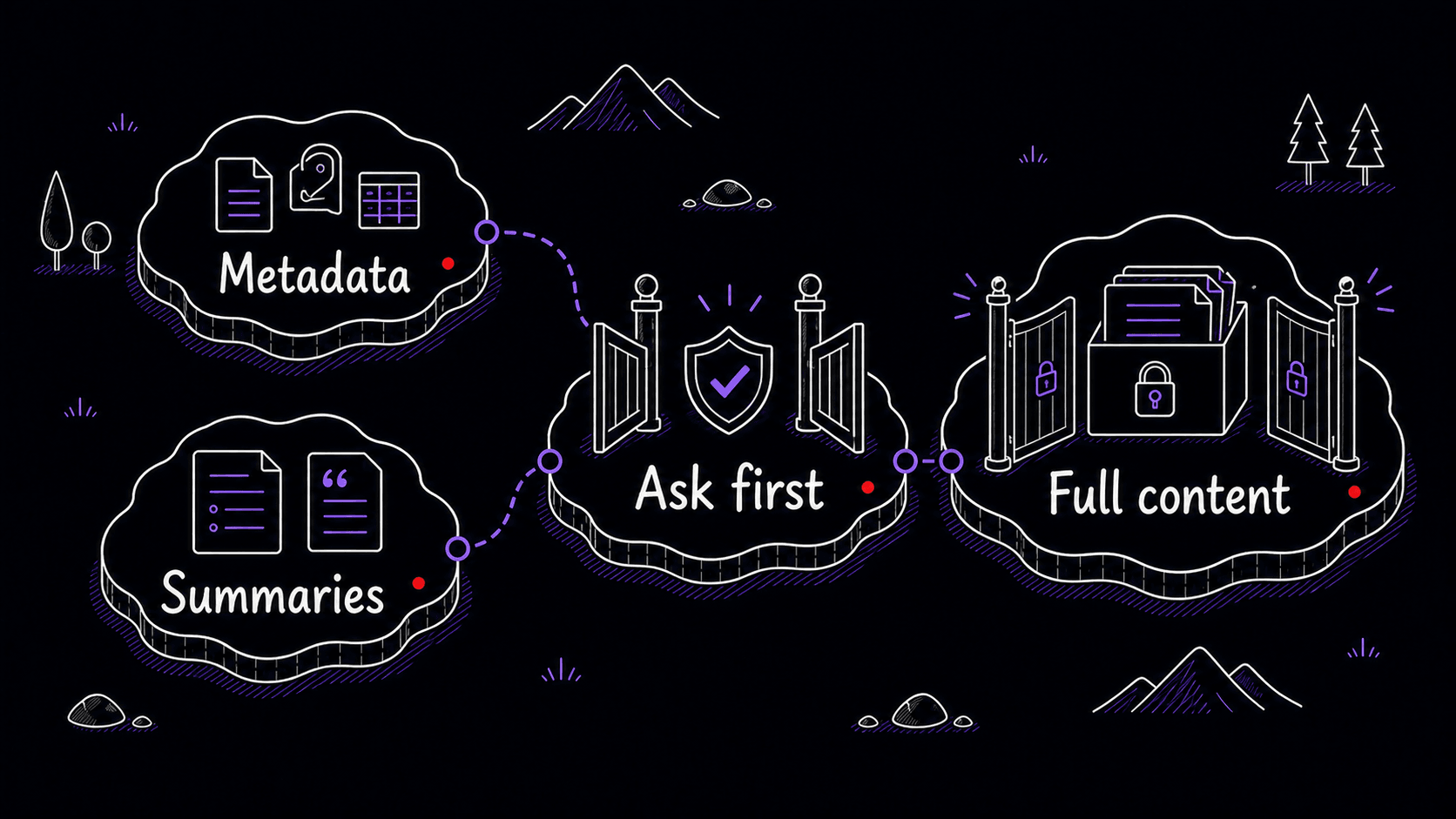
What the discovery scan produces
The comprehensive above handles source planning, pattern searching, PARA organization, and ranking in one session. Each candidate should point back to the kind of source that produced it, the recurring situation, the usual inputs, the output, and the corrections you seem to repeat.
Pay attention to confidence. A pattern that appears in ten threads is different from a pattern the AI inferred from one ambiguous note. The asks the assistant to interview you when evidence is thin. A low-confidence pattern can still be useful, but it should not become a until you confirm it.
Rank candidates before writing files
A discovery run can produce too many candidates. Do not build all of them. Rank them first.
A strong first is usually frequent, valuable, repeatable, easy to test, and low risk. That often means something ordinary: meeting prep, client follow-up, weekly review, draft review, long-thread summary, PR review, source-backed research brief, or a recurring document format.
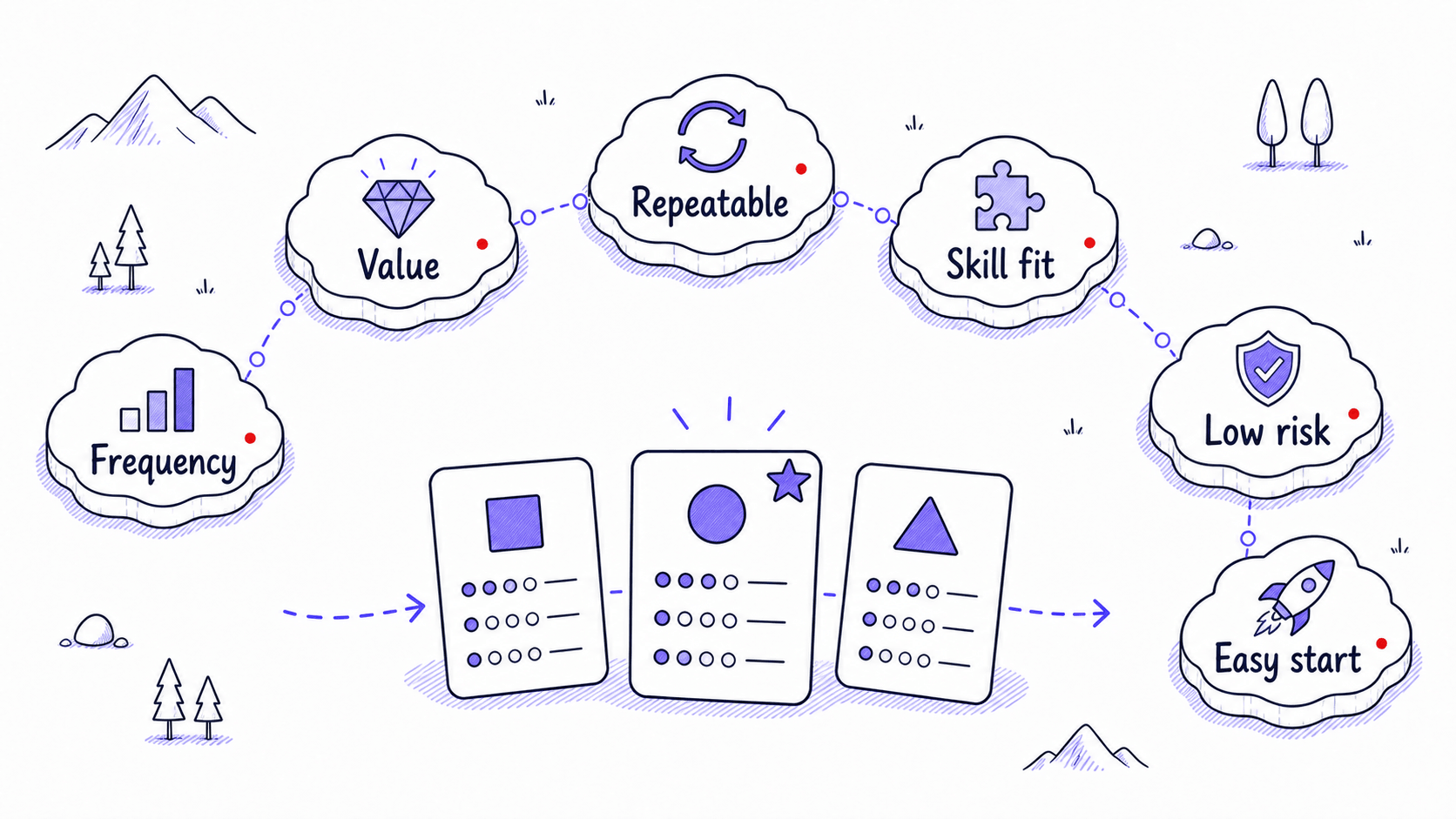
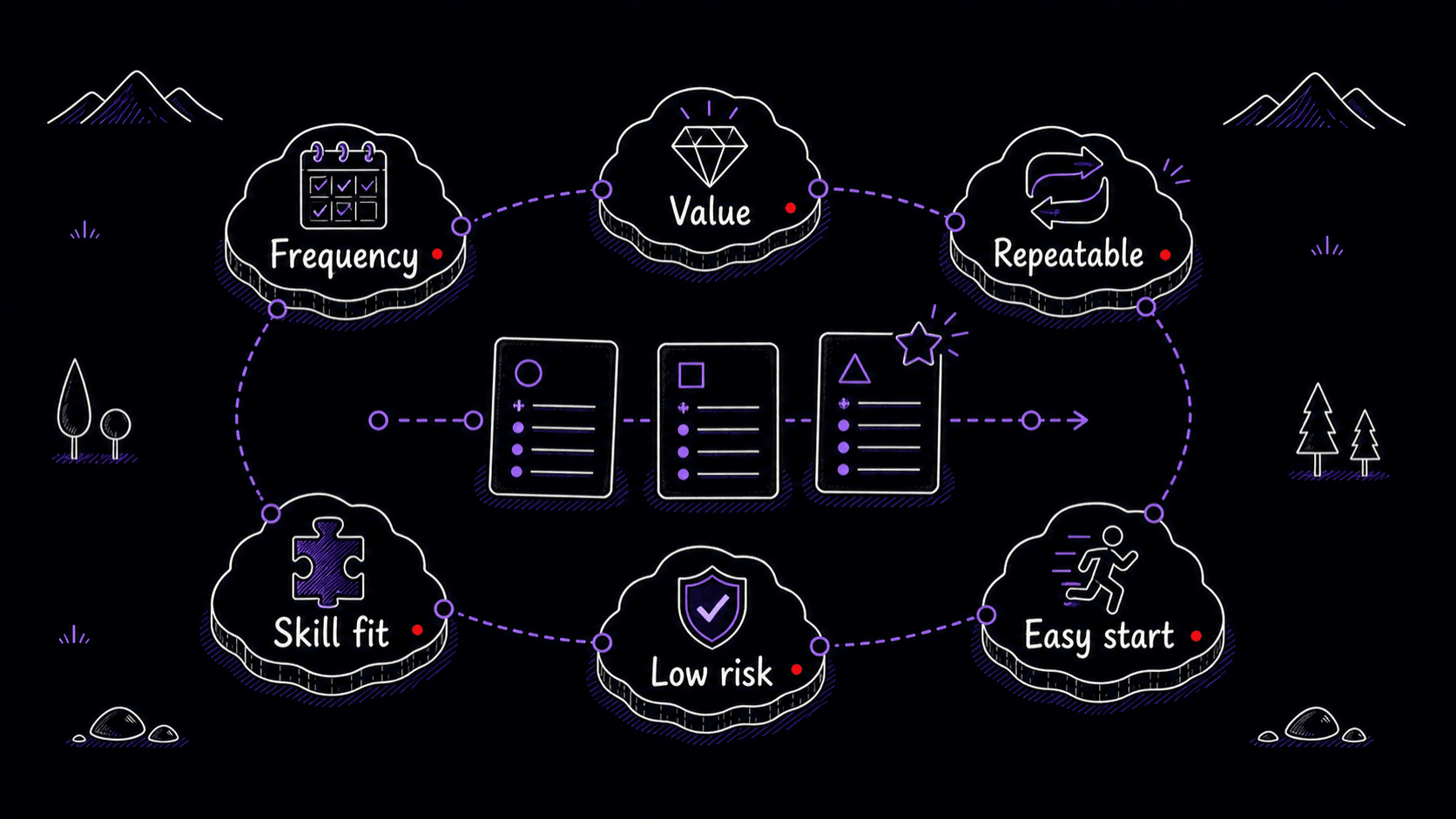
The comprehensive discovery above handles ranking as part of the PARA-organized output. Each candidate arrives with evidence, so you can apply the scoring rubric above to choose your next build target.
Some findings belong outside Skills
often finds useful instructions that should not become Skills. A stable personal preference belongs in memory. A repository-wide working agreement belongs in AGENTS.md or a similar project instruction file. A recurring scheduled action belongs in an automation. A specialized parallel research role may belong in a subagent. A rare task can stay a one-off .
That classification step prevents bloat. A Skill library should feel like a small set of well-labeled procedures you trust, not a junk drawer of impressive-sounding files.
tests keep discovery honest
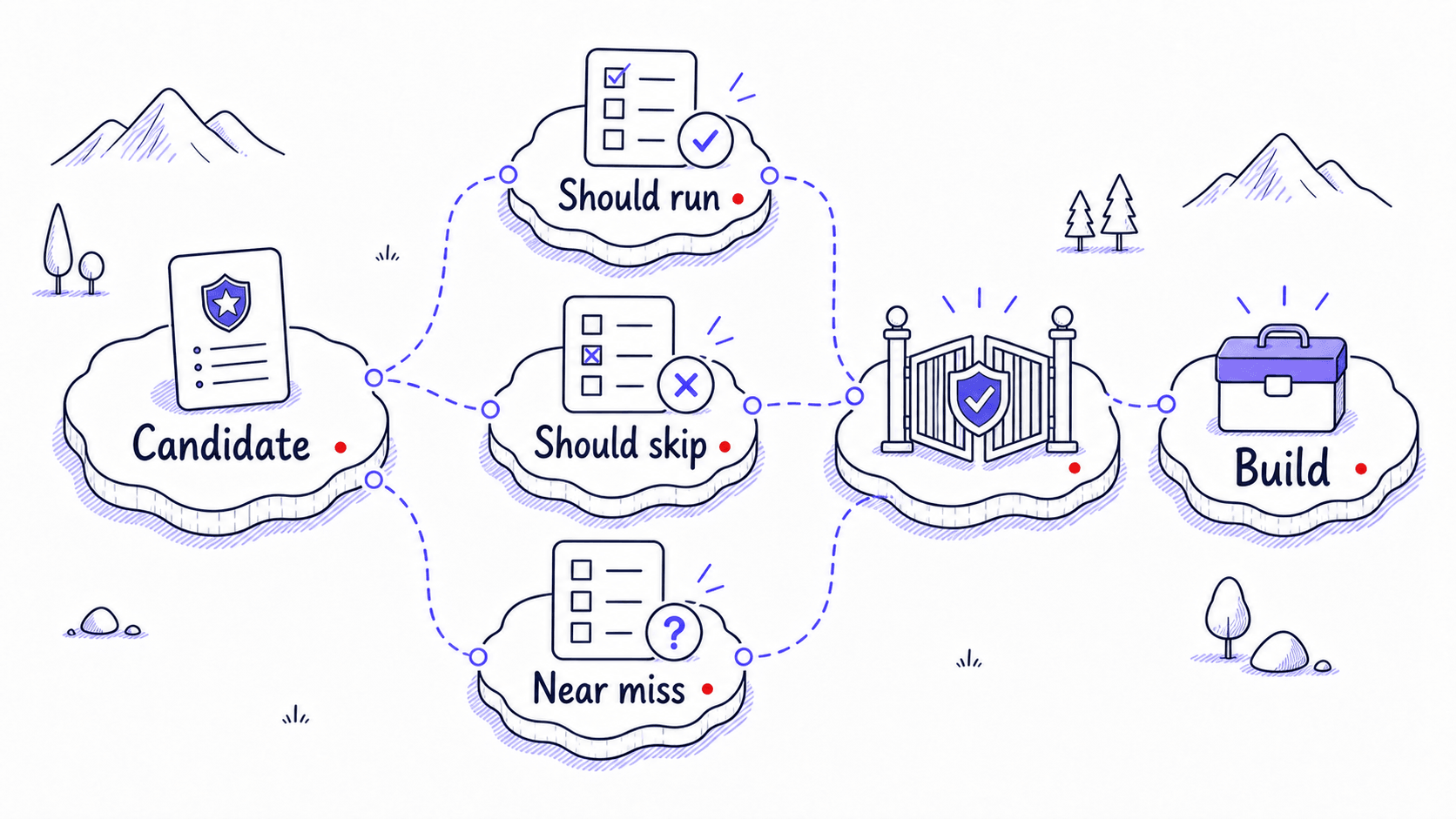
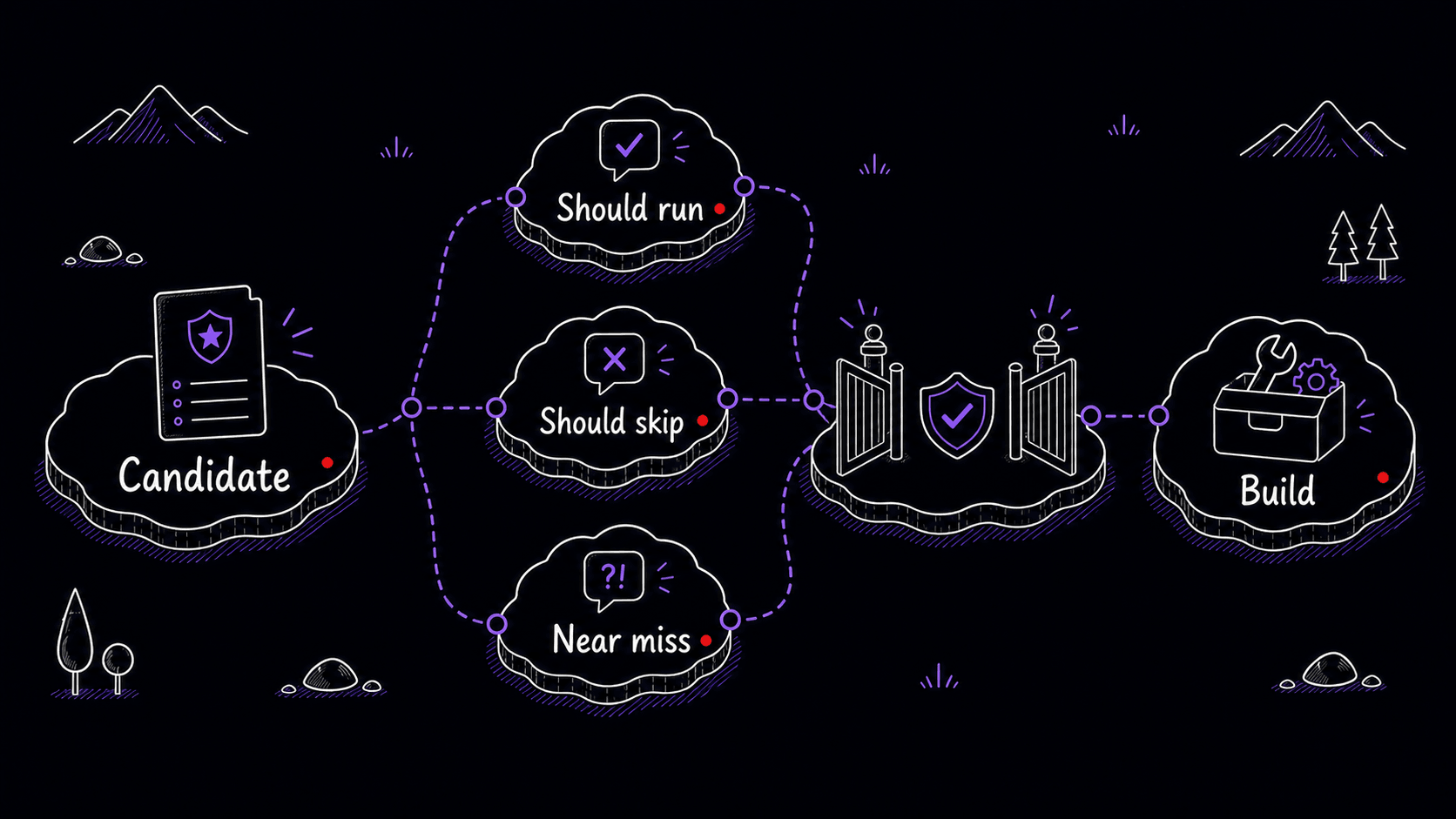
Before you turn a candidate into a working , test whether the is specific enough. Write prompts that should activate the Skill and prompts that should stay outside it. Near misses are the most useful tests because they show whether your description draws a clear enough line between tasks that belong to this Skill and tasks that do not.
Mini-project: run one bounded discovery scan
References
6 sources- 1Best practices for skill creatorsView source
Agent Skills · 2026 · Agent Skills Documentation
The Agent Skills guide warns that Skills built from generic model knowledge tend to become vague. Stronger Skills come from lived expertise: hands-on tasks, project artifacts, corrections, preferences, and execution traces.
Retrieved May 2026. Skills grounded in actual work evidence produce better results than Skills drafted from abstract ideas.
- 2Apps in ChatGPTView source
OpenAI · 2026 · OpenAI Help Center
OpenAI documents that enabled ChatGPT apps may access relevant conversation context, may use relevant memory context when Memory is enabled, and are governed by each app's terms and privacy policy. Workspace admins can configure app availability and actions.
Retrieved May 2026. Connected apps can see your conversations and memory, which makes source-based discovery useful but also means you need clear boundaries about what the assistant opens.
- 3ChatGPT agentView source
OpenAI · 2026 · OpenAI Help Center
OpenAI's agent guidance says agent mode can access sensitive data when apps or websites are enabled, recommends enabling only the apps needed for the current task, and warns against vague open-ended prompts such as asking the agent to check email and handle everything.
Retrieved May 2026. Vague discovery prompts like 'check everything' create risk. Telling the agent exactly what to search and what to skip keeps discovery productive.
- 4Custom instructions with AGENTS.mdView source
OpenAI · 2026 · Codex Developer Documentation
Codex reads AGENTS.md files before doing work, layering global guidance with project-specific overrides. Files closer to the current directory override broader guidance.
Retrieved May 2026. Stable project-wide guidance belongs in instruction files like AGENTS.md, which are always loaded for that project, rather than in a reusable Skill that might fire in the wrong context.
- 5Optimizing skill descriptionsView source
Agent Skills · 2026 · Agent Skills Documentation
The Agent Skills description guide recommends realistic trigger evaluation queries, roughly balanced between should-trigger and should-not-trigger cases, with varied phrasing, detail, complexity, and explicitness.
Retrieved May 2026. Testing the description with realistic examples catches vague triggers before you commit to building the full Skill.
- 6Agent SkillsView source
OpenAI · 2026 · Codex Developer Documentation
Codex includes an initial list of available Skills in context and recommends concise descriptions with clear scope and boundaries because implicit matching depends on the description.
Retrieved May 2026. Codex picks Skills based on the description alone, so a vague description means a useful Skill may never fire.