Context Design with Skills
Chapter Progress: Early DraftBreak the long-chat habit
The most common way people handle repeated AI work: open the same conversation, scroll to the bottom, and keep going. Meal planning, weekly reports, project updates, client emails. The chat already has all the , so starting a new one feels like throwing away work.
This habit is the clearest sign of a 2025 AI workflow. The in that long thread is degrading in ways you cannot see.
Understand why long conversations degrade
Every AI tool has a finite , a limit on how much information the can hold in working memory at one time. When a conversation grows past that limit, the tool compresses older messages into a summary. The practical effect is that your AI gets noticeably worse at the work you spent time teaching it.
Compression preserves keywords and loses judgment. Your principles, your edge-case preferences, how you handle variations, the corrections you made twenty messages back: all of it gets flattened into a condensed version that recites the right vocabulary while missing the reasoning underneath. The still sounds confident. It produces plausible outputs. Then it makes exactly the mistakes you already corrected, because the compressed summary no longer carries why those corrections mattered.
The longer the thread runs, the worse each pass gets. Every compression summarizes a previous summary, losing more detail each time. A conversation running for weeks is operating on a game-of-telephone version of your original instructions. Compression also wastes your usage limits, because the spends tokens producing the summary and consuming quota on work that delivers zero value to your output.
Closing the tab and starting fresh has the opposite problem: everything you taught it disappears entirely.
If you keep re-explaining the same correction, the issue is where your instructions live. Skills and memory move your preferences, procedures, and corrections outside any single conversation, so every new session starts with full intelligence.
AI can be remarkably capable inside a single conversation: drafting, summarizing, critiquing, coding, planning, researching, teaching, and analyzing. Most of that capability depends on what the tool has loaded into its working memory right now: the current task, the relevant files, your preferences, your standards, your examples, and the corrections you have already made.
When that disappears, your leverage disappears with it.
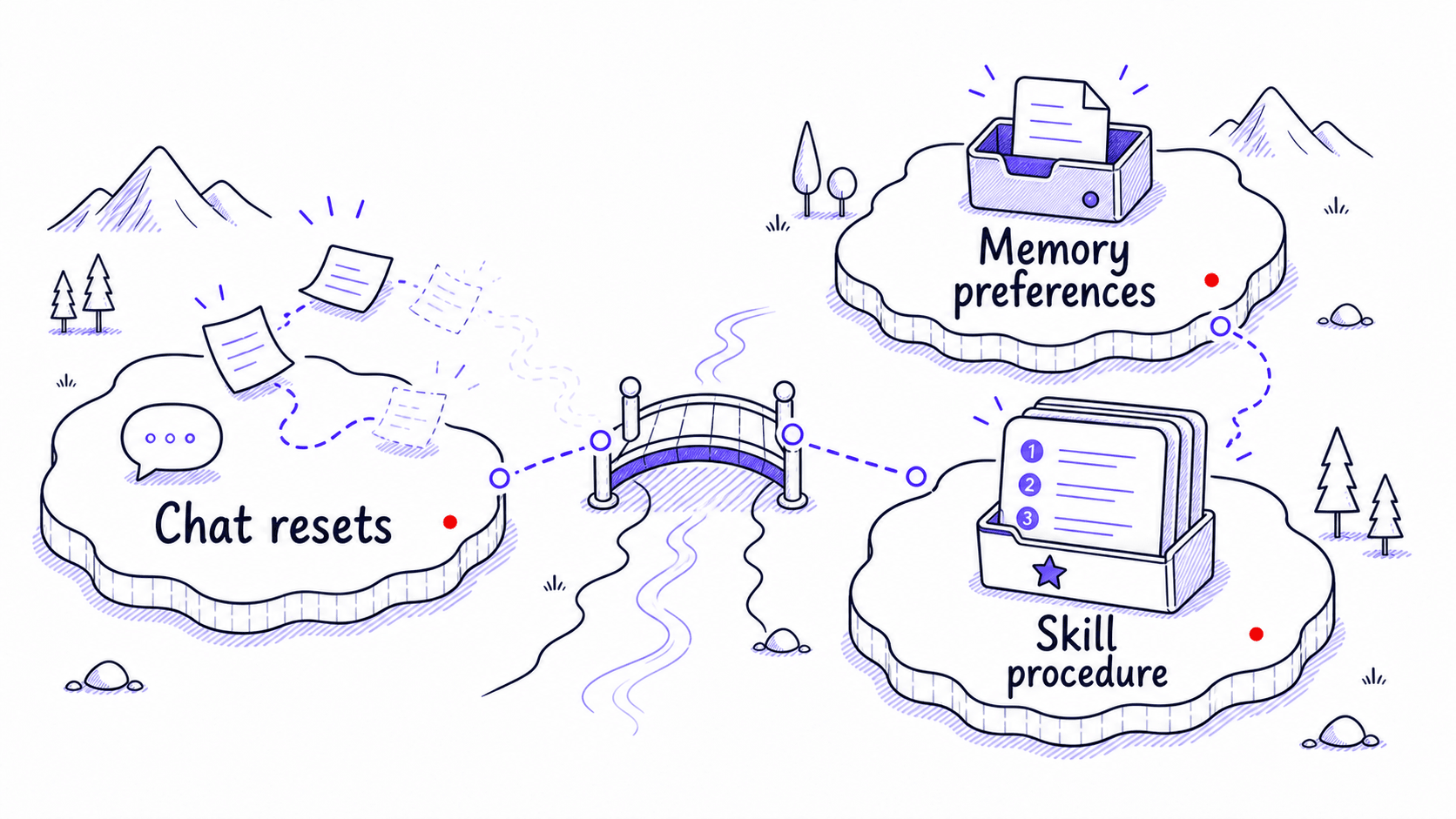

Modern tools remember more than they used to
The idea that every AI conversation starts from zero is outdated. ChatGPT can use saved memories and, when enabled, reference chat history. Claude has chat search and memory features that create continuity across conversations, with separate memory spaces for projects. Codex supports memories that persist across sessions. These are meaningful improvements.
The remaining problem is that memory handles facts and preferences well, but the procedural knowledge about how you work is the hardest to preserve: how you sort evidence, what you check before sending, which mistakes must never repeat, and what needs approval. Those multi-step workflows are too structured to fit in a memory entry. And a chat can only use what the AI tool loads into the conversation. Unless you save your corrections somewhere the AI can find them next time, you should assume they will disappear.
Reassembling is the hidden cost of AI work
AI work feels strangely repetitive because you keep rebuilding the setup that made the last session useful. The same tone instructions, the same formatting rules, the same warnings, the same client , the same corrections. You are reconstructing the same workspace every time you start a new conversation.
Consider how many times you have explained your meeting-recap preferences: the format you want, the level of detail, the decision-owner-deadline structure, the boundary against inventing action items that were never explicitly stated. Each time you explain these preferences, you are rebuilding temporary that could have been saved.
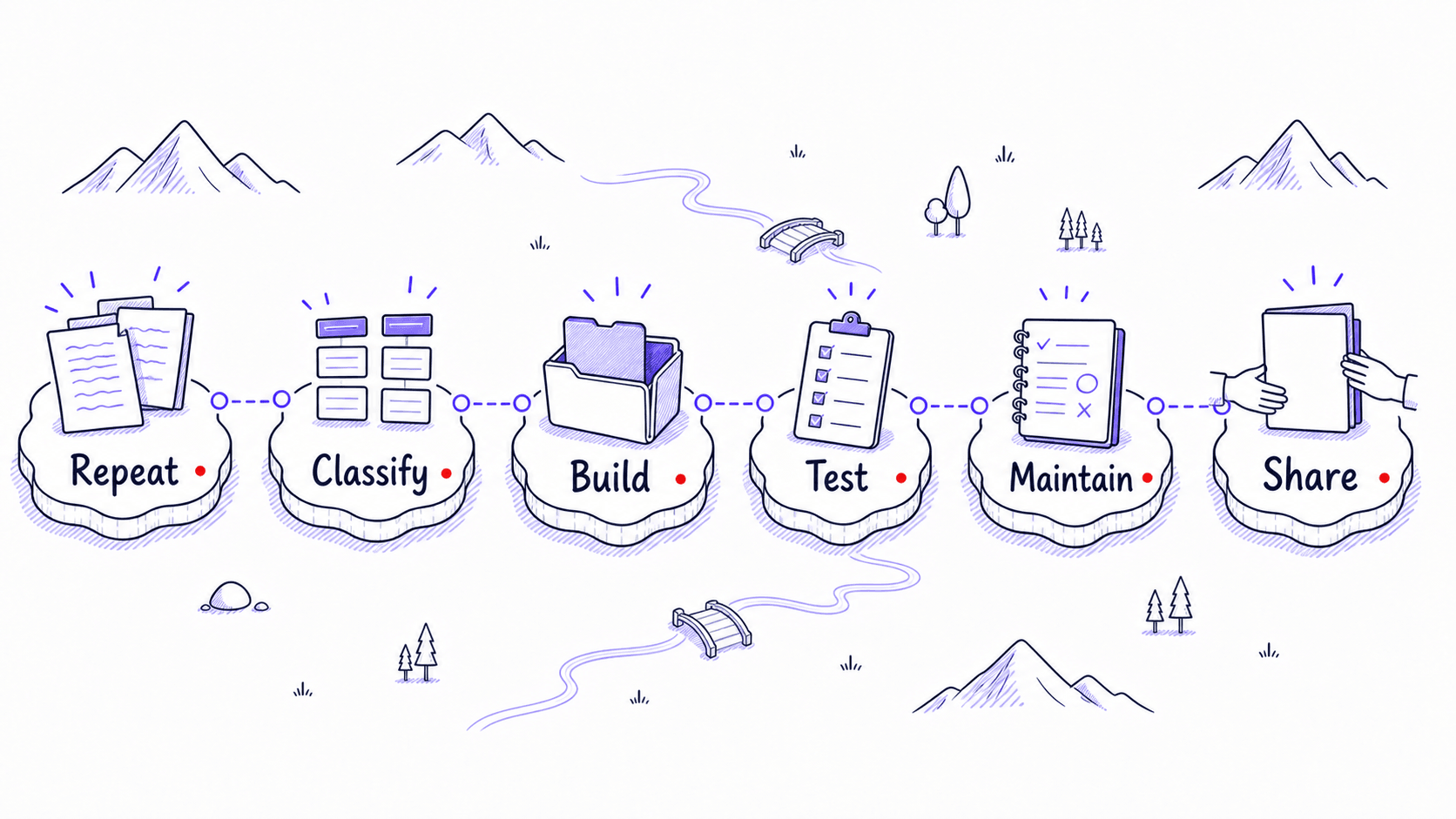
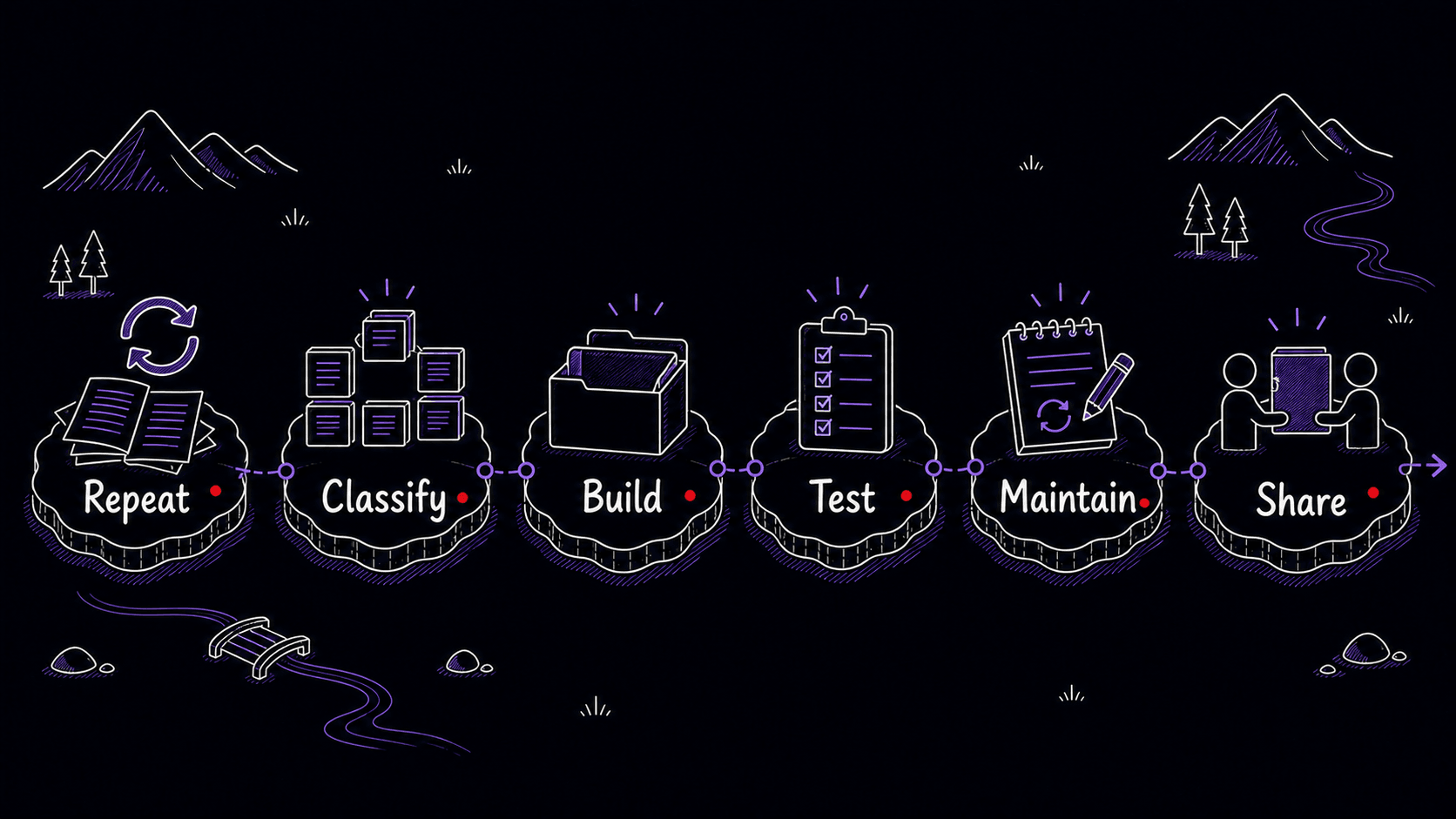
By the end of this guide, your repeated work will have a permanent home
By the end of this guide, you will have one tested , three small foundation files, a way to absorb corrections into permanent instructions, and a weekly review that keeps the system from drifting. That is the whole promise. Everything in between teaches you how to get there, starting from the repeated work you already do.
The meeting-recap workflow from the example above will carry through the guide as your training project. You will watch it evolve from repeated frustration into a working : corrections become gotchas, preferences become foundation files, the gets tested, the Skill earns its place in a small library, and eventually a scheduled agent reviews the library for you. Each chapter adds one layer to the same example so the accumulation is visible.
Save repeated instructions once and stop re-explaining them
This guide is about reducing the prompting tax. It teaches you how to turn repeated instructions into : the saved preferences, procedures, examples, files, workflows, and checks that help AI do your work your way without making you explain everything again.
If you have explained it twice, save it. Where you save it determines how and when that information comes back. A short preference belongs in memory. A project-specific rule belongs in . A multi-step procedure belongs in a . A deterministic check belongs in a script or hook. A recurring action belongs in a scheduled task. A decision that could send, publish, delete, spend money, or grant access belongs behind human approval.
asks better questions than prompting alone
Prompting asks one question: what should I type right now? asks a different set:
- What should the AI already know before I ask?
- Which instructions should persist across conversations?
- Which rules only apply to this project?
- Which workflows deserve their own ?
- Which preferences belong in memory?
- Which tasks should run on a schedule?
- Which tools and files should the AI be able to reach?
- Which outputs are risky enough to require human review?
Once you start asking those questions, AI stops being a blank chat box and starts becoming an extension of your working environment.
Eight layers of , from temporary to consequential
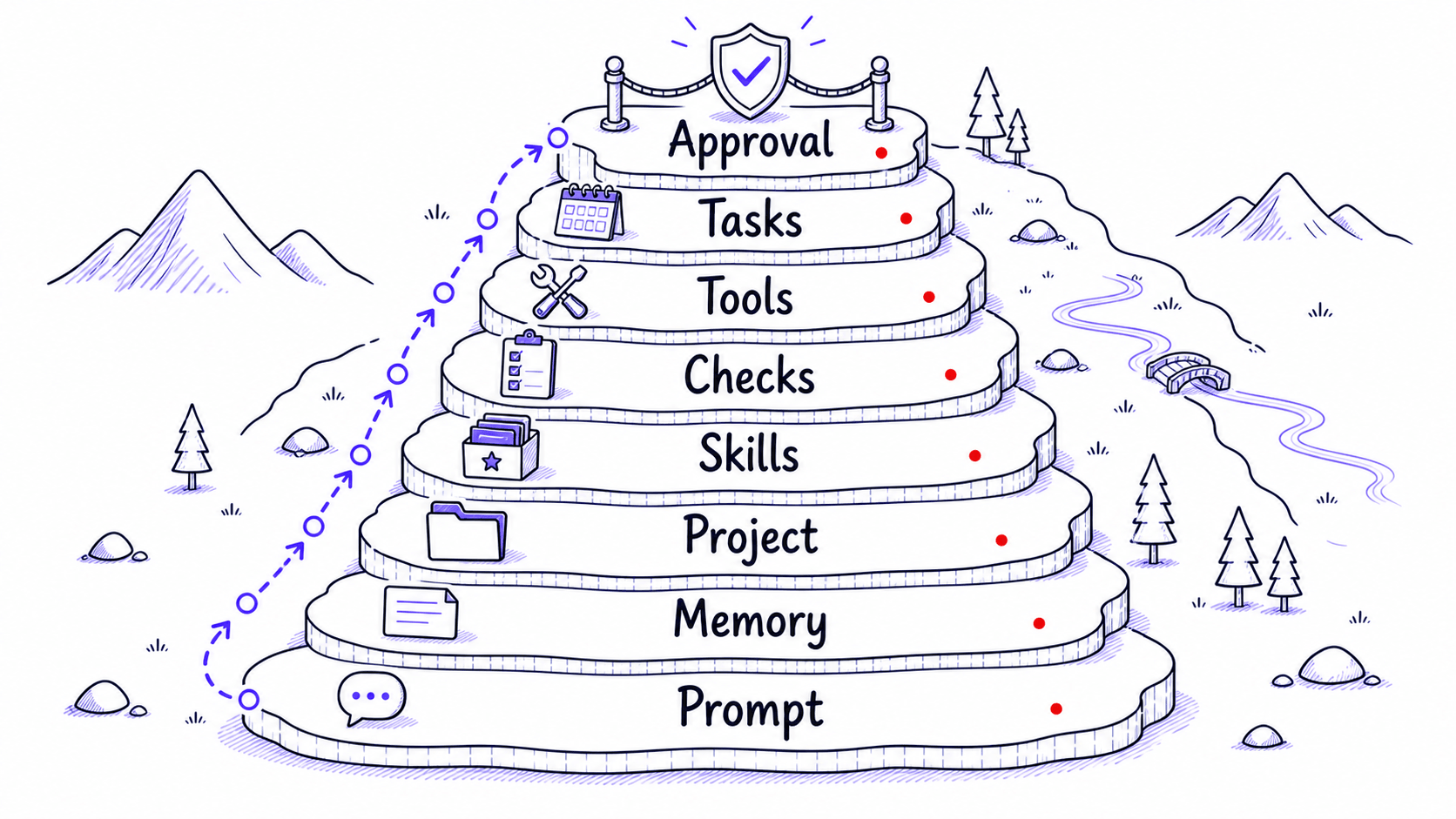
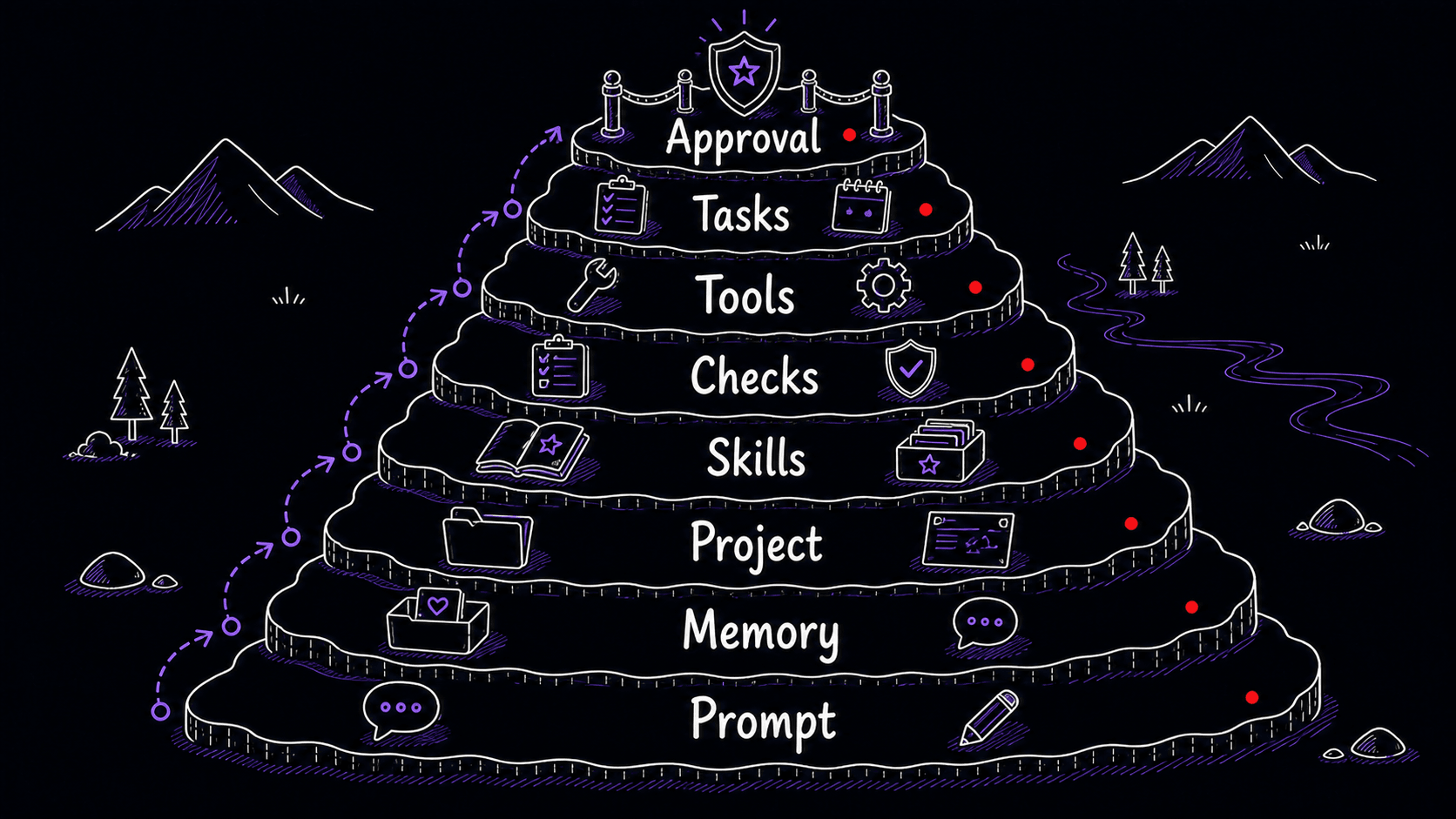
Each layer builds on the ones before it. Most people start with memory and one , then add layers as patterns emerge. You do not need all of them at once.
Your repeated work is the raw material
This guide teaches you how to save the parts of your work that AI tools otherwise forget. You will learn how to spot the instructions you keep retyping, separate preferences from procedures, have AI turn rough descriptions into working Skills, test them against real examples, avoid overbuilding, and maintain a small library that compounds from use.
The goal is to make your best ways of working easier to repeat. Skills are the featured container, but the broader goal is : the saved preferences, procedures, corrections, and boundaries that let every future session start closer to where the last one left off.
You now have the map: eight layers of from temporary prompts to consequential approval boundaries, a running example that will carry through every chapter, and a concrete destination. The first step is simple. Look at the instructions you have already given.
References
3 sources- 1Memory FAQView source
OpenAI · 2025 · OpenAI Help Center
OpenAI documents that ChatGPT saved memories are part of the context used to generate future responses. Custom instructions are applied across chats.
Retrieved May 2026. Memory features let short preferences persist without manual re-entry.
- 2Use Claude's chat search and memory to build on previous contextView source
Anthropic · 2025 · Claude Help Center
Claude has chat search and memory features that create continuity across conversations, with separate memory spaces for projects.
Retrieved May 2026. Memory features vary by tool and settings. Persistence is opt-in or automatic depending on the product.
- 3MemoriesView source
OpenAI · 2026 · Codex Developer Documentation
Codex supports memories that persist context across sessions, though memories are off by default and have regional availability caveats at launch.
Retrieved May 2026. Developer-focused AI tools now offer cross-session persistence.