Becoming an AI Power User
Becoming an AI Power User
57 min leftPage 192 of 223 (est.)
6.1Workflow Redesign, Creativity, and Growth
They ask AI where AI could help next instead of waiting for use cases to occur to them
Developing

Friction and imagination both point to use cases. A recurring annoyance suggests something to improve; a playful idea suggests something to try even when nothing is broken. Give AI both kinds of material and ask it to connect each proposal to the work you supplied. A plausible suggestion is a candidate to test. Its confident description does not establish that the required tools can do it or that the setup will repay the effort.
They give AI the raw context around the task
Power users open AI with a week of work in mind, not only a single task. Useful clues often appear in ordinary working material: a calendar, a task list, meeting notes, a backlog, a description of recurring frustrations, or a folder of repeated deliverables.
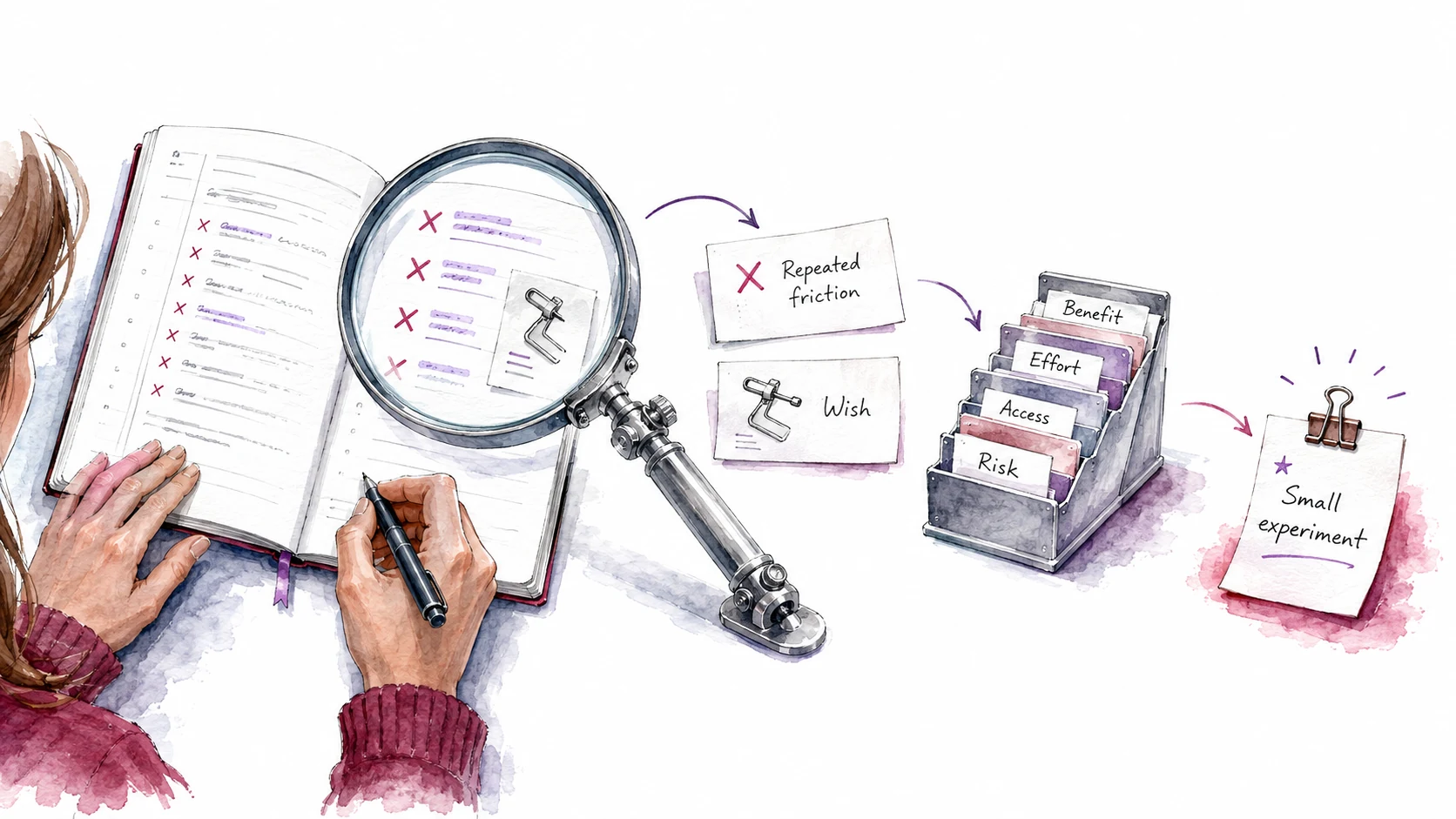
Start with a request such as: 'Here is what I did this week. Identify where AI could have helped before, during, or after the work. Connect each suggestion to something in these notes.' Possible clues include an explanation you keep rewriting, meeting notes with unresolved actions, research claims awaiting verification, or a tool you wish existed. Check that each proposal addresses the task you described.
The audit helps you choose work to try. follows when you ask AI to design the instructions for that experiment: what input it needs, what it should produce, and how to check the result. For a recurring client explanation, that could be a prompt that uses your existing message and asks which next step applies to this client.
They turn repeated friction into experiments
Every annoying recurring task is a candidate for AI support. Power users feed those annoyances to AI and let it surface 'I hate doing this' as a clue. That clue points toward a possible experiment.
Suppose your notes say, 'I rewrite the same explanation whenever a client asks what happens after our first meeting.' Ask AI to identify the parts that stay the same and draft a reusable explanation with a place for the client's next step. Compare it with a message you were happy to send. Does it preserve the promises you made and leave out promises you did not? That small comparison tells you more about the idea than a general claim that AI could improve client communication.
Friction is one of several feeds here, alongside curiosity and the things you wish existed. Ask AI to maintain a list of candidate uses from new work you choose to share. Pick a promising entry and test a small version with material you are allowed to use. A short time budget, such as fifteen minutes, can keep an easy experiment from expanding; more involved ideas may need a smaller first test or a longer session. Keep the cases that worked and the cases that failed before deciding how much to automate.
They ask for use cases in tiers
Asking AI for a random list of 'AI ideas' tends to produce shallow suggestions. Ask for ideas organized by the time, setup, and ongoing work they would require to help assess feasibility:
- Quick wins: Useful today, no new tool needed. A better prompt, a different way to phrase the request, a context block that produces better output.
- Reusable prompt and standard opportunities: Repeatable task to save. A prompt template, a context block, a quality standard, or a skill that lets you repeat a successful approach on another task.
- Workflow redesigns: Multi-step process that should be resequenced. AI changes which tasks should happen first, which can run in parallel, and which steps can be compressed or eliminated.
- Feature, agent, and build opportunities: Something that could become a tool, script, dashboard, automation, or agent workflow. More effort to build, with larger possible gains.
The categories help you choose a suitable next step. A client explanation might need relevant context and a saved prompt; a recurring report might need a different sequence; a reading notebook might merit a small build. An idea can fit more than one category, and testing may reveal a simpler approach than the first proposal.
They filter ideas by value, risk, and reversibility
Ask AI to compare suggestions against these questions. Have it distinguish evidence from estimates, and leave unknown costs or gains unknown:
High-frequency, low-risk, easily reversible tasks are often useful places to start. A high-stakes task may still offer value if an approved setup can protect the data and check the result. The comparison helps you decide what to test first; it cannot establish how much time a change saves before you have measured the work. Curiosity can also justify a small experiment that teaches you something even when it saves no time.
They imagine features before choosing tools
Power users often ask a question before 'what app should I use?': 'What capability do I wish existed inside my work?' Because that question is tool-agnostic, it tends to surface the underlying need before the implementation choice narrows the options. This is the playful, imaginative feed at work: not every use case starts as a complaint, some start as 'wouldn't it be cool if.'
A button that drafts a client update from meeting notes. A dashboard that shows which projects are blocked. A that remembers your proposal style. A script that extracts every open decision from a folder of docs. An internal tool that drafts a feature from a voice memo.
Power users use AI to imagine lightweight tools, internal features, automations, and agent workflows they could build or prototype, then climb a level and ask AI to draft the for the one to build. The specification connects an imagined capability to the inputs, behavior, and checks a small build would need.
Test a manageable version before building reusable instructions
Try a small version of a suggested use case before committing to a larger build. Chat may be enough to test whether meeting notes can support a useful client update. A task involving files or actions may need a small agent prototype instead. Choose the simplest setup that can test the actual idea, and compare its result with the quality you need.
A successful trial gives you a candidate prompt, some useful context, and an example of the quality to preserve. Repeat it on another representative case, including a likely difficulty, before treating it as a reliable workflow. If the benefit holds, save the prompt and checks, then ask AI to help maintain them as your work changes. The saved prompt and checks support directing later runs without reconstructing the successful approach each time.
Use AI to audit your work and build a
Audit your work and build a ranked use-case backlog
Open a Claude conversation and bring a task list, meeting notes, or a description of your week, including interests or ideas you want to explore. Claude asks for missing context and proposes uses for comparison and testing.
- Copy the promptUse the copy button above the box.
- Paste it in Claude or CodexMake sure your active project is enabled.
- Answer the questionsGive clear answers so it understands what you want made.
- Test it to see if it worksTry the output and refine until it does what you need.
Problem: I may be overlooking useful or enjoyable ways to use AI in my work.
Intent: I want a ranked list of possibilities grounded in what I do and what I would like to try.
Ask me for a task list, calendar excerpt, meeting notes, recurring frustrations, or a description of a normal week. Invite me to include interests and things I wish existed. Use material I provide or identify for this task; if you cannot access it, ask me to paste it or connect the relevant source. Ask short follow-up questions when a missing detail would change a suggestion.
1. Connect each suggestion to specific evidence in that material. Distinguish my stated goals and interests from possibilities you are proposing.
2. Group the ideas where useful:
- Quick wins using tools I already have.
- Reusable prompts, context, quality standards, or skills for repeated work.
- Workflow redesigns that change the order or handoffs between steps.
- Features, agents, or small builds that would require more setup.
An idea may fit several groups. Leave a group empty when the material does not support a useful suggestion.
3. For each idea, explain the need or interest it serves, likely benefit, frequency if known, risk if it fails, data it needs, setup effort, and whether its result can be checked or undone. Separate measurements from estimates. Do not invent numerical scores, costs, or time savings. Verify consequential tool requirements against current official documentation when possible and mark unverified requirements.
4. Rank the promising ideas by how well they serve my priorities and how practical they are to test. Include learning and enjoyment when I value them. Explain what missing information could change the ranking.
5. For a feasible candidate, draft an experiment with the input, exact prompt, expected output, quality check, and a reason to continue, revise, or stop. Choose a manageable test that could expose a likely failure.
Scope: identify opportunities and draft the experiment only. Do not perform the proposed tasks or save personal preferences or a profile. If an idea requires sensitive data without an appropriate way to handle and check it, flag that constraint and keep it out of the first experiment.